
Can you imagine developing your own video game and publishing it directly on your mobile with only a few tools, good ideas and some creativity? Today, creating Android games is available to anyoneeven without advanced programming knowledge. Thanks to the evolution of numerous apps and engines, you can give life to your projects in a simple wayfree or for very affordable prices.
In this article we have compiled and analyzed All the most popular, complete and used applications To create video games on Android, ordered according to the level of experience. In addition, we explain to you its advantages, limitations and in what cases each one should use. If you have an idea for a game and you do not know where to start, here you will find the perfect resource to become, step by step, in the creator of your own virtual world.
Applications to create Android games: beginner level
If it’s your first time and want to create your own game Without having to write a line of codethere are tools specially designed for you. These platforms offer intuitive interfaces, block systems and drag and releasetemplates ready to customize and great communities to solve your doubts.
Buildbox
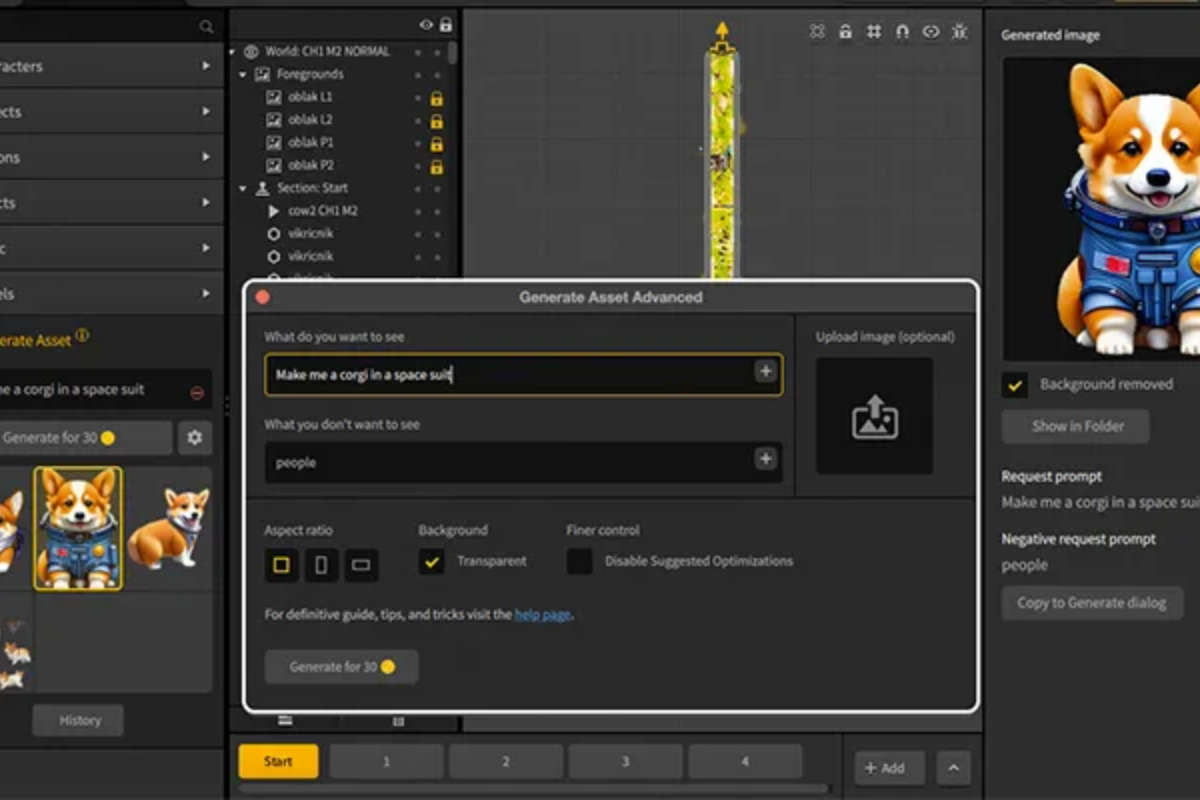
Buildbox It allows you to design games visually without coding, organizing actions and behaviors through boxes and blocks. It stands out for its Modern and friendly interfacefacilitating export to Android and iOS (with certain limitations in the free version). It is ideal to create simple prototypes and games, although you are looking for Advanced customizationyou will have to jump to the payment version.
Stencyl
Inspired by the Scratch block system, Stencyl It offers a 2D games development environment in which you can create levels and gameplay dragging visual modules. It does not require code knowledgebut if you dare to deepen, it allows you to create and customize your own blocks with basic programming. You can easily export to web with the free version and Android, iOS or desktop in the payment plan. It is perfect for those who seek quick results with minimal learning curve.
Scratch
Scratch It is very popular in schools and educational centers for its didactic approach. It is used to teach programming to children and adolescents through visual blocks. If you are looking for a simple tool to enter the logic of programming, create simple mini-games and learn the bases, it is an excellent option. However, it is somewhat limited to commercial or complex projects.
RPG Maker
Do you feel like creating a Stardew Valley classic role play game? RPG Maker It is the perfect choice. His motto “Simple Aough for a Child” says it all. It allows designing pixelated worlds, stories and mechanics typical of the RPGS without having to program. Although part of zero, you can create very rich and imaginative universes. It is especially recommended for fans of the genre that begin in development.
Gamesalad
If you want to focus on Arcade type games, platforms or puzzles, Gamesalad It is one of the simplest and complete solutions. The Drag & Drop system, its template marketplace and the option to export to Android, IOS and HTML5 make it an all -terrain for 2D games. The free version allows you to start fast, although full access requires subscription.
Struckd
Struckd It takes the creation of 3D games to Android mobiles thanks to its intuitive Drag & Drop interface. It is not necessary to programand you can choose between 1500 assets and build worlds, adventures, races and all kinds of games with attractive visual results. Allows you to share your creations, play with friends and join a global community, all from your mobile. Ideal for those who want to experiment with 3D without technical complications.
Adventure Game Studio
For lovers of graphic adventures point and clickthis free application allows to create retro -style titles or with modern mechanics, mainly for PC. Although its use on Android is more limited, it is an excellent option for those who dream of designing their own monkey Island or Day of the Tentacle.
Gdevelop
Gdevelop It is an Open Source platform that bets on the Creation of events based on eventswithout writing code. Its simplicity is its greatest virtue: you select objects, define behaviors through conditions and actions, and the engine takes care of the rest. It allows to easily export to Android and other platforms, being ideal for puzzles, platforms and simple games.
CONSTRUCT 3
Heir of Construct 2, CONSTRUCT 3 It allows you to develop games directly in the browser thanks to your visual system based on events and triggers. It does not require installation, saves projects in the cloud and supports adult integration, which makes it a versatile option to create games quickly and publish them in HTML5 or export them to Android through Wrappers.
Intermediate tools to create games on Android
Once the beginner stage is over, it is common to look for tools with greater potential, flexibility and export options. These platforms allow to create more complex projects, combining visual logic with scripting, support for advanced graphics and greater customization. They are perfect for those who have already created simple games and want to make the leap to more ambitious developments.
Godot Engine
Godot It is a very popular Open Source engine among independent developers. Its greatest virtue is flexibility and power both for 2D games like 3Dtogether with the possibility of programming in GDScript (similar to Python), C# and even C ++. It is completely free and multiplatform, with an active community and abundant documentation. Although the learning curve is somewhat higher than in 100% visual tools, it offers a total freedom to create any game and complex mechanics.
Gamemaker Studio 2
Gamemaker The entrance door for many creators has been for years. Its drag & drop system allows you to do prototypes and functional games in a short time, but if you decide to move forward, you can program in GML (Game Maker Language). It allows to export to Android, iOS, consoles and PC, although export to mobile platforms requires specific licenses. It is excellent for 2D projects and has abundant tutorials and examples in your community.
Fusion 2.5
Another interesting option to create 2D games without writing code. Fusion 2.5 It offers a friendly learning curve, multiplatform export and an active community for resources and help. It is suitable for those who have some more experience and look for a more advanced engine than basic options, but without reaching the complexity of professional engines.
ITSMAGIC ENGINE
Mobile oriented, ITSMAGIC ENGINE It allows to create games with advanced graphics and physical, exporting to APK/AAB formats and programming in Java, Python or other supported languages. Supports modeling and 3D animation, shaders integration and importation of various file formats. It is recommended for those who want to create games from the mobile with advanced customization possibilities.
Solar2D
Solar2Dpreviously SDK Corona, is an environment based on Scripting Lua, Light and Open Source. It does not have drag & drop, but it is very powerful and flexible, with support for Android, iOS and an active community. It is ideal for those who prefer to have total control over the code and prioritize freedom and customization.
COCOS2D AND CREATOR COCOS
Coconos2d It is one of the most veteran Open Source engines, used in large studies. Supports Python, C ++ and C#. Its Creator Cocos version adds Drag & Drop tools, facilitating both beginners and experienced programmers. It allows to export to Android, iOS and browsers.
Professional engines to develop Android games
If you have previous experience and want to create high -level games, to market or compete in the market, there are engines used by professional studies worldwide. These environments require greater knowledge, but offer Power, multiplatform support, extensibility and multiple monetization options.
Unity 3D
Unity It is the most popular engine worldwide, responsible for more than 50% of games on Google Play. It allows creating 2D and 3D projects, supports augmented, virtual, multiplayer reality and exports to more than 25 platforms. It is free for income up to $ 100,000 annually, it has a huge Assets store and a lot of training. Your community is very active. For advanced functionalities, it is necessary to learn c#.
Unreal Engine
Unreal Engineby Epic Games, is the choice for 3D games with high quality graphics, such as Fortnite. It works in Windows, Linux and Mac. It is free, with royalties from certain income, and includes blueprints for visual programming, although its maximum potential is achieved by dominating C ++. It stands out for its visual, physical and lighting effects, in addition to abundant resources.
Autodesk 3DS Max
To create models, encourage characters or design complex scenarios, 3DS Max It is still a reference in modeling, animation and rendering. It is widely used in video games, architecture and cinema. Although it is not a game engine, it is the ideal complement to create high quality Assets that you will later import in Unity, Unreal or other engines.
CREMENGINE
Recognized by his Graphic realism and advanced effects, CREMENGINE It allows you to develop impressive 3D games. It requires technical knowledge, but your community offers resources for advanced developers.
3D torque
Thought to create 3D environments, 3D torque It is Open Source and allows modifying functionalities, being used in independent and experimental projects that need extreme customization.
Keys to choose the best tool to create games
Before deciding, answer these questions:
- Will your game be 2D or 3D? Tools such as Godot, Unity or Unreal support both, others only 2D.
- What is your technical level? If parts of zero, platforms without code such as Buildbox, Stencyl or Struckd are the best options.
- What budget do you have? Some options are free (Godot, Gdevelop, Solar2D), others with payment plans to export or eliminate restrictions (Gamesalad, Gamemaker, RPG Maker).
- Does the app have good community? Popular tools have more resources, tutorials and support.
The right choice will depend on your objectives, knowledge and resources. Many apps allow evolving from visual logic to programming, facilitating growth as a creator.
For professional and competitive development, master engines such as Unity and Unreal Engine It is almost essential. In many institutions, its teaching is key for its relevance in the labor market and high employability.
Do you want to venture in the creation of games? Start today, participate in communities, share your prototypes and take advantage of the available resources.
The apps market to create games on Android has democratized, offering options for each level and style. Whether you are looking for simple tools, visual environments for RPG, intermediate engines or professional suites, The possibilities are endless and only limits your imagination.


Start a new Thread