
Boom Beach at the forefront it’s a 9v9 strategy title developed by Space monkey games where two teams fight each other to secure safe points first and win the battle. Boom Beach Frontlines has a set of commands serving his purposes in the game, he has never been rescued by a fantastic doctor and wants to appreciate their effort double tap on the doctor to convey your thanks to them.
Currently, the only way to communicate with your team during battle is the list of commands provided below, these commands help players create team synergies during battle. In this article, we will learn the list of commands and their use in Boom Beach Frontlines.
Boom Beach Frontlines commands and their uses
1. Double tap the doctor
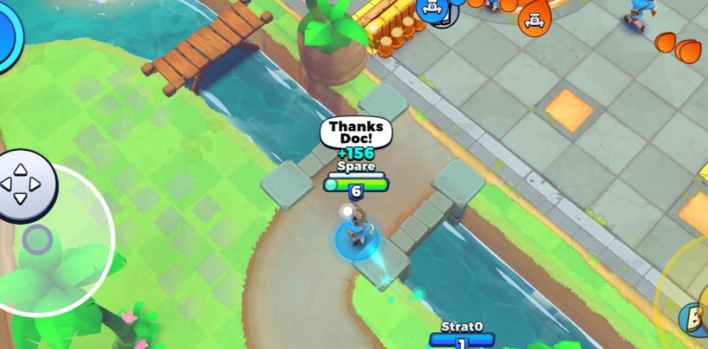
Double tapping the doctor will trigger a pop-up message “thank you Doctor” for assistance.
2. Double tap on your teammate
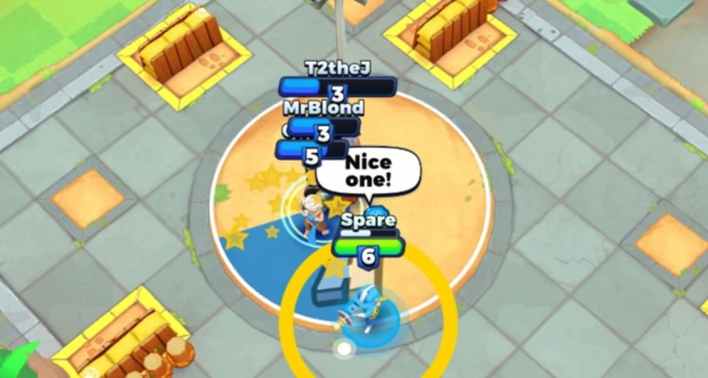
Double tap a teammate for a “Well done” pop-up message indicating appreciation for their assistance.
3. Double-tap yourself
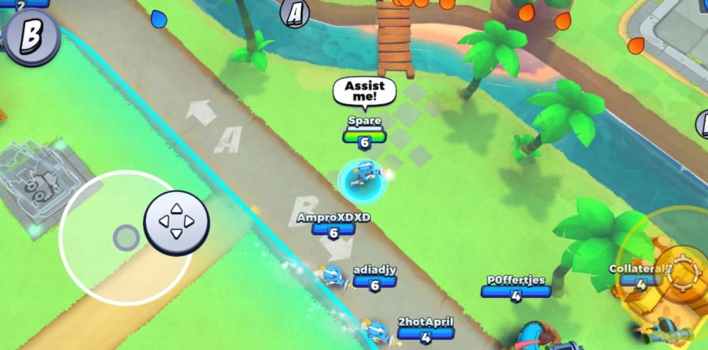
Pointing to teammates to assist you in battle. Can be used while facing enemy troops, vehicles or defenses. It appears as a “assist me!” pop-up message.
4. Double tap on enemy troops, vehicles or defenses
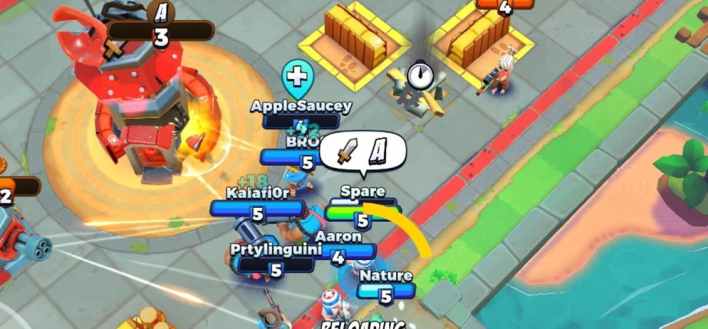
Double tap on enemy troops, vehicles or defenses to indicate that the team should focus their attacks on the one represented by the “knife sign”.
5. Double tap the headquarters or defense

Double-tap your headquarters or defense to indicate the team protecting the defense or headquarters, represented by the “Blue shield”.
6. Double tap sandbag
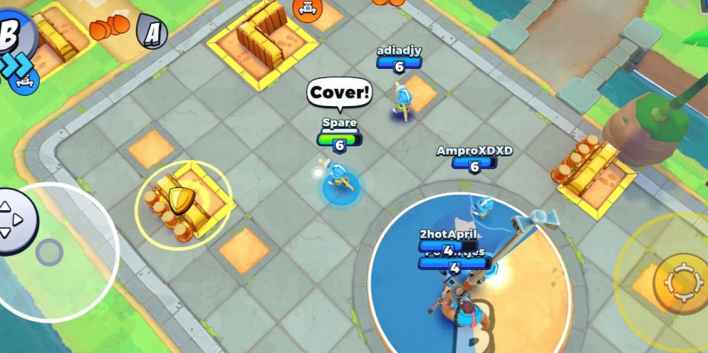
Double tapping on the sandbags indicates that you want to take cover or you want the team to take cover when under heavy fire, represented by the “Yellow shield”. Note: Sandbags reduce the amount of damage taken 75%.
7. Double-tap the untapped vehicle

Double tap vehicle not taken to indicate that you are taking him or someone on your team has to take him for an attack.
8. Double-tap anywhere else on the map

Makes a “!” icon on where you double-tapped generally indicating where teammates should go
9. Tap A or B
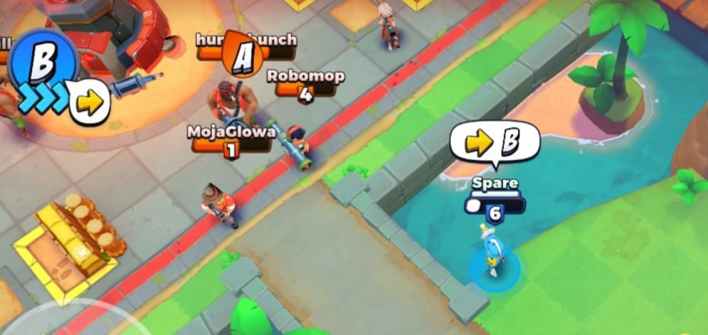
A And B. they are in the upper left corner of the screen. Touching a capture point that has not been taken will represent that the team should head there.
If a capture point is taken by the enemy team (headquarters) it will be referred to as an attack on the enemy headquarters represented by a “knife”. Tapping a capture point already captured by your team will be indicated by a “shield” sign like Double tapping your defense.




Start a new Thread