
Google has shared some tips on how to stay safe on Chrome for Data Privacy Day, which is tomorrow, January 28th. It also revealed that Chrome for Android is getting a new feature, which lets you pin incognito tabs when you log out of the app.
A new privacy setting lets you unlock these tabs with a screen lock, either with biometrics, a PIN, or a pattern.
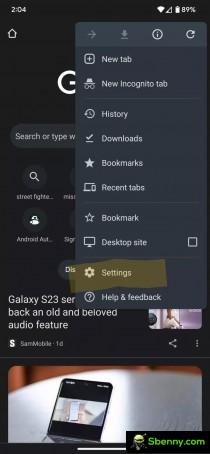
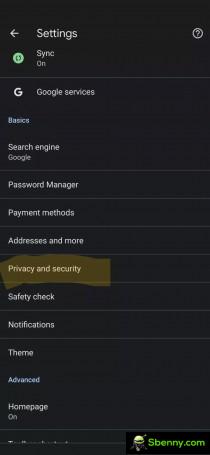

Screenshots of Chrome for Android
The function is pretty simple. When Chrome is opened and you want to use Incognito tabs after the phone has been locked, a prompt will appear on the screen to use your preferred screen unlock method and verify that you have access. Public listings will remain publicly available.
The feature is extremely useful for devices used by many people where you don’t want others to know what you’re browsing. This is the closest Chrome for Android to different profiles for different users.
Google said the feature is still rolling out, so some users may have to wait a while to get it.


Start a new Thread