
 Trusted by over 1.6 million members since 2014 — why not join them?
∞ and beyond!
Staff Member
Moderator
SB Mod Squad ⭐
✔ Approved Releaser
Active User
Member for 2 years
- Gender
- Not specified
- Device
- 6502
- Country
- Canada
This has come up several time now and rather than constantly repeating myself I decided to make this tutorial.
PairIP has two online methods of testing security, the primary and the secondary.
Many times the secondary protection is overlooked as it typically only triggers if the primary fails and no internet is detected.
Call it a booby trap.
As most devices today are glued to the internet, the booby trap doesn't go off.
If you are among those who have a firewall, use airplane mode, or in some other way block apps from wasting your bandwidth, surprise!
The fix is simple enough.
Keep in mind, this should only proceed the removal of the primary PairIP protection.
TOOLS:
These two Android modding apps are what I use.
MT
 sbupload.com
RegEx
STEPS:
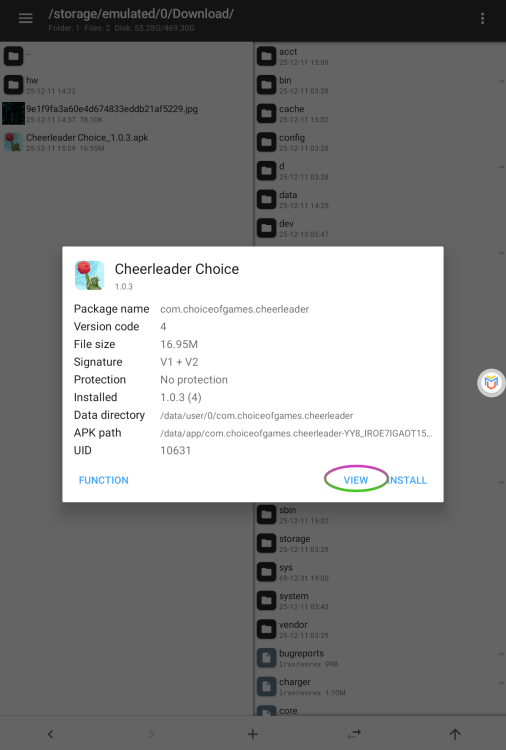
Open MT and load your PairIP UNprotected apk.
As can be seen, NO protection is detected.
Select VIEW

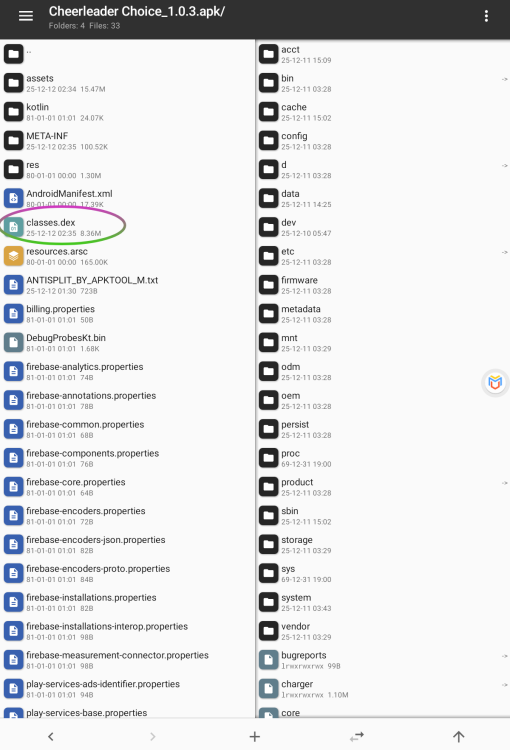
Select the first DEX file.

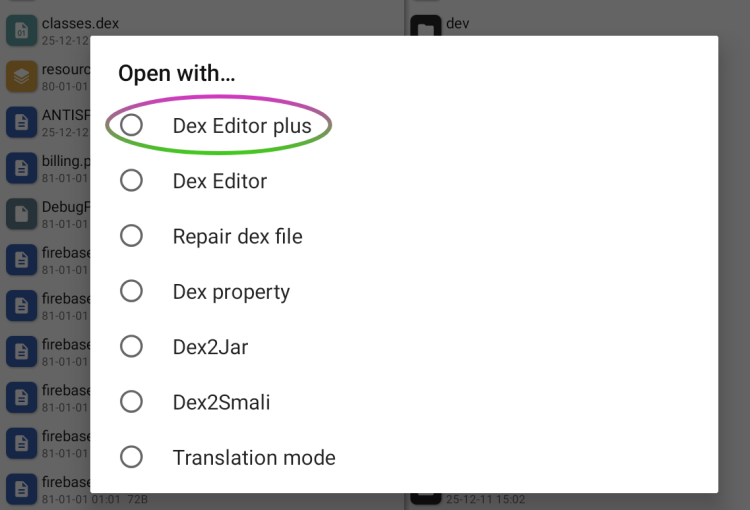
Select Dex Editor Plus.
(If you have more than one DEX, a prompt will appear, select ALL.)

As you can see, this is NOT a clean apk. Although PairIP protection is bypassed, a significant amount of its code remains.
We want to SEARCH that remaining code.

Select SEARCH
Select, Start a new search
As we are going to perform a REGualr EXpression you need to check the RegEx box.

Switch over to the RegEx app.
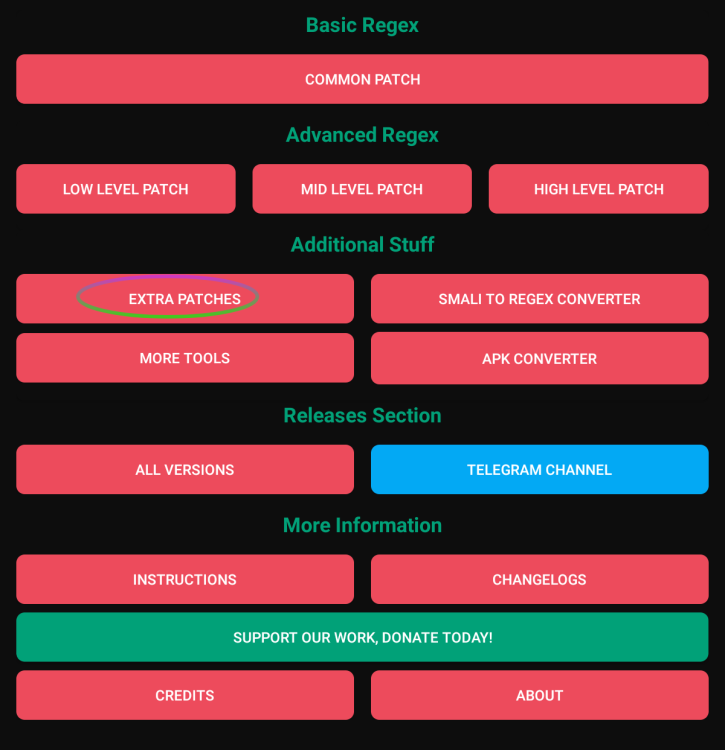
Select EXTRA PATCHES

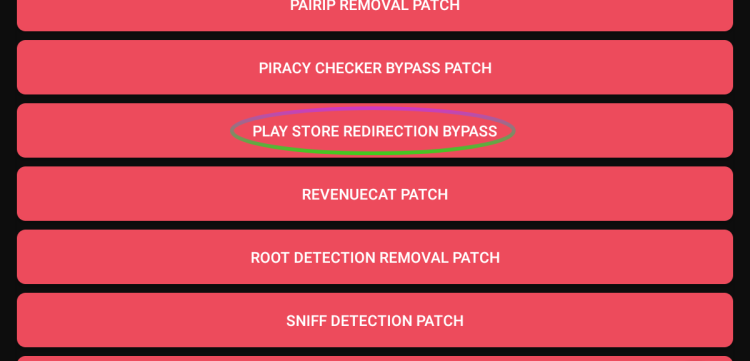
Select the PLAY STORE REDIRECTION BYPASS tool.

Click on the COPY button for the Search

Switch back to the DEX editor and PASTE the RegEx search value.
Select OK

The search should reveal 1 or more results.
Now we want to replace that code.
Switch back to the RegEx tool and COPY the REPLACE code.
Switch back to the Dex Editor.
Select Replace in current results.

PASTE the code on the REPLACE line and press OK

A dialog box will appear showing how many changes were made.
Close this.

Press the "back" arrow.

Once the Search and Replace complete and you indicate you want to exit the app, you will be prompted to save the changes.

CHECK the AUTO SIGN box and press OK


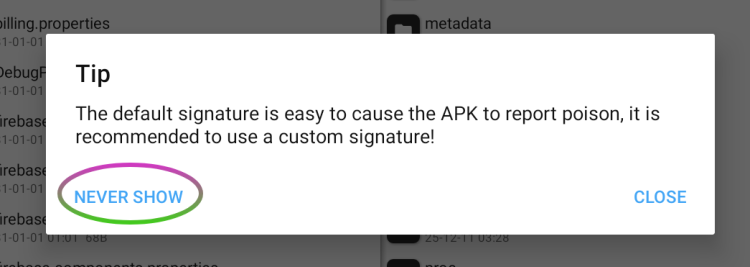
If you get this message, select NEVER SHOW

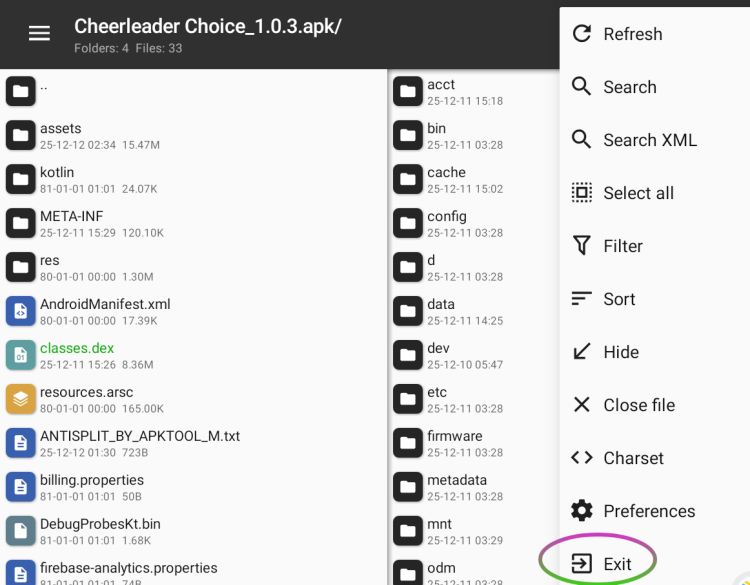
You will notice the changed DEX file(s) in green.
Select the 3 dots in the upper right hand corner for the menu and select EXIT.

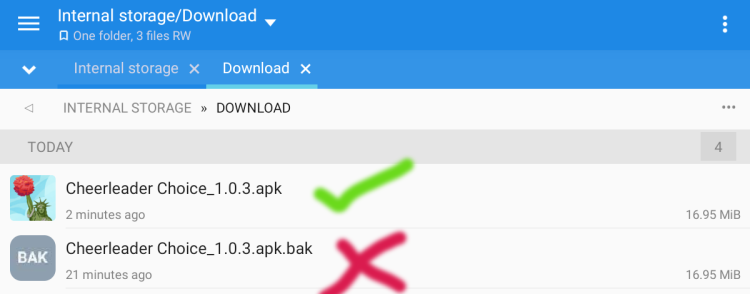
The APK with the booby trap will be backed up, and the new APK without the booby trap is now ready.

Using the two tools, far more could be done to clean up this APK, however, this tutorial is only about removing the left over PairIP secondary booby trap.
PairIP has two online methods of testing security, the primary and the secondary.
Many times the secondary protection is overlooked as it typically only triggers if the primary fails and no internet is detected.
Call it a booby trap.
As most devices today are glued to the internet, the booby trap doesn't go off.
If you are among those who have a firewall, use airplane mode, or in some other way block apps from wasting your bandwidth, surprise!
The fix is simple enough.
Keep in mind, this should only proceed the removal of the primary PairIP protection.
TOOLS:
These two Android modding apps are what I use.
MT
SBUpload - The next-gen File Hosting
Download now MT Manager_2.14.5-clone-MOD-v6-xml-fix-beta.apk (26.31 MB)
sbupload.com
RegEx
STEPS:
Open MT and load your PairIP UNprotected apk.
As can be seen, NO protection is detected.
Select VIEW
Select the first DEX file.
Select Dex Editor Plus.
(If you have more than one DEX, a prompt will appear, select ALL.)
As you can see, this is NOT a clean apk. Although PairIP protection is bypassed, a significant amount of its code remains.
We want to SEARCH that remaining code.
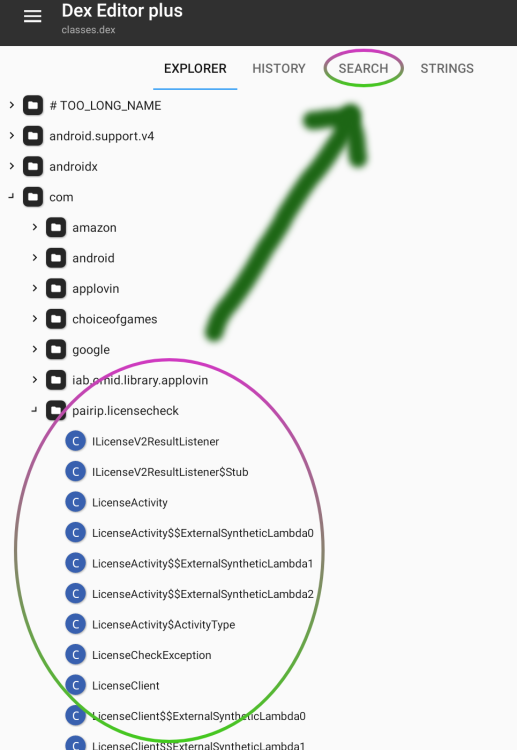
Select SEARCH
Select, Start a new search
As we are going to perform a REGualr EXpression you need to check the RegEx box.
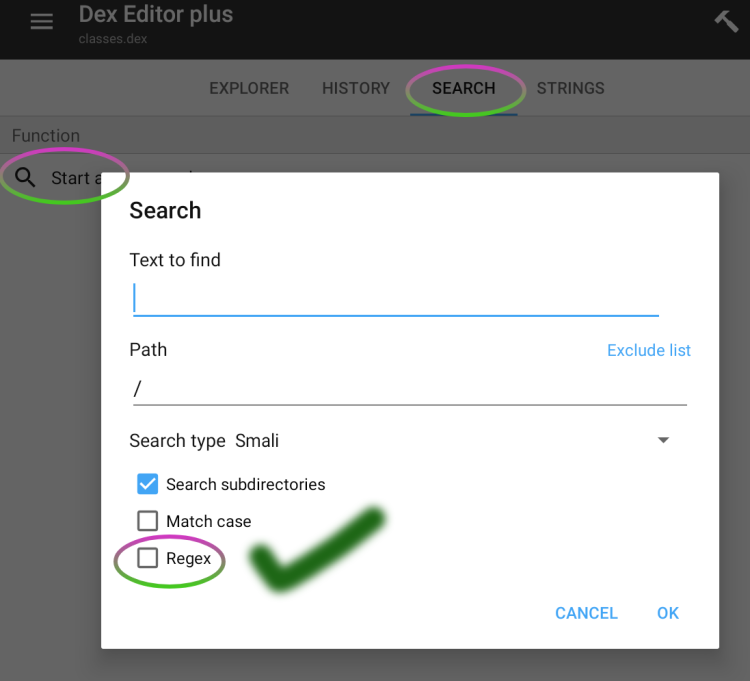
Switch over to the RegEx app.
Select EXTRA PATCHES
Select the PLAY STORE REDIRECTION BYPASS tool.
Click on the COPY button for the Search
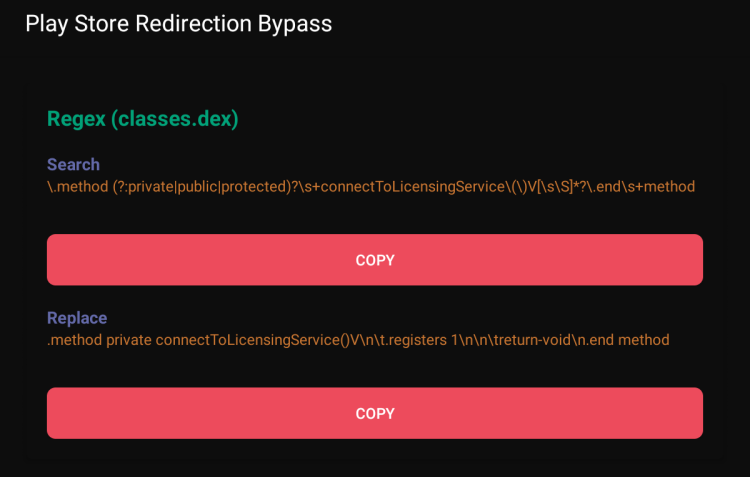
Switch back to the DEX editor and PASTE the RegEx search value.
Select OK
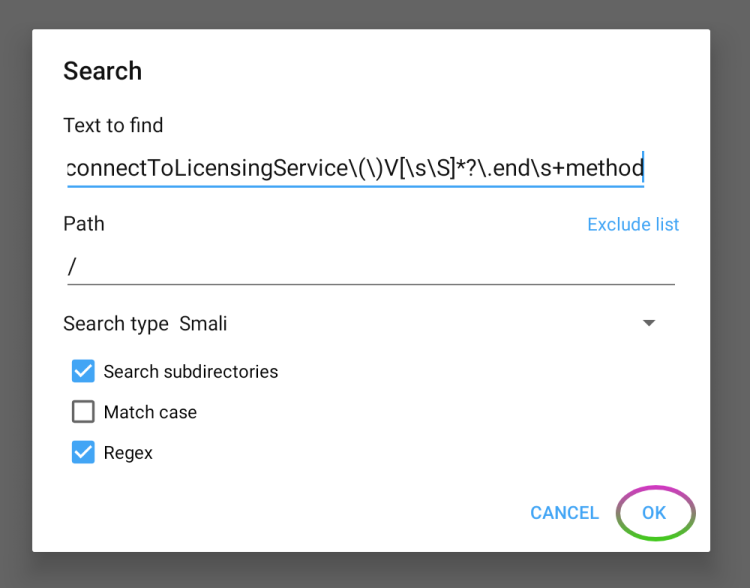
The search should reveal 1 or more results.
Now we want to replace that code.
Switch back to the RegEx tool and COPY the REPLACE code.
Switch back to the Dex Editor.
Select Replace in current results.
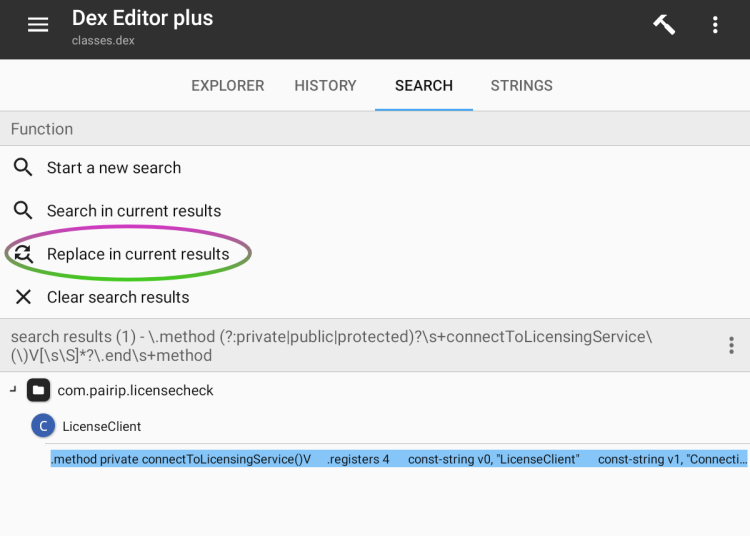
PASTE the code on the REPLACE line and press OK
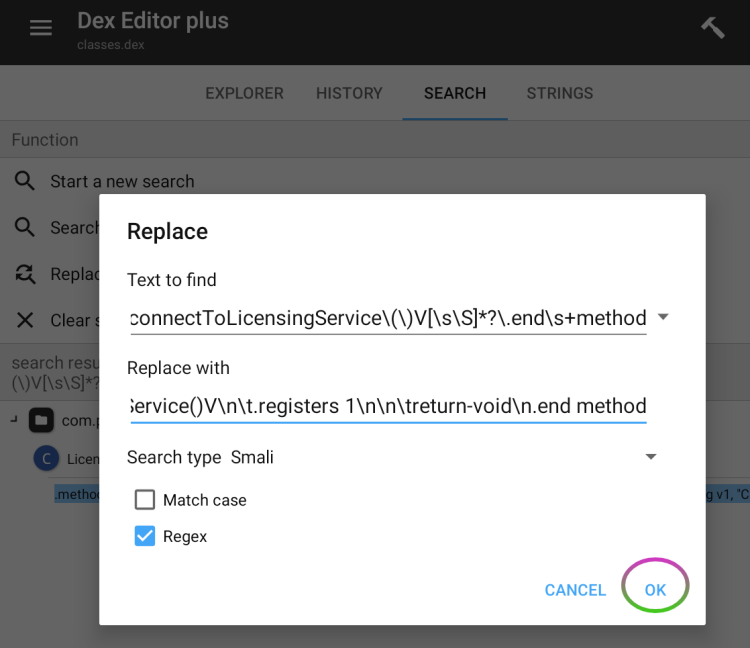
A dialog box will appear showing how many changes were made.
Close this.
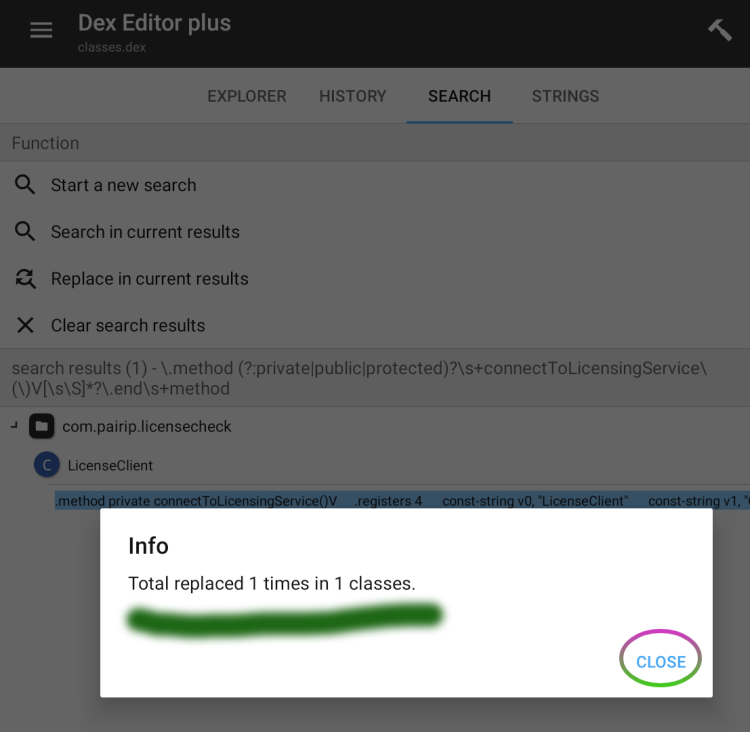
Press the "back" arrow.
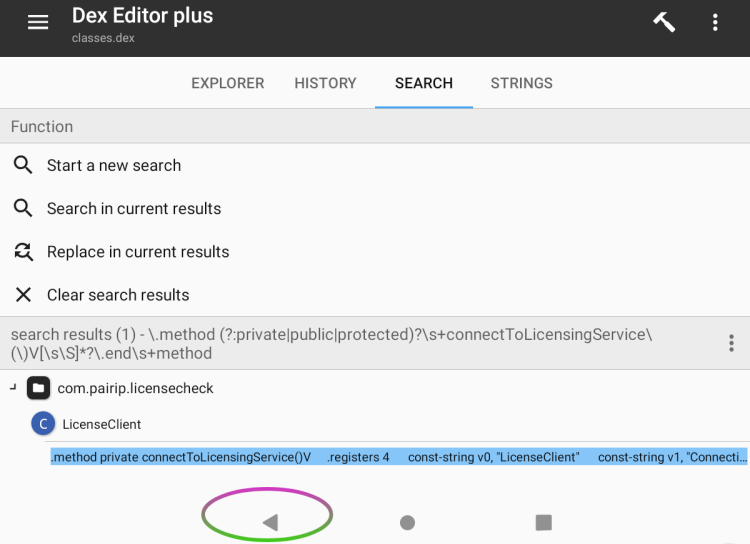
Once the Search and Replace complete and you indicate you want to exit the app, you will be prompted to save the changes.
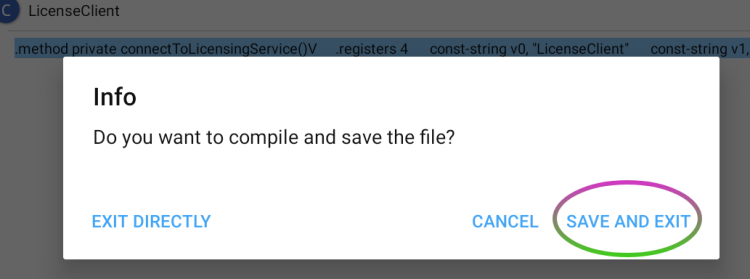
CHECK the AUTO SIGN box and press OK
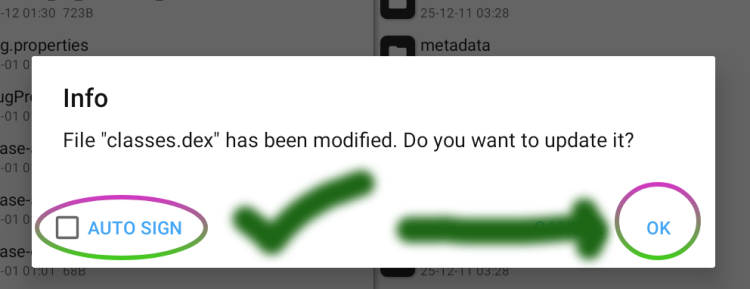
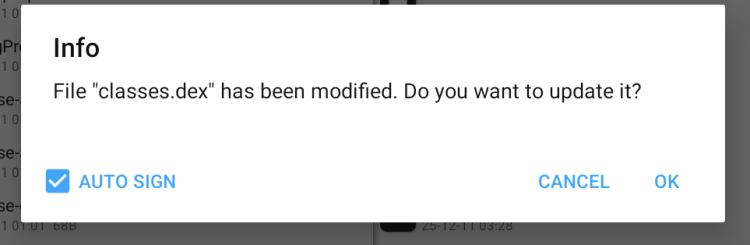
If you get this message, select NEVER SHOW
You will notice the changed DEX file(s) in green.
Select the 3 dots in the upper right hand corner for the menu and select EXIT.
The APK with the booby trap will be backed up, and the new APK without the booby trap is now ready.
Using the two tools, far more could be done to clean up this APK, however, this tutorial is only about removing the left over PairIP secondary booby trap.


