
BTS World is a brand new mobile game from Netmarble where you advance through the stories of BTS members. Read on for our BTS World guide, tips, tricks and strategies: cards, affinity, level, unlocks and more
It is a BTS management game where the player manages the BTS and helps them in their missions to become a successful artist. The game allows you to interact with members via SMS, calls, social media feeds and many other means. You will progress through story mode missions and unlock new stories and videos. There is a lot of content in the game; stories, videos, photos, missions, etc. Your goal is to discover all the content and make the members successful. Let’s move on to our BTS World guide and BTS World tips, tricks and strategies to complete all missions without getting stuck.
Quick navigation: –
BTS World Guide
The basics: BTS cards, stats, stat boost, mission details, and more
BTS World features all (7) members; RM, Jin, Suga, J-Hope, Jimin, V, Jung Kook. You will receive all of these member cards in the game as you progress through the story mode missions. Let’s be more specific on how to get the cards: –
- From the drawings; Gold Mining, Gem Mining.
Gold Draw – Tap the draw button at the bottom of the game screen and swipe right to view gold mining options. The gold mining method evokes low-level cards; 1 * to 3 *.
Gem Draw – In this draw you will have to spend gems. From this draw, you get high-level cards; 3 * to 5 *.
- From Events: Tap the event banner at the bottom of the lobby to check the event details. Complete those card events
- Progress through the story mode
What is the level of cards?
The level of a card determines its quality. The higher the level, the better that card’s stats will be. In BTS World, the cards are classified into five levels; (1 2 3 4 5)*. As you progress through the chapters, you will need high-level cards to complete the levels. So save the gems; don’t spend it on energy or other things and use it to draw better cards.
BTS world card guide: stats, DNA, missions, type and more
⇒Statistics – All member cards have four stats; empathy, passion, endurance and wisdom. And all of these cards are especially good in one attribute. For instance; if the card is of the wisdom type, the wisdom attribute would be better than empathy, passion and endurance. Go to the main interface of the game and at the bottom, tap the manage cards option: now, in the upper right corner of the card icon, you can check the card type; empathy, passion, endurance, wisdom.
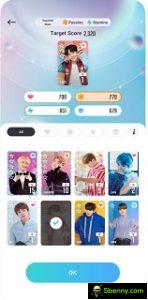
To complete a mission, the cards you select should reach the target score. And, before starting the missions, you can check the stats required for that mission. For instance; if the required stats are empathy and passion, then you should select cards with a high passion / empathy score.
How to increase the attributes of the cards?
To level up – As mentioned above, you will need better cards as you progress through the higher tier stages. The cards you select should have high stats. And getting a good level card isn’t the only thing. From time to time you will need to increase the card’s stats. Go to manage the card interface -> use flowers, flower, bouquet to grant EXP to that specific card. You can acquire these EXP items by completing missions. If you are stuck, repeat the previous steps and grind the flowers. You can try the automatic cancellation feature to get instant rewards.
Update – Upgrading is another way to increase the card’s stats. Basically, it allows you to level up further than the previous limit. To power up cards, you need power up stones. In the BTS World game, you can get Power Stones in exchange for DNA and duplicate cards. We will learn about duplicate cards and DNA in the BTS World guide below.
Guide to exchange and DNA
⇒How to get and use DNA in BTS World?
You can obtain the DNA of a specific card by exchanging duplicates. Switch to card management interface -> go to swap tab -> here you can trade duplicate cards to upgrade stones, bouquet and DNA. To use DNA, tap the shop button at the top right of the card profile interface. You can exchange DNA for power up stones,
Guide to creation
⇒How are membership cards created?
You have to collect the pieces of paper or fragments through other stages of the story. On the left side of the screen, tap the floating icon (⇒) and switch to another stage of the story mode. There you will find all BTS members. Increase Affinity -> Unlock Chapters -> complete missions in another story mode -> take the pieces of the cards.
Note that you cannot create some cards. Only a few cards can be created. For instance; You can create a professional RM card. But you can’t make the RM Red Carpet card.
How to get free wings?
This energetic function is now in almost every game. In this game, reference is made to wings. To play the missions or story mode, you need wings. As you progress a little, you will soon be out of the wings. Now, how do you get free wings? You can get free wings from friends; then try to add as many friends as you can. Read the friends guide below. Another way is to use gems. You can buy wings in the shop in exchange for gems. However, we don’t recommend spending gems on wings. Or wait for the game to automatically retrieve it.
How to get free gold?
Gold is another currency in this game. For agency activities, mining and more, you need gold. You can get gold by completing missions, achievements, missions, story mode.
How to get free gems?
- Complete the missions
- Log in every day (get 100 gems on day 14)
- Complete the daily missions
- Complete the objectives
- Complete Training Missions (Event)
- Complete all chapters with 3 stars and get the chapter reward
Training Missions – At the bottom of the lobby, the game displays the current event. For instance; as of this writing, an event called the BTS World Launch Celebration event is underway. Tap that banner and go to the event / training missions. Complete these missions to earn high-level cards, gold, gems, and more.
Guide of friends
Go to the lobby -> tap the + button -> friends -> go to the Add friends tab and add friends. Use the search box to search using the code. To check the code, go back to the lobby -> tap the profile avatar on the top left -> there you can copy the code.
Go to the friends list and tap the share wings button to send wings to friends.
Guide and tips for the worldwide BTS agency
In the agency menu screen, you can see the conditions of all members and their daily schedule. As you clear out daily schedule missions, your party stats will increase. The group statistic is a combination of all the statistics; empathy, wisdom, endurance and passion. Tap any daily schedule banner -> select members (you can select multiple members) -> start training. At the end of the training, the particular stat will gain EXP and its level will increase.
This group stat score is applied to the mission score. For instance; to complete a mission, you need 4K points. And with the cards you reach 3.9K points. Now, the game will automatically apply the group stats (let’s assume it’s 300) to the mission score. So the total score would be 3.9K + 300 = 4.2K. So we recommend that you increase your group stats score and it will definitely help you in subsequent missions.
If members are in bad shape, tap on their icons and give them gifts.
Don’t get stuck and progress fast in the BTS world – Tips
- If you are stuck, repeat the previous steps and grind EXP, coins, etc. Use the flowers / EXP to collect the best cards
- Always pay attention to the required statistics
- Draw high-level cards; save gems, gold
- Participate in events to get better rewards
- Complete missions, daily missions, achievements
- Play another story mode for the card pieces
- Complete the photo album
- Log in every day
- Automatically clear the level for instant rewards
- Level up and upgrade your cards
- Make the daily schedule (Agency) and increase the group stats
- Add friends and share wings with each other
So that would be all in our BTS World guide and BTS World tips and tricks. If you have any other tips, tricks, strategies, feel free to share in the comments section below!
For more updates, game news, game guides, new game releases and ALERTS – Like us on Facebook – MrGuider, follow us on Twitter – @technology hunter. Check it out: The best new Android games today. Do you have any suggestions? Submit here


Start a new Thread