
introduction
TCL NXTWEAR S are marketed as XR glasses. Which stands for Extended Reality and is actually an umbrella term that encompasses all VR (Virtual Reality), AR (Augmented Reality) and MR (Mixed Reality) products. While the NXTWEAR S glasses have an accelerometer, gyroscope, and pressure sensor on board, we wouldn’t call them smart glasses, as there is no “smart” functionality here. They’re not even really VR, since there’s no motion tracking and interaction to speak of. AR is also a stretch as there are no cameras or anything to absorb and monitor the real world.
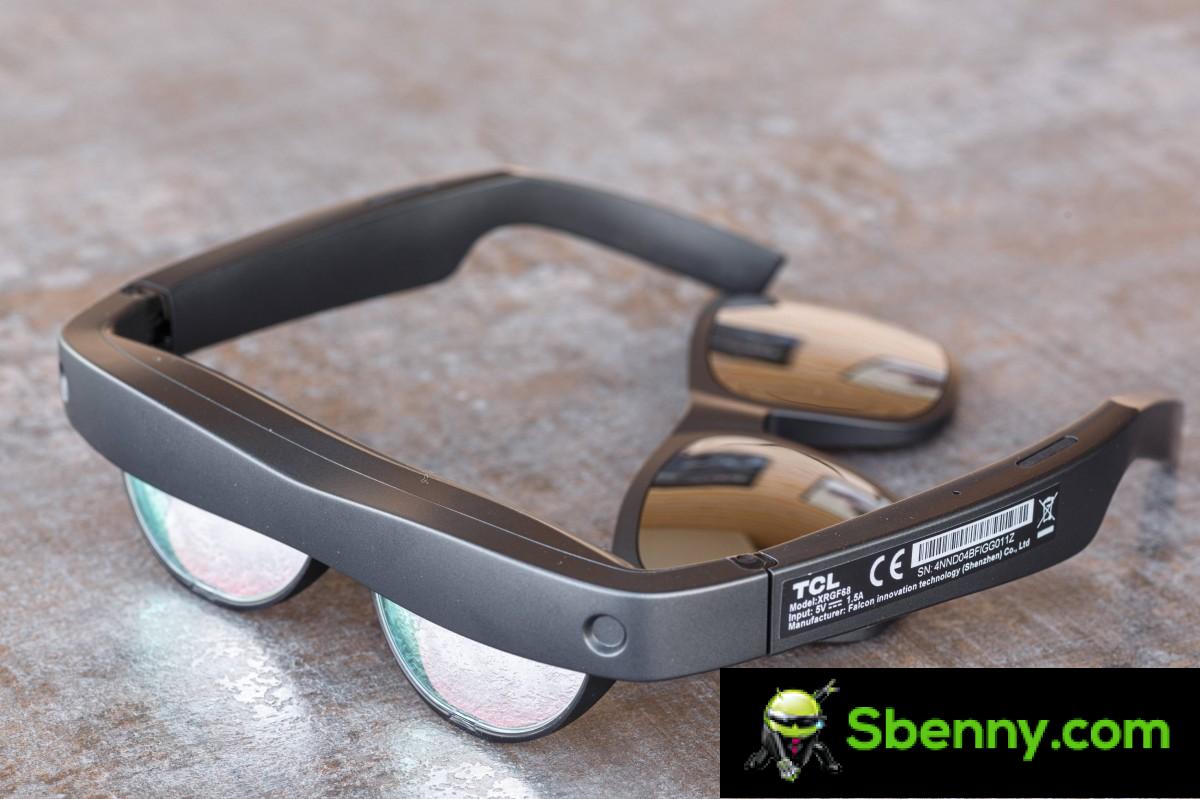
What you get with NXTWEAR S is a portable display, the equivalent of about 130 inches diagonal, that floats before your eyes at a distance of about four meters. This is superimposed on a clear glass panel that also passes through what’s in front of you.

NXTWEAR S eyewear is created by a Hong Kong company called RayNeo which TCL incubated and is now called TCL RayNeo. The company is a leader in this type of technology and in fact NXTWEAR S is not its first device. They’re actually a direct iterative upgrade over the NXTWEAR Air goggles, which have been making the rounds at tech conventions and with some reviewers, but haven’t been outright sold. There is also an older TCL NXTWEAR G device, but we can’t find any direct correlation between it and the NXTWEAR S.
In any case, our point here is that the NXTWEAR S goggles are not a first generation product, nor are they vaporware. After successfully going through a couple of crowdfunding rounds, NXTWEAR S eyewear is now available for free through RayNeo directly and on Amazon, for sale at $399.
Before we dive into that, let’s start with an overview of the specs.
TCL NXTWEAR S at a glance:
- Dimensions: 175mm x 166mm x 51mm (unfolded), 56mm x 154mm x 51mm (folded), 89 grams (magnet cord weighs another 30 grams).
- Optical Parameters: Two Micro-OLED displays with 1920 x 1080 pixel resolution in 2D mode and 3840 x 1080 in 3D mode, 45 degree FoV, 60Hz, 49 PPD (pixels per degree), effective screen size: 130 inches, projected at 4 meters of distance.
- Audio: Ultra-linear dual speakers with phase-cancelling technology to reduce sound leakage.
- I: Magnetic USB Type-C cable for power and video via USB Type-C Display Port in alternate mode, volume wheel on the left and power and brightness switch on the right.
- Other characteristics:Onboard accelerometer, gyroscope and pressure sensor, wear sensor, 3 DOF, magnetic frame for myopia and additional nose clip in the package.
Unpacking
Let’s start with what $399 gets you in terms of actual hardware. NXTWEAR S eyewear comes in a nice two-piece box. In addition to the main unit itself and its proprietary magnetic cable, you also get a pair of magnetic snap-on sun shades to clip into the front of the unit. These can help somewhat with immersion as they let less light through, although you can still see perfectly through them. According to TCL marketing, there are two other types of snap-on visors you can buy separately, although we couldn’t find them anywhere personally.

Another thing included in the package is an alternative nose piece/nosepads which may be more comfortable for some users. There is also a screwdriver included to make the swap. The NXTWEAR S goggles also feature a stylish magnetic snap-on for the back side as well. This is meant to hold prescription myopia lenses if you happen to need them. TCL includes models to take to the optician and carry them out.

NXTWEAR S goggles also come with a nice hard case that has enough room for your goggles, cable, and even snap-on sun shades. And last and probably least, you also receive a cleaning cloth and documentation. An incredibly rich package of accessories overall, in our opinion.
Hardware, features and controls
NXTWEAR S goggles are mostly made of plastic, which certainly contributes to their fairly light weight 89 grams. There’s not much hardware on board either, aside from Sony’s two FullHD Micro-OLED display panels, a pair of speakers, and some mostly unused, as far as we know tiny sensors. There is no onboard battery, computing power, or wireless connectivity hardware. All data and power go through the cable.
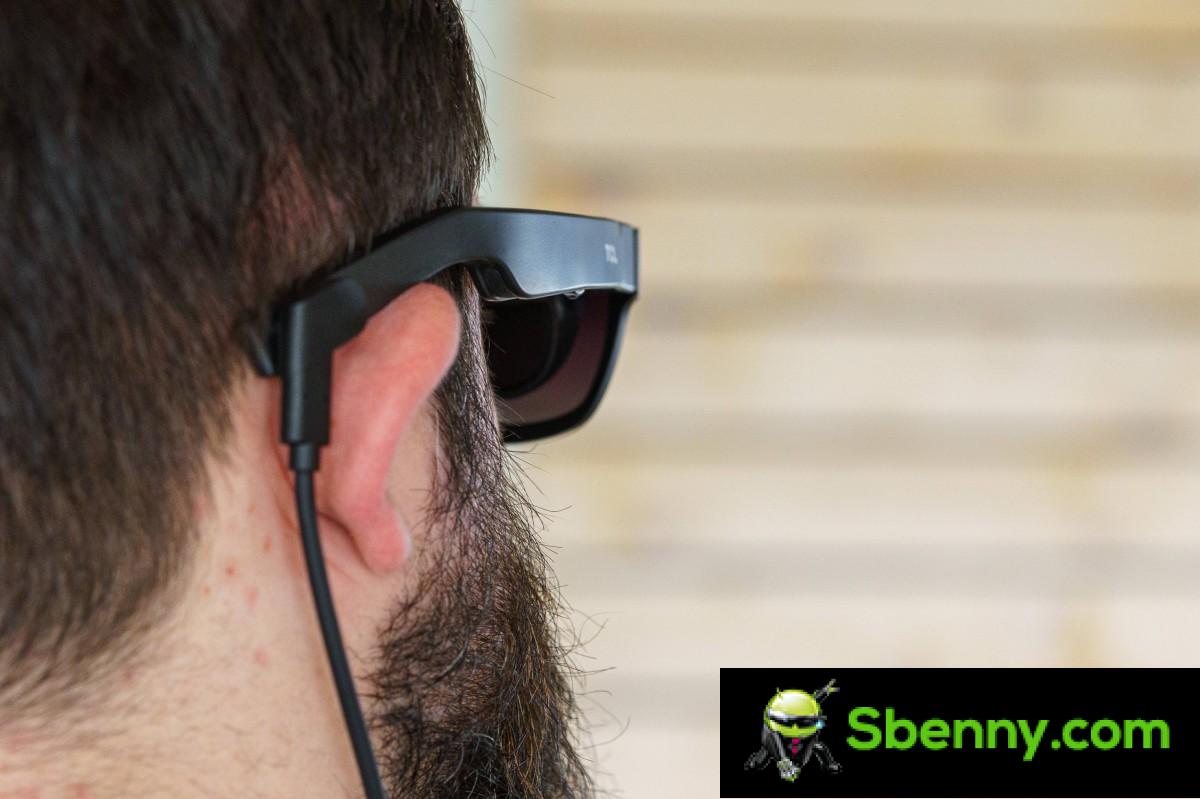
All of this also allows the glasses to be quite compact, measuring 56mm x 154mm x 51mm when folded and 175mm x 166mm x 51mm explained. The unit tends to fit snugly on the face, without too much wobbling or play, and it’s not heavy at all. However, it can put an uncomfortable amount of pressure on your nose.
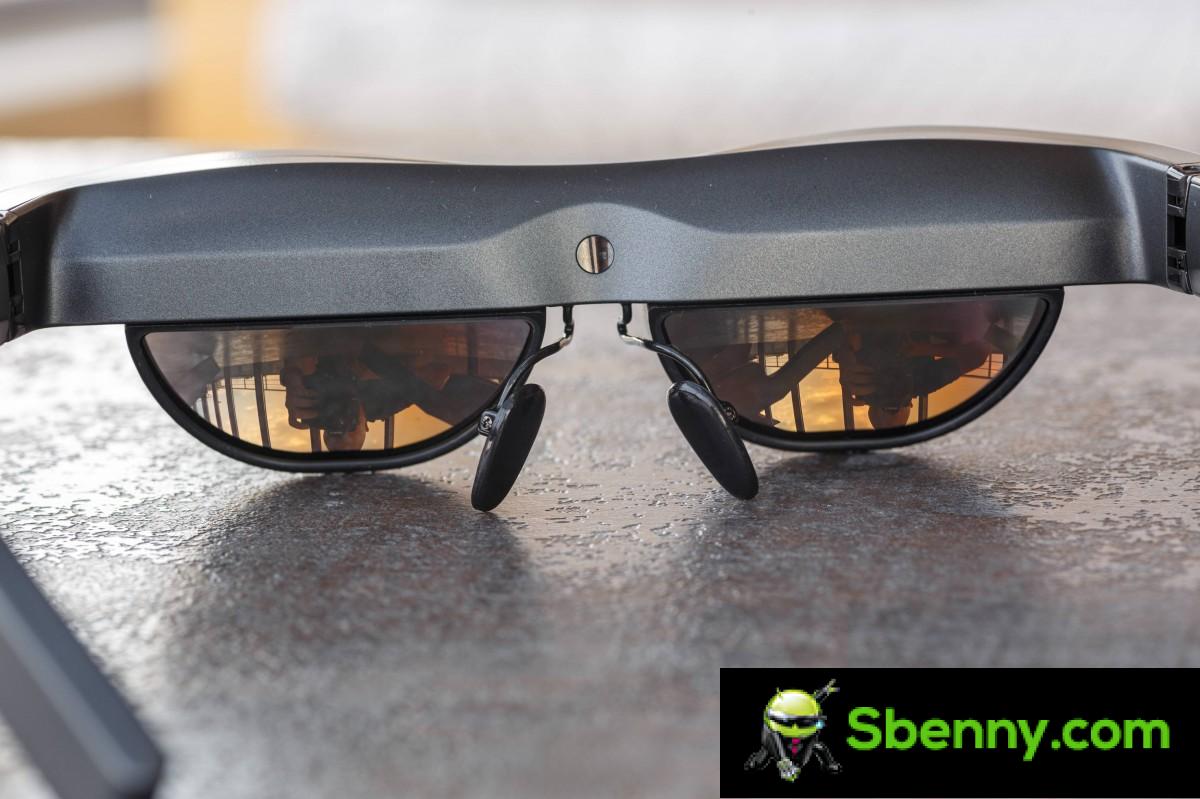
Anyway, let’s start our hardware tour from the front. The distinguishing feature here would be the fairly large “forehead,” for lack of a better term.
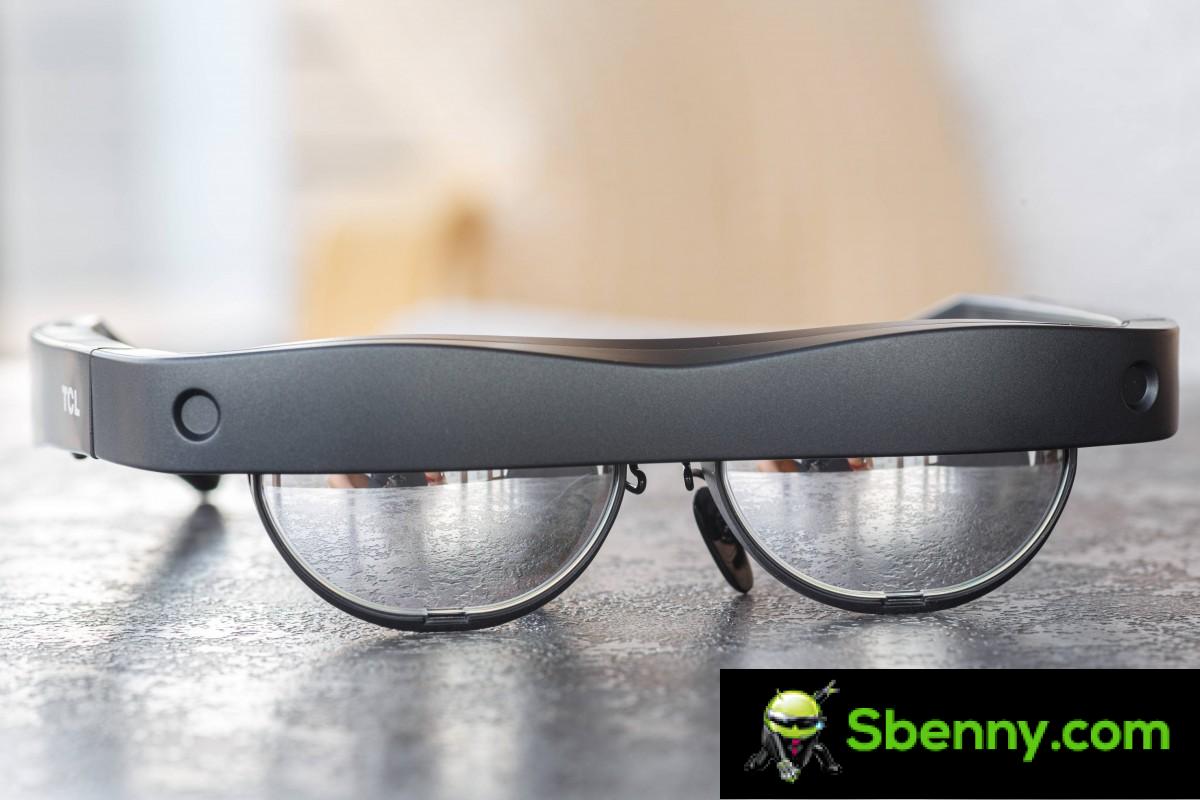
It has a couple of indentations on either side, which look like holes for cameras or some sort of sensors. As far as we know, these are simply there to help the magnets hold the optional snap-on umbrellas and as guide holes for the attachment process. They seem to be doing their job well as the overlay shades stick on easily and do not come off on their own under normal use.

The front side of the lenses on NXTWEAR S are very shiny and reflective, which we like. Even without the sunshade attachment, it’s like wearing a strange pair of sunglasses. Speaking of the parasol attachment, it definitely hides a lot of the funky ‘quirks’ and gives the wearer a more ‘normal’ look. At least as far as is possible with a cable that goes behind the ear.
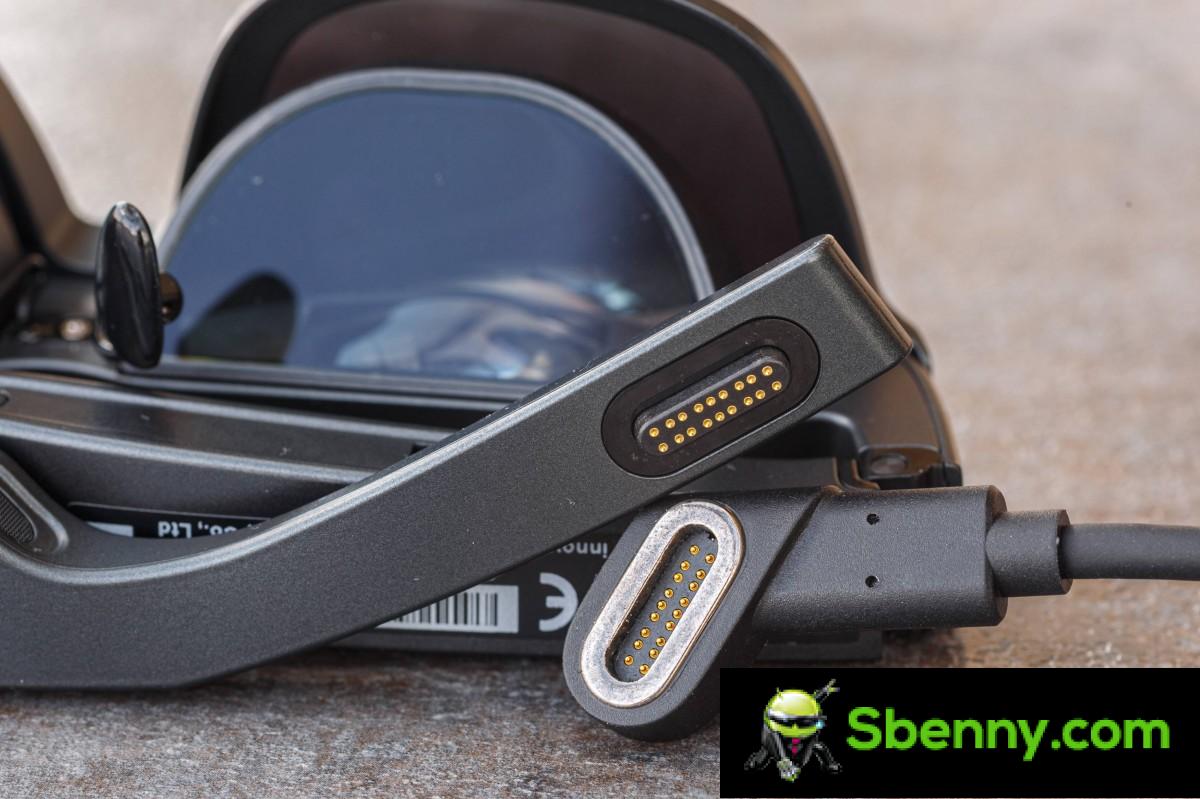
As mentioned, the cable will always be plugged into the NXTWEAR S as it is the only source of power and video for the goggles. It’s not exactly what we’d call thin, but it’s not overly thick either. Basically, it’s pretty soft and bends easily. We actually never found it to get in the way while wearing the goggles. The magnetic connector is pretty great, although its existence means you’re stuck with the factory cable and can’t get a longer one, we still appreciate the magnetic system. It’s very secure and never jumped out on its own during our time with the goggles, but at the same time it doesn’t let you get so entangled that the goggles rip and break.

As far as cable length considerations go, we’ve never found ourselves needing more than we have. It’s long enough to be comfortable while sitting in front of a device or holding it on your lap, and it also fits nicely into most pant pockets if you really feel like walking around with glasses on, which is admittedly weird but it can be taken out.
Let’s talk about the speakers for a moment. The NXTWEAR S has a pair on both arms. They’re conventional versus something stranger, like bone conduction units, which are sometimes included in wearable technology. The speakers actually have grilles pointing down towards your ears, which makes sense, but also up, which is perplexing. This may be part of the included phase cancellation technology which is intended to reduce losses.
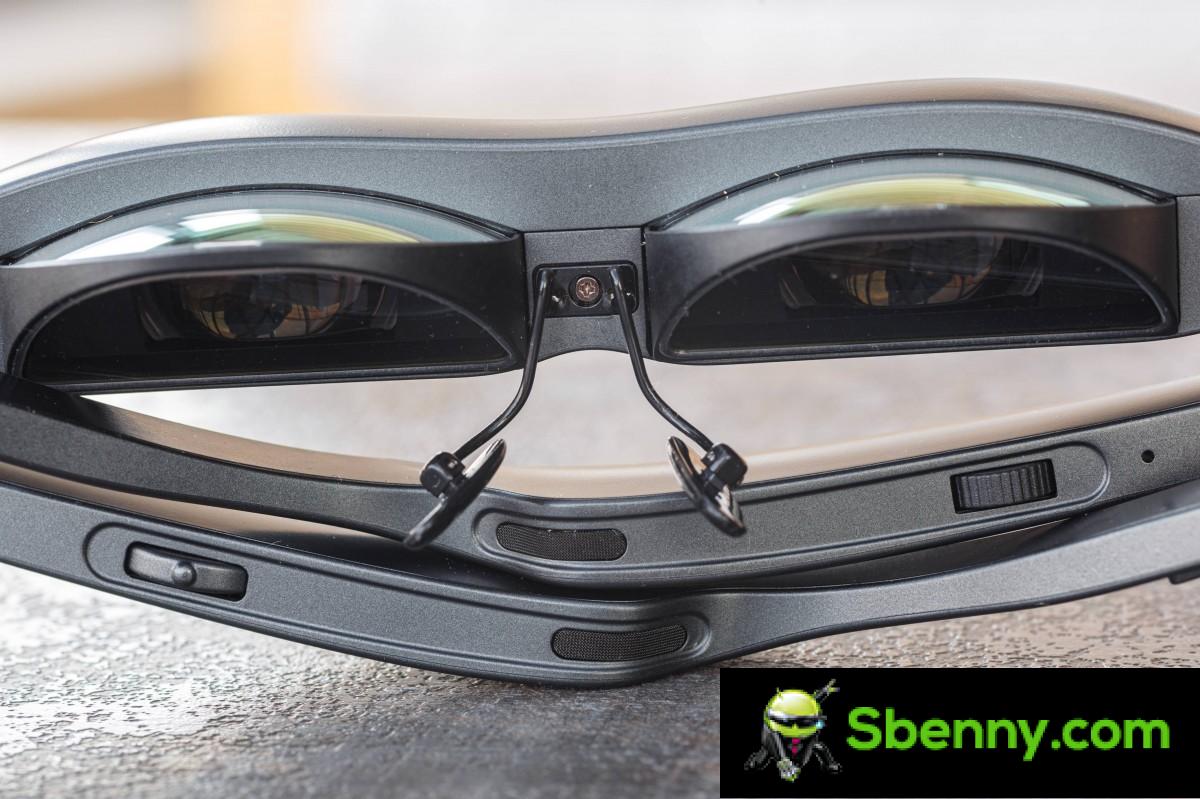
In practice, the speakers sound good, but only as good as can be expected from small units positioned a bit away from the ears. The output is relatively clean, with nice highs and mids and clean vocals, which is probably the important part. There is absolutely no bass to speak of. They aren’t particularly loud, which might have been a necessary trade-off to ensure minimal noise leakage. In practice, even at full range, the neighboring parties, even those sitting next to us, heard nothing, which is impressive.
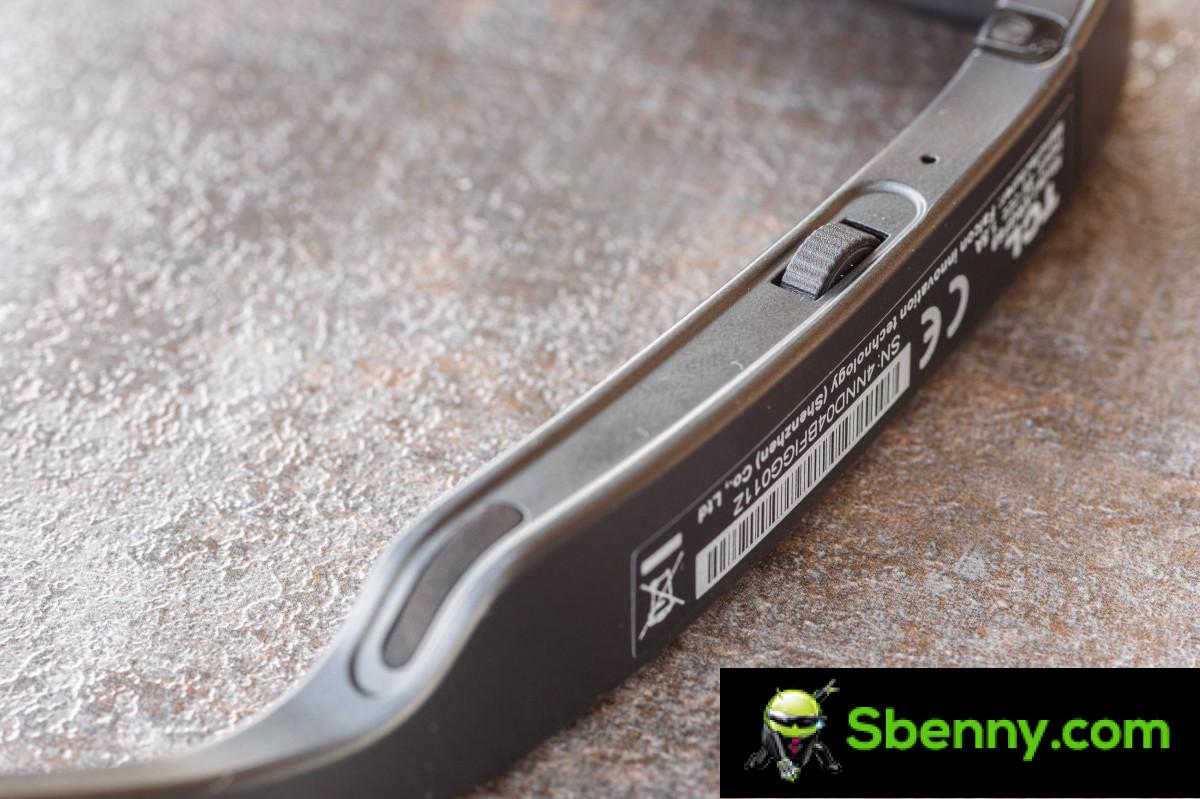
There are two distinct input controls on the NXTWEAR S. There is a volume wheel on the left side, on the underarm. It works very well and offers precise volume adjustments. The wheel spins freely in both directions past the minimum and maximum points instead of stopping, but that’s not a usability issue in any way.

There is a tri-state sprocket control on the right spoke of the goggles. It can go up and down to adjust the brightness of the display (7 levels in total) or be pressed to turn it on. This works very well and we have to wonder why the other control isn’t using this design.

NXTWEAR S goggles have a fantastic extra feature: a wear sensor. It’s positioned in the center of the glasses, just above the nose pads on the back, and appears to be a simple proximity-based unit. Works great and turns the glasses off seconds after you take them off and turns them back on almost instantly once you put them back on.
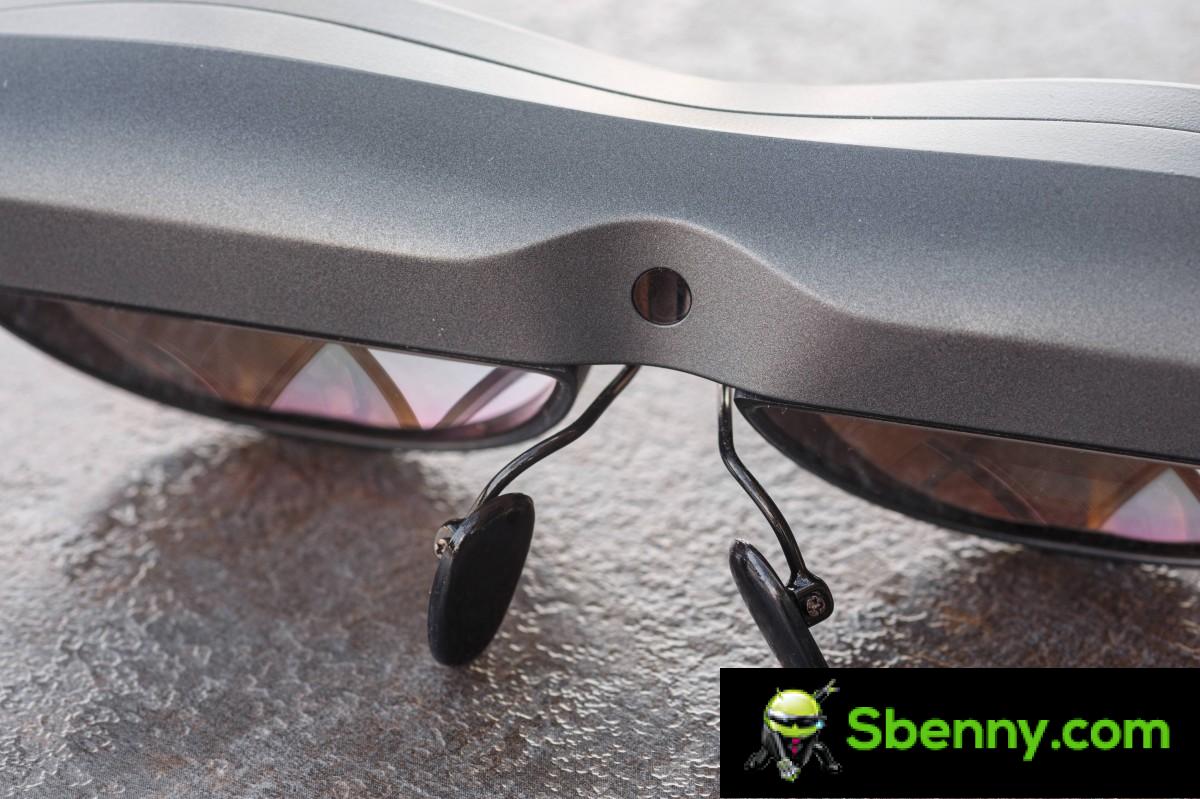
Finally, we have to commend the goggles that are part of the NXTWEAR S. Having to wear goggles all the time, personally, and having worn quite a few pairs, this reviewer can appreciate when the ergonomics are right. The hinges on the arm are stiff enough to stay in place but also loose enough, with plenty of outward give, not to crush the wearer’s head. The tips at the end of the arms and the entire arms, for that matter, have no sharp edges that could dig into the skin. The surface of the plastic, while not rubberized or anything like that, is still soft enough to feel comfortable on your face.

The only real ergonomic complaint we have with the NXTWEAR S is the heavy nature of the design. If you have a more sensitive nose, you will likely experience some discomfort with extended use. Switching to alternative nosepads felt much better for this reviewer, personally, but your mileage may vary. Then again, it’s not like the glasses are actually that heavy, and we don’t think there’s anything to the design to make them weigh less on the nose, so it is what it is.
Compatibility and optional adapter
TCL doesn’t share much about device compatibility for the NXTWEAR S other than stating that it’s “broad.” All the glasses really need to function is a USB Type-C port with USB alt-mode support for Display Port output. The glasses themselves aren’t too power hungry, so most devices don’t struggle to keep them powered.

What does that translate into in real terms? Let’s start with laptops since it’s quite easy. If your laptop supports DP alt mode over USB Type-C, you’re good to go. This should be easy enough to find out from the laptop spec sheet as those tend to be quite in depth. We tested on a Lenovo ThinkPad X1 Carbon Gen 9, a 2021 ASUS Zephyrus G14, and a MacBook Air M1 with perfect success. We know this is a somewhat arbitrary list, but it illustrates the main point: if you have DP over Type-C, it will work.

Things are a little more complicated from a telephone point of view. Technically, out of the box, with no additional accessories, the NXTWEAR S is an Android-only accessory since, well, no Type-C port on the iPhone. Not all hope is lost on the i(Pad)OS front, even if the M1 iPad Pro works flawlessly.
Some Android devices support Display Port over USB Type-C, but there’s no easy way to know which ones. Some good rules of thumb include that it’s generally a flagship feature, and you should be more likely with Samsung, Huawei, and OnePlus devices. Again, you have to search around to see if your phone has DP over Type-C. In terms of phones, we managed it with a Samsung Galaxy S23 Ultra, Galaxy Z Fold 4 and an Oppo Find X5 Pro. This is simply what we had lying around.

Let’s go back to Apple compatibility. Again, there is no out-of-the-box iPhone support. However, we found a device called “MiraScreen Portable Adapter – SPQ01 for TCL NXTWEAR S” on Amazon. We don’t have it handy and can’t attest to how well it works, but it appears to essentially be pumping a display feed into the goggles via the software installed on the host device rather than the PD output. Connect the gadget to your phone (iPhone or Android without DP), install the companion app and simply connect the goggles to the other end. The MiraScreen also has “inline” controls for brightness and volume on the glasses themselves, and has a 4,500mAh battery on board to extend overall runtime. It can even magnetically snap into MagSafe iPhones.

In the end, we tried a couple of consoles with NXTWEAR S. The Valve Steam Deck worked fine, but we didn’t have any luck with the Nintendo Switch, which is a shame.
Performance and energy consumption
Unfortunately, since the NXTWEAR S displays are not traditional in any way, we cannot measure their performance characteristics. We’ll have to stick with some of the official specs here and our own subjective impressions. The virtual display ends up being well centered in your field of vision. It doesn’t fill it completely, far from it, and you always get a blank space around the display. The official specs state a 45-degree field of view, which seems about right.
In terms of resolution, the two Micro OLED displays have a native resolution of 1920 x 1080 pixels. In practice, this is sufficient even for small texts. The image produced by NXTWEAR S glasses is very sharp, surprisingly. According to the official specifications, the image should have a diagonal of about 130 inches, when viewed from about 4 meters away. However, some of the “official” banners also mention a 201-inch diagonal and 6-foot spacing. Regardless, that apparently results in a PPD (Pixel Per Degree) figure of 49. Let’s be honest here, we don’t have a frame of reference to know if that’s okay, but again, in practice, the picture is very sharp.

In terms of brightness, TCL quotes 400 nits. We found that the display never gets bright enough to be uncomfortable. It also doesn’t get bright enough to completely drown out its surroundings and “punch through” the transparency. That said, once you get used to the fact that you’ll always see the outside world and focus your attention on the content, even the lowest brightness setting becomes usable. It’s a strange effect that’s hard to put into words. All you need to know is that NXTWEAR S should remain equally usable under virtually any circumstance. Higher brightness levels can cause eye strain in some people.

NXTWEAR S eyewear handles surprisingly saturated colors. Maybe even a little ‘too saturated. The panels on the glasses aren’t particularly fast in terms of refresh rate and run at a standard 60Hz. We agree with that figure, especially since the NXTWEAR S goggles aren’t meant for VR content, where refresh rate matters much more. On a more positive note, pixel response time is good. There is little input latency overall. We were able to successfully play NXTWEAR S and played some platformers that require relative jumping accuracy without any problems.
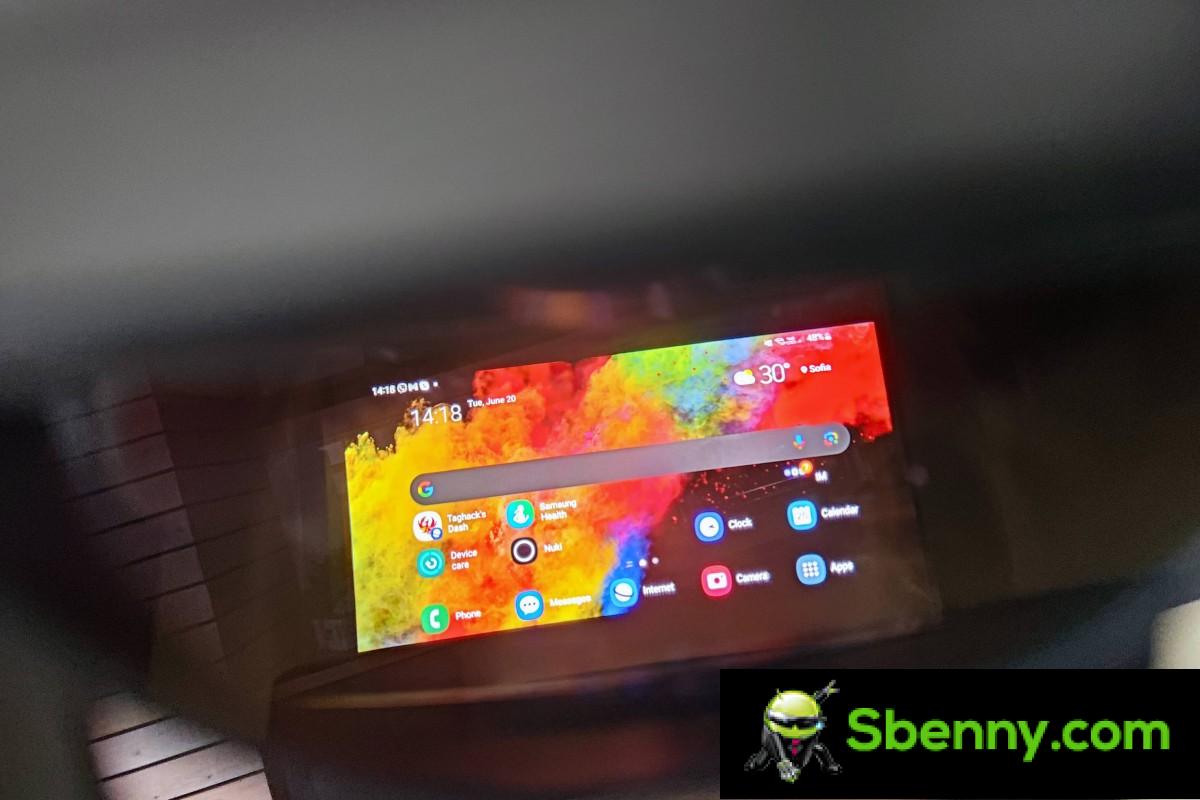
Since the NXTWEAR S glasses are powered entirely through a Type-C port, one of the few actual tests we were able to run on them was to measure power consumption. We are happy to report that the glasses are quite energy efficient. With a fairly static image on screen, such as browsing or working, they drew 1.35W to 1.45W, depending on the brightness setting. When playing a video with sound, the glasses used between 1.6W and 1.7W. Not too shabby. In more practical terms, watching a two-hour movie from Netflix on the Samsung Galaxy S23 Ultra with NXTWEAR S turned on consumes around 30% of battery power, which is perfectly reasonable.
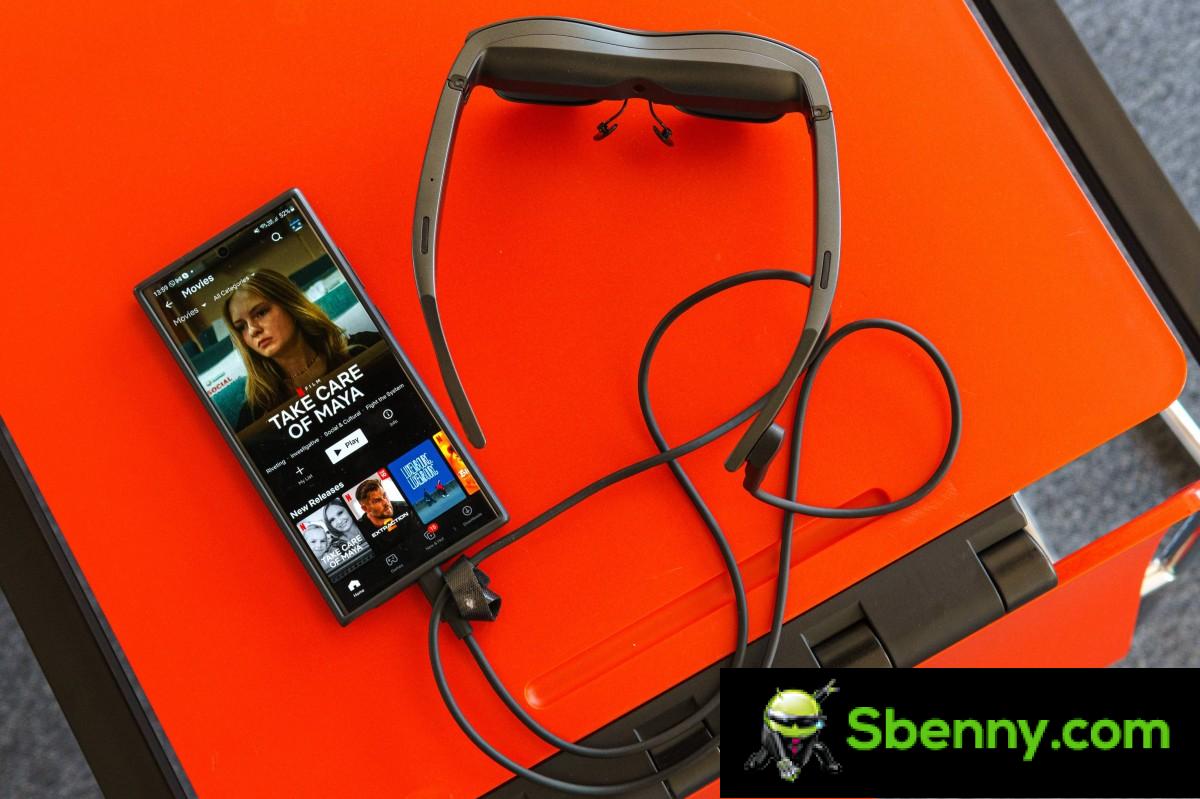
We still wish there was a way to easily attach an external battery pack to the NXTWEAR S. The MiraScreen Portable Adapter appears to offer that functionality, but it’s an expensive extra piece of kit that we can’t even validate works properly for ourselves. So, there’s that.
Actual use cases, comfort and you should have a pair
Several people in the GSMArena office have tried NXTWEAR S and provided their overall feedback. Most of us agree that this is an interesting product, albeit a little gimmick that we would appreciate having in our lives but not necessarily pay for at current market prices.
We all unanimously agree that the best use case for eyewear is especially travel and airplane use. Some people have also stated that they would like to have a pair by their bed to consume content before falling asleep. So, it appears that there are real and real use cases for NXTWEAR S.

The question of wider compatibility and versatility arose. Office iPhone users have been a bit disappointed that they need to buy additional hardware just to potentially use the glasses. A direct HDMI input has also been requested on a couple of occasions, and browsing online, there appears to be an adapter for that as well, but it’s really obscure. The point is, people seem to find the current implementation of DisplayPort input-only a bit limiting. This is something that could potentially make a future model more attractive, perhaps including the option to wirelessly stream the goggles while plugging them into a power bank.

Another area that TCL should work on is the companion app. In its current state, it’s a buggy mess. It just seems like TCL hasn’t spent too much time refining the NXTWEAR S experience as a whole, which is a bit disappointing.
Another caveat that potential users need to be aware of is comfort. While the NXTWEAR S glasses aren’t particularly heavy and have a generally good design, most of us in the office have complained of nose discomfort after a relatively short viewing session. It would be a real shame to get excited about glasses and the perspectives they offer, only to find you can’t wear them for very long. Be prepared for such an eventuality, and you may need to return them solely for the sake of convenience.

If you can overcome all these hurdles and you don’t mind $399 NXTWEAR S eyewear is currently retailing on Amazon, so we believe you will be happy with your purchase. Despite all the caveats, the NXTWEAR S goggles hold up to the promise of a large portable viewing experience quite well. If you feel it’s something you want in your life and don’t mind early adopter issues, then consider NXTWEAR S.


Start a new Thread