
introduction
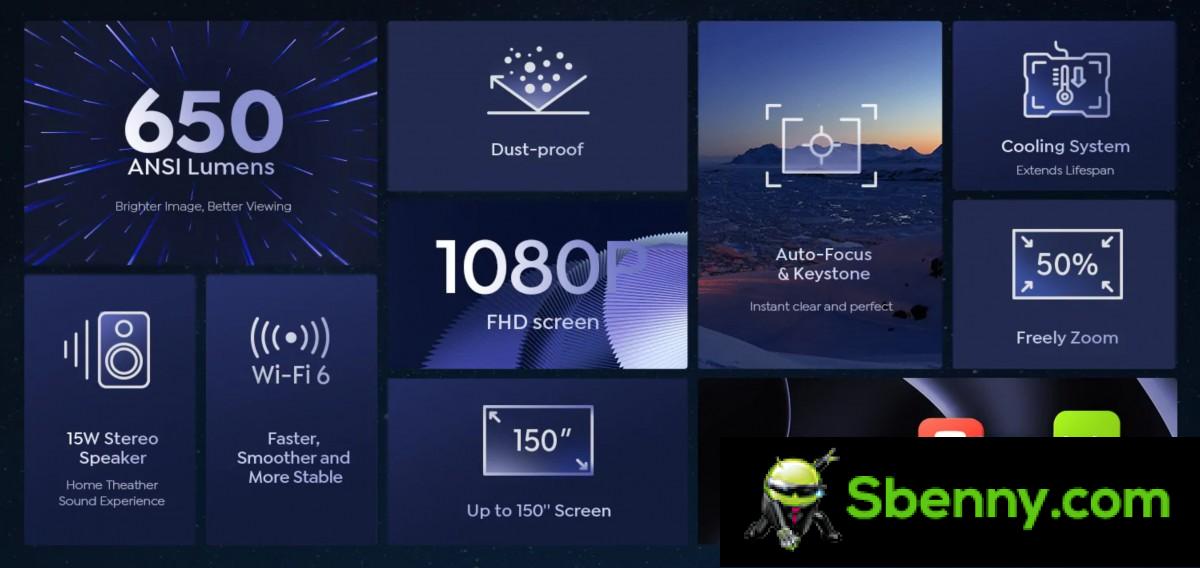
The Yaber Ace K1 is an ambitious home projector with a single LCD design, featuring a fully sealed and dust-protected optical package, autofocus and keystone correction, above-average brightness of 650 ANSI lumens, and a robust 15-watt speaker.

Yaber thinks it’s the best home projector under $800. Better yet, it costs a lot less than that at an MSRP of $500and normally much lower than even that due to frequent promotions and discounts.
Hardware
Let’s start with some specs and a hardware overview of the Yaber Ace K1.
Yaber Ace K1 at a glance:
- Dimensions: 299x256x136mm, 3.9kg.
- Optical Parameters: LCD projector; Optical resolution 1080p (1920 x 1080 pixels); aspect ratio 16:9; 1600:1 contrast ratio; IP5X dustproof sealed optical engine.
- Projection parameters: 650 ANSI lumens (advertised); 40~150 inch screen diagonal; throw ratio 1.54:1; 25,000 hours of LED light source life.
- Optical adjustment: Automatic keystone correction; auto focus.
- Audio: Single 15W speaker
- I: 2 USB Type A ports for data transfer or power supply; 2 HDMI 1.4 ports; 1 x 3.5mm combo AV port; 1 3.5mm audio jack; Touch keys (Power, Menu, Source, Back, OK, Navigation).
- Wireless Connectivity: WiFi 6; Bluetooth 5.0; IR remote control.
- Other characteristics:Remote control in box; Support for wireless projection (Miracast, Apple AirPlay).
The Yaber Ace K1 is a fairly compact 299x256x136mm unit weighing 3.9kg. Not exactly portable, but certainly easy enough to move from room to room. In terms of I/O, the Ace K1 gets two HDMI 1.4 ports for input at resolutions up to 4K and two USB 2.0 ports, both for connecting storage and supplying power to something like a streaming stick. There is also a 3.5mm AV combo jack and a standard 3.5mm audio jack.

There are two fans in the unit. One expels air from the rear, the other is positioned on the left side, in front of the sealed optical engine. The power input also goes on the left side of the unit. The power conversion is done internally on the Ace K1, so it takes direct mains power, with no need for bulky power bricks, which we like. The single 15W speaker is also positioned on the back, just below the inputs for the projector.
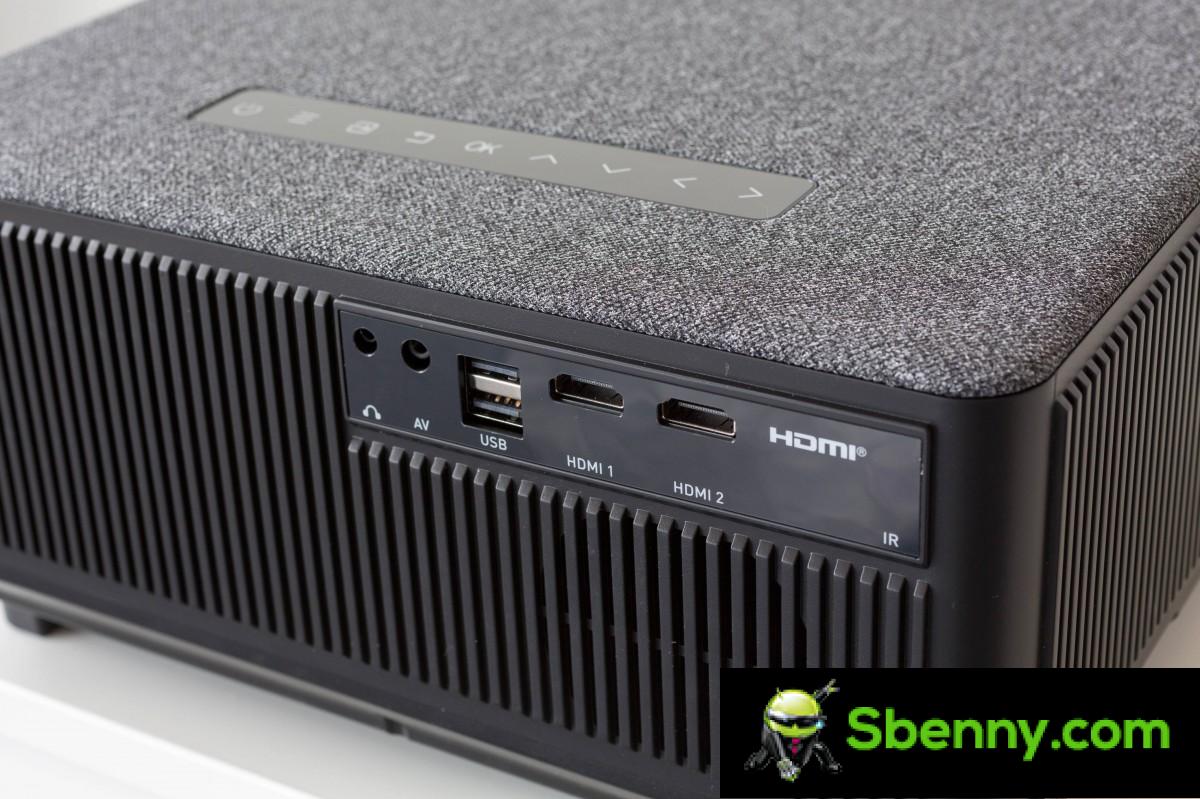
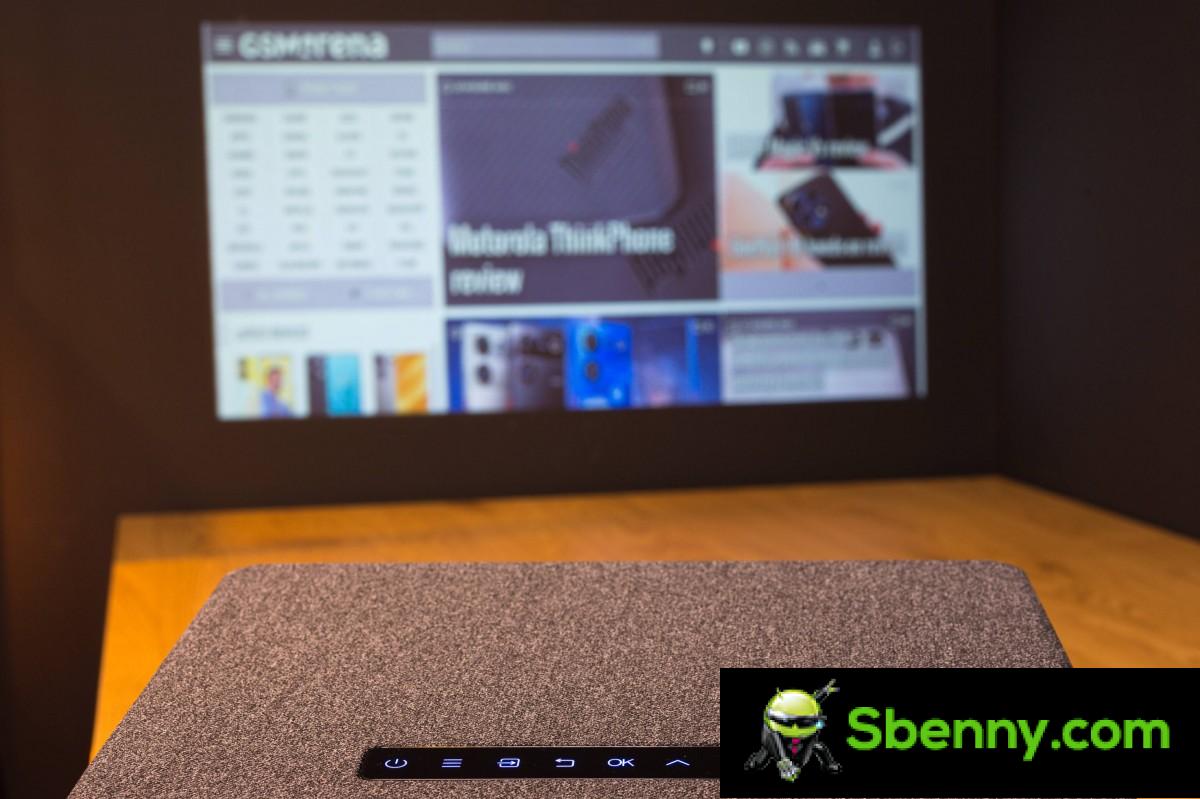
The Ace K1 can be controlled via the included remote or the button controls on the device. These are all capacitive buttons with clear labels and functions. Well located and convenient to use. The remote is also well thought out with useful buttons, such as an up and down focus control, a single button to activate auto focus and auto keystone, as well as a source button, home button and menu button, among the others.

The lens dominates the front of the unit with a throw ratio of 1.54:1. According to the official specifications, the Yaber Ace K1 can deliver an image with a diagonal of between 40 and 150 inches. Yaber rates the projector’s peak brightness at 650 ANSI Lumens, and its LED light source is expected to last up to 25,000 hours.
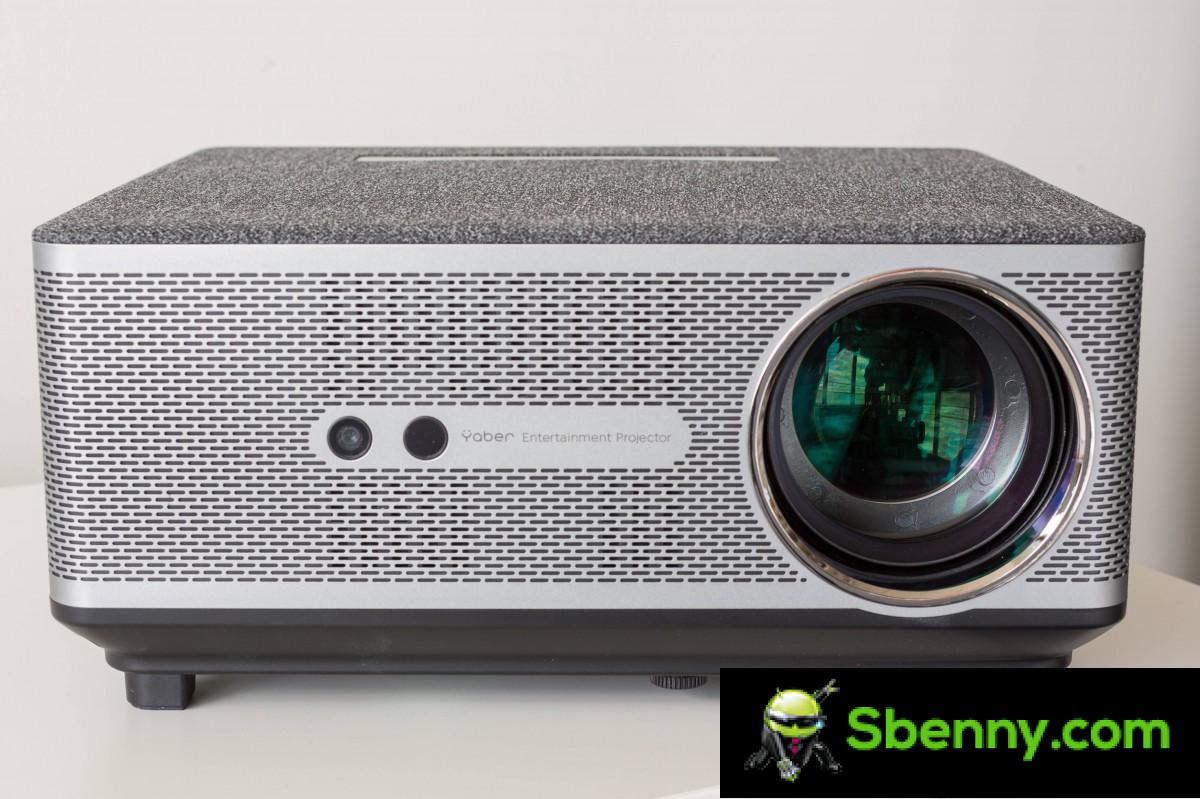
Also on the front of the unit is a camera and some sort of time-of-flight sensor that provide the necessary input for the projector’s autofocus and keystone adjustments. We’ll talk more about how they perform in the performance section.
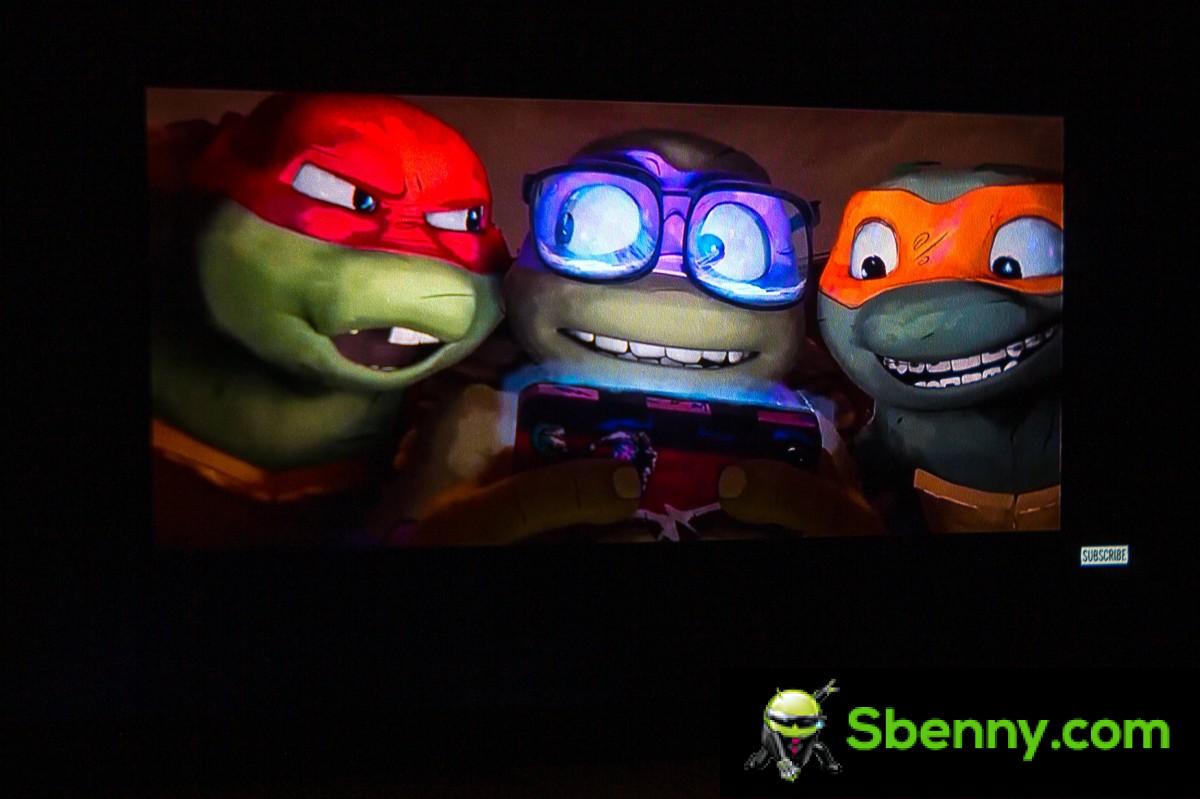
The Ace K1 has a very discreet design and exterior. It’s quite industrial with its gray mesh on top and should blend right into almost any setting.
One thing of note is the absence of any obvious mounting points on the bottom of the projector. Thus, the Yaber Ace K1 is meant to sit on a table and not be ceiling mounted.
Let’s talk briefly about the bowels of the Yaber Ace K1, starting with connectivity. The projector actually has Dual-Band Wi-Fi (2.4/5GHz) and Wi-Fi 6 support. Don’t let the marketing fool you, though. There are no real “smarts” or apps on board the projector. Instead, Wi-Fi is used to connect wirelessly to a device like Android or Apple for wireless streaming. There’s also Bluetooth 5.0 aboard the Ace K1, which is meant to connect an external audio device, like a Bluetooth speaker or soundbar. A great addition to the mix.
Now let’s talk about the fully sealed optical engine. As mentioned, the Ace K1 uses an LED light source. It also employs a single LCD with 5,760 x 1,080 total pixels. That odd number of horizontal pixels is exactly three times 1,920. There are red, green, and blur filters in front of each LCD cell, and that’s how the Ace K1 produces its colors. All in all, once the image is combined, it has a native FullHD resolution (1,920 x 1,080 pixels).
As for the “sealed” part, Yaber promises that the entire optical engine with all its parts is protected from the elements, but especially from dust. This should negate the need to open and clean the unit as you would with other LCD projectors.
Performance and experience
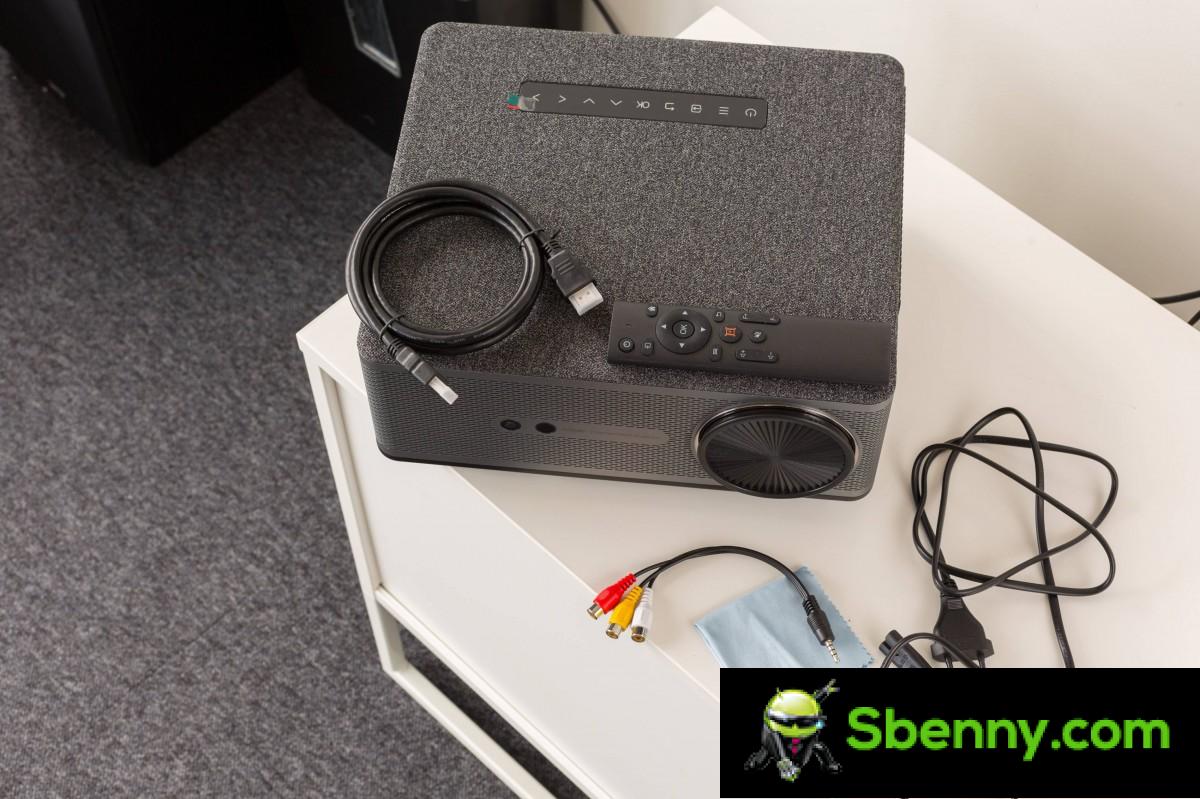
Let’s start with a look into the box and the setup process. The Yaber Ace K1 comes with a solid package of accessories. In addition to the main unit, a remote control, a lens cap, a power cord, a male to male HDMI cable, a 3.5mm male to triple RCA male AV cable, a cleaning cloth, a quick start guide are also provided. and a Certificate of Guarantee.
Once plugged in, the Yaber Ace K1 boots up very quickly as it has its own very lean and minimal proprietary operating system. Judging by some of its menus, it’s based on Android or Android TV but you can’t install apps. The home screen menu is nice and uncluttered. We particularly like the large icons in the upper right corner to indicate the presence of external storage and Wi-Fi connection.

The settings menu is well organized. There aren’t many options to play with, but the essentials are all covered. You can control the projection mode (front or rear), turn auto keystone correction on or off, turn focus on or off, and do the two processes manually as well. You can also set Ace K1 to launch directly to an input source instead of the main menu. There is a scheduled shutdown and some language options as well.

The Bluetooth menu is very simple. Just search for an external audio device through it and pair it. The process of connecting to the Ace K1 from an iOS or Android device for streaming is also very simple and in both cases no additional apps are required. Yaber managed to get the corresponding built-in protocols working.
The Wi-Fi settings menu was the only item on the menu that we found really difficult to manage. The Wi-Fi password entry prompt has no obvious way to confirm entry, which is annoying.
Other than that, the software is clean and simple. We also appreciate the inclusion of an update option in the menu, although we have our concerns about how often updates will be pushed to the Ace K1.
The Yaber Ace K1’s fans are annoyingly loud. It’s probably the biggest drawback of the projector. The 15W powerful speaker can still easily drown out the noise, but the silence is very noticeable.
When you first turn on the Ace K1, you’ll want to position it correctly for a sharp picture. We immediately noticed that the Ace K1 leans outward instead of at a slight upward angle, which isn’t ideal.
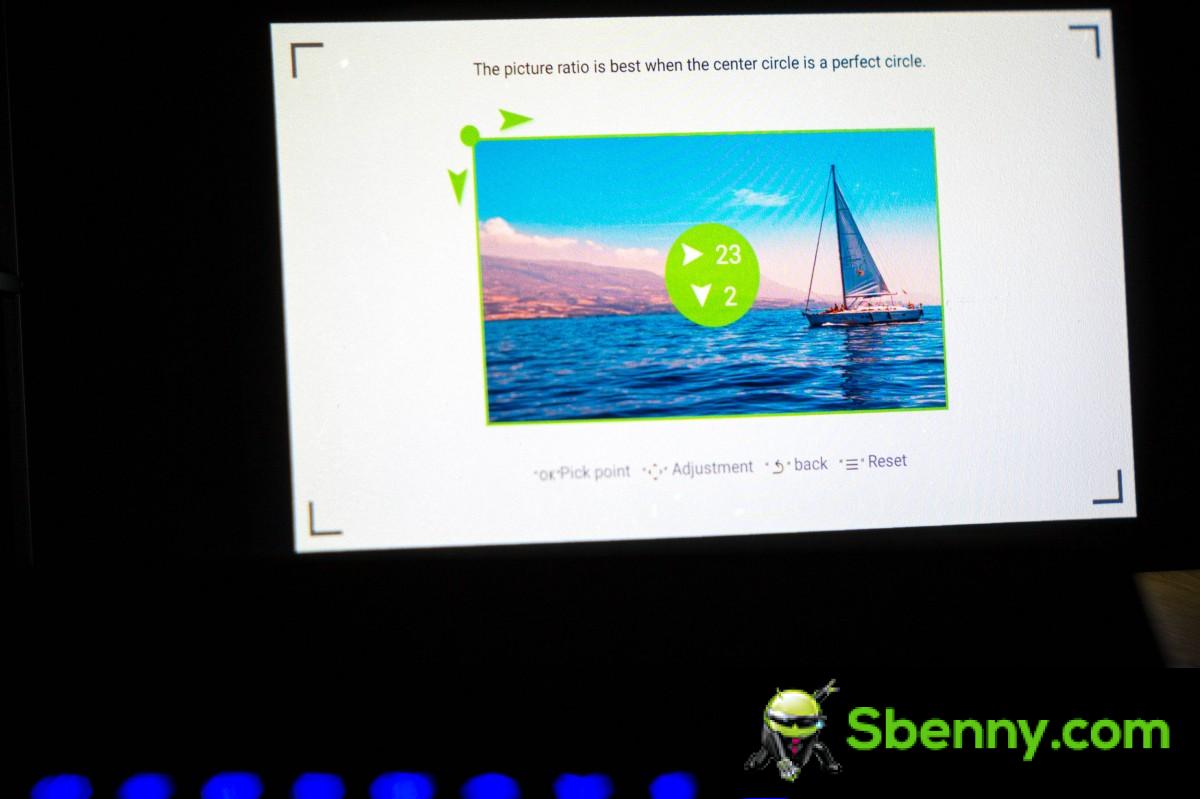
The auto focus and keystone distortion promise to produce a straight and sharp image on a wall/screen in any reasonable arrangement. And our review unit worked great with autofocus. However, its automatic keystone adjustment was a bit wonky. It never actually managed to straighten the image and yet it reacted quite drastically to even the smallest angle adjustment we made to the projector. We ended up having to disable the feature altogether to get usable image alignment. Apparently, you can calibrate the auto keystone correction, but it’s a complicated process from what we’ve learned about it.
The Ace K1 is not a short throw projector and doesn’t pretend to be. The closest we could get it to focus correctly was about 1.3 meters from the screen/wall. We mention this only because you shouldn’t be tempted to treat the Ace K1 as a “travel” projector. Requires a fair amount of space to function.
Now that the setup is complete, let’s take a look at what the Ace K1 is actually like for content consumption. The projector is free from rainbow artifacts despite using a single chip design. These nasty flashes typically pass rapidly through the red, green, and blue color channels on the LCD display to create a single perceived image.
The Ace K1 has several built-in color modes: Standard, Vivid, Sports, Movie, Game, and Energy Saver. Apart from that, you also get controls to adjust brightness, contrast, saturation, sharpness and color temperature. However, as soon as you touch one of the sliders, the projector will switch to User color mode.
This effectively means that there is only one user-adjustable mode, which isn’t ideal. However, given that the Ace K1 doesn’t support things like HDR output, it’s pretty unlikely you’ll need a lot of changeable color profiles to switch between. Still, at least a couple would have been nice.
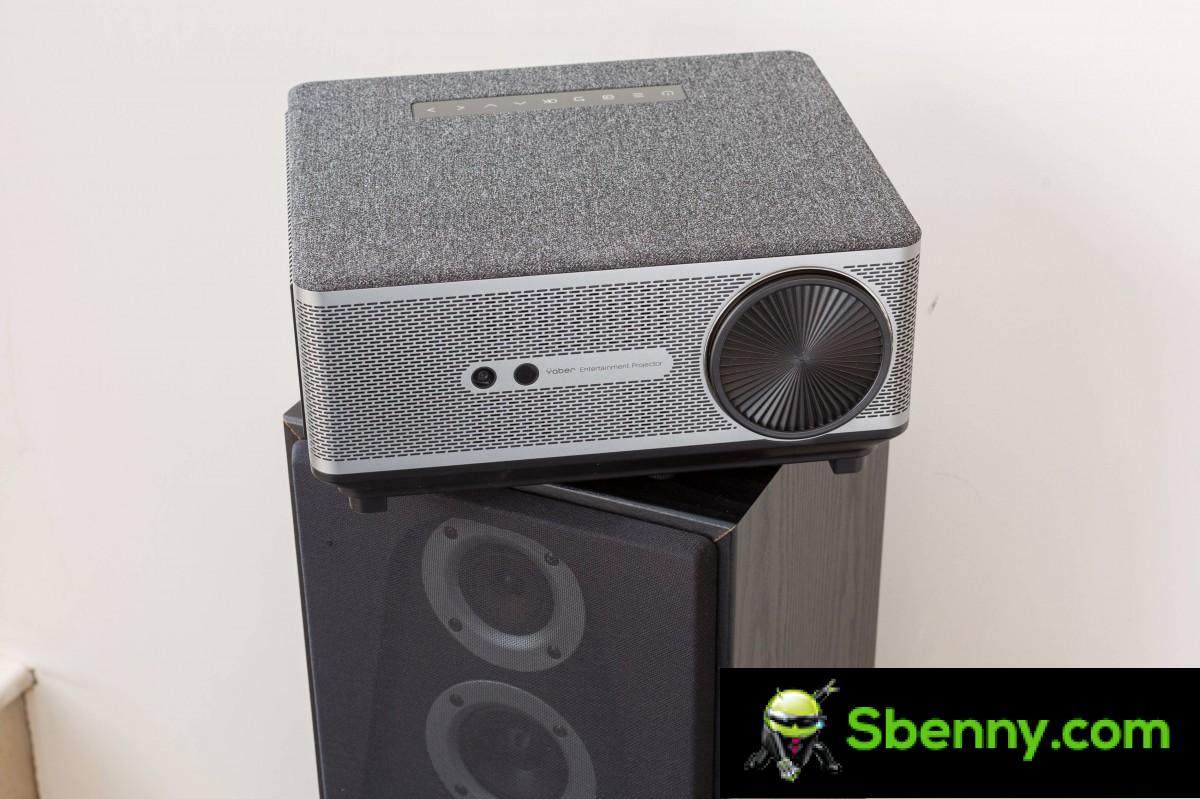
The Yaber Ace K1 has plenty of brightness to take advantage of. It can be used successfully in a room with full light control as it does not require complete darkness as many cheaper projectors do. Contrast is outstanding on the Ace K1. You might want to bump up the image brightness a bit to enhance the shadows, but even out of the box it’s very usable in Standard or Game mode.
The colors are accurate to our eyes, although there is a slight blue tint out of the box, which can be easily corrected. We finally applied a slight brightness boost and color correction to the Game profile and left it at there.

The Ace K1 has a built-in file manager/player. We couldn’t determine exactly which apps Yaber is using, but it’s quite limited in what it can do. There are no search options and no file operations such as copying, moving or deleting. There are no file thumbnails either, which is annoying. So is the lack of a list view of some sort. You just get an icon view with a very short part of the filename under each item scrolling very slowly. As we said, it is a very simple file manager that leaves us wanting more.
The same goes for the built-in video player. It only offers playback controls and a shuffle/repeat switch. Subtitle support is not included either. At least the video codec support for local playback is pretty decent. We successfully played: MPEG1, MPEG2, h.264, h.265(HEVC), VP6, VP8 and VP9. MKV files were a hit-and-miss deal, as were HDR files, though most of the HDR10, HDR10+, and Dolby Vision files we tried worked.
Audio support seems to be more limited. We were able to get AAC and LPCM audio to work just fine, but most Dolby standards (Dolby Atmos, Dolby Digital Plus, Dolby TrueHD), as well as DTS (DTS-HD, DTS-HD MA, DTS:X), not work.
It is therefore much easier and frankly advisable to take a streaming stick and keep it connected to the Ace K1. Something like Amazon Fire TV or Chromecast with Google TV. This way, you can be sure that you have all the media and streaming apps you want. We tried a Fire TV Stick 4K Max and it worked like a charm. Also, this way, any potential HDR to SDR media conversion is handled by the streaming device instead of the Ace K1.
We also tried docking the Ace K1 to a game console. The Nintendo Switch made for an excellent match thanks to its 1080p output resolution when plugged in. The experience is decent and responsive enough for casual gaming. Projector latency is around 46 milliseconds at 1080p@60fps, which is fine but definitely not enough for competitive gaming.

When in doubt as to whether 1080p is good enough for presentations, we tested a few using the built-in office suite app inside the Ace K1 and connecting it to a PC. Both worked great. The built-in office functionality is simply a viewer app for popular office formats such as word documents and presentations.
Last but not least, we had to test the Yaber Ace K1’s wireless transmission capabilities. These worked great with both an Android and iOS device. As we have already mentioned, screen casting on the Ace K1 does not require any additional software on either operating system. We found the connection to be excellent and very stable, with little to no visual artifacts.
Final thoughts
The Yaber Ace K1 is a very capable projector at its roughly $350 price point. It performs well enough to be a solid recommendation for casual media viewing, gaming, and business use. The promise of a maintenance-free, fully sealed optical engine is also enticing, and the native 1080p resolution is good enough for most purposes.
Its audio output, while only mono, is pretty loud and clean. We also really liked the built-in Bluetooth connectivity and the ability to easily connect an external speaker or soundbar.
Overall, I/O is great on the Ace K1. We like the absence of an external brick, which makes it more portable. And the Wi-Fi 6 based wireless screen casting option really works flawlessly, meaning you only need your phone to get going.
The Ace K1’s main drawback is its fans, which are annoyingly loud. The automatic keystone adjustment didn’t work reliably for us. There’s no easy way to mount the projector, and its software, while clean and organized, is pretty straightforward in its functionality.
All in all, the Ace K1 gets a soft recommendation from us. It’s hard to ignore the value proposition it offers. If you’re okay with its drawbacks and are in the market for a mid-range projector, then this one is definitely worth considering. And noisy fans aside, the rest is fixable with a cheap TV stick.
Professionals
- Native 1080p resolution and 650 ANSI Lumen brightness.
- Great image without rainbow effects. Very good contrast and colors.
- Fully sealed maintenance-free optical engine.
- Auto focus and keystone correction.
- No external power supply.
- Fast and clean operating system.
- Powerful 15W speaker, even mono only.
- Wireless casting from Android and iOS works great.
Against
- Noisy cooling fans.
- No mount points.
- Simple designs, making installation complicated.
- Auto Keystone Correction may behave erratically.
- Basic built-in file manager and video player.
- It lacks a proper intelligent operating system.
- Poor Wi-Fi setup UI.


Start a new Thread