Trusted by over 1.6 million members since 2014 — why not join them?
- Gender
- Male
- Device
- Rooted Samsung Galaxy Tab S7 - Android 12
- Country
- United States of America

Always On Edge - Not Only LED!
6.5.1MOD Features How to install
Download Link (how to download?)
-
With AOE you can customize your phone from many aspects and make it unique as you are.
It contains too many features with detailed options so it can be customized as you prefer, here are some of the main features:
Notifications led light
• It can be customized to work in a highly flexible way within system always on display or independently, or even both like tap to light feature.
• You can customize lighting color and style distinctively for each app and also for each contact or account name.
• Lighting placement and style can be differentiated between screen states for example it can be set to light around camera hole while screen is on and around whole screen edges while screen is off.
• with a block list to prevent it from lighting to notifications received from a particular person .
• In contrast, it can ignore all notifications of an app except those from one person you care about so it will light only for it.
• It also has more additional useful features like Reminder which will repeat lighting every few seconds along with a customizable sound alert and of course everything is optional.
• furthermore you can choose when the app should stop lighting and how the app deal with receiving multiple notifications like mixer option which will iterate all current notifications colors.
• In addition it has many options to restrict its job like prevent the app from lighting if device is charging, or battery is low, or at sleep time with more detailed control choices.
• Lighting brightness can be adjusted regardless of the lighting method, on top of that you can set high brightness for lights and low brightness for other widgets like clocks and notifications icons.
Edge lighting
• lighting effects for multiple important events such as device charging, ongoing or outgoing calls, playing music, screen wallpaper and many other events.
• as notifications lighting this also can be around all screen or around front camera or both with many other lighting place options like led style with variety of animations.
Always On Display pro
Extra features for system aod like showing it only on notifications or on charging or for few minutes after lock
ambient display
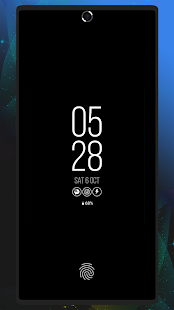
• Ambient display clock while screen is locked along with other widgets like notifications icons, preview panel and battery status.
• those widgets are displayed along with edge lighting or independently while device is locked.
Animated backgrounds
• smooth live wallpapers animated by code.
• Various categories of backgrounds with unique animations like nature, romantic, technical and many other categories
• customizable colors and images.
Notifications Ticker
• Display notification brief nicely around camera hole (notch) or on status bar.
this is helpful for notifications without pop-up view so while you are using the phone and receiving a silent notifications you can directly read it without having to pull notifications panel down .
Notifications preview
• A list of current notifications displayed as a widget on home screen to read and access your notifications directly after unlocking
Corners Mask
• Rounded corners around screen to make it shaped like modern phones
AccessibilityService API Disclosure:
This app contains some functions that are partially or fully dependent on android Accessibility Service API. this app main purpose is not an accessibility tool but it can be used as so by deaf or hearing impaired people like when their phone is near them and can't hear notification sound or groove then by this app lighting effects they can know from which app they got a notification and who send to them just by a glance to colors and effects set by them.
No: you can play and install this app without root permissions.
No: you can play this game even without any Internet Connection.
Load Additional Info
Premium features enabled, including Always On Display + Modes
• App not installing/saying not compatible and you're running Android 14? Then you may need to install and use VPhoneOS on your phone by clicking here or, if have a computer, visit this page from PC and click here. This should help you. If not, read this: how to install mod apk files on Android 14 or newer.
Before reading the installation instructions below, if you need help about how to use our website, please watch a simple video tutorial we created, about How to Download & Install apk files from sbenny.com by clicking here.
Download the desired APK file below and tap on it to install it on your device.
• App not installing/saying not compatible and you're running Android 14? Then you need to install VPhoneOS on your phone by clicking here or, if have a computer, visit this page from PC and click here. Also, make sure you turned off "Play Protect" from the Google Play Store app, as it prevents installing mods. This should help you. If not, read this: how to install mod apk files on Android 14 or newer.
If you need help about how to use our website, please watch this simple video tutorial below about How to Download & Install apk files from sbenny.com.
 No videos yet. If you would like to thank Ysar and gain some extra SB Points, record your gameplay and share it here.
Code:https://play.google.com/store/apps/details?id=com.used.aoe