
 Trusted by over 1.6 million members since 2014 — why not join them?
- Gender
- Male
- Device
- Honor Magic5 Lite - Android 13
- Country
- Sbennytopia
The world’s most used web browser is getting some major updates to its address bar. Google announced five today, and they all aim to make using the address bar more efficient.
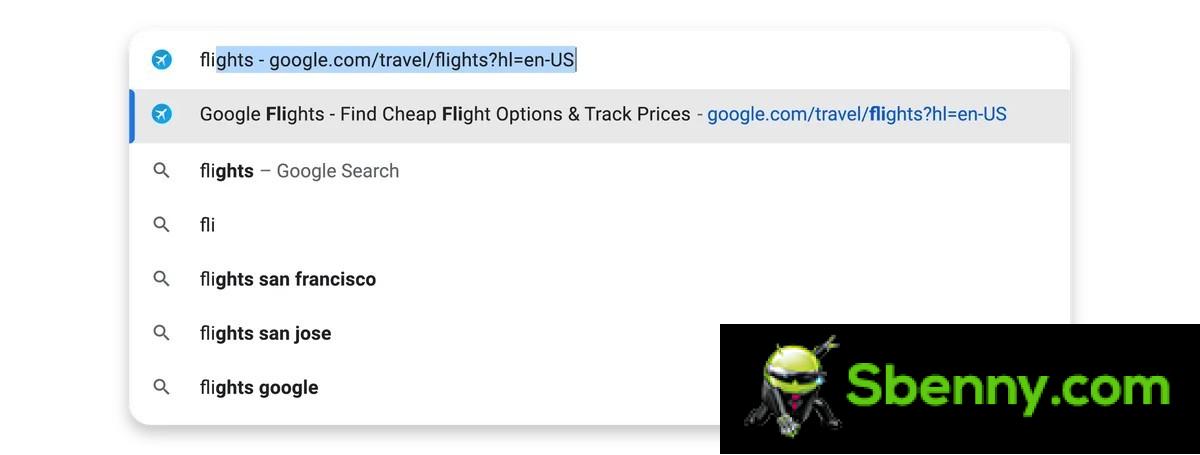
First, autocomplete has gotten smarter. Previously, Chrome only automatically completed URLs in the address bar if you typed the beginning of them correctly. But now, starting from desktop, the address bar will automatically complete URLs based on any words you previously used to search for a website. So, in Google’s example, if you searched for “flights” in the past and ended up on Google Flights, your browser will automatically complete the Google Flights URL when you search for “flights” again.

Another cool new feature is Chrome’s ability to suggest popular sites even if you’ve never visited them or mistyped the URL correctly. The example Google gave is that a friend mentioned checking out Google Earth, so you go to Chrome’s address bar and start typing “Google Earth” and it’s suggested in the drop-down menu.
The address bar now has automatic typo fixes, and this feature is pretty much self-explanatory. This is available today in Chrome on desktop, Android, and iOS.
The post continues on our Blog: Google Chrome is getting five big address bar updates
What do you think about it? Feel free to reply below!
First, autocomplete has gotten smarter. Previously, Chrome only automatically completed URLs in the address bar if you typed the beginning of them correctly. But now, starting from desktop, the address bar will automatically complete URLs based on any words you previously used to search for a website. So, in Google’s example, if you searched for “flights” in the past and ended up on Google Flights, your browser will automatically complete the Google Flights URL when you search for “flights” again.
Another cool new feature is Chrome’s ability to suggest popular sites even if you’ve never visited them or mistyped the URL correctly. The example Google gave is that a friend mentioned checking out Google Earth, so you go to Chrome’s address bar and start typing “Google Earth” and it’s suggested in the drop-down menu.
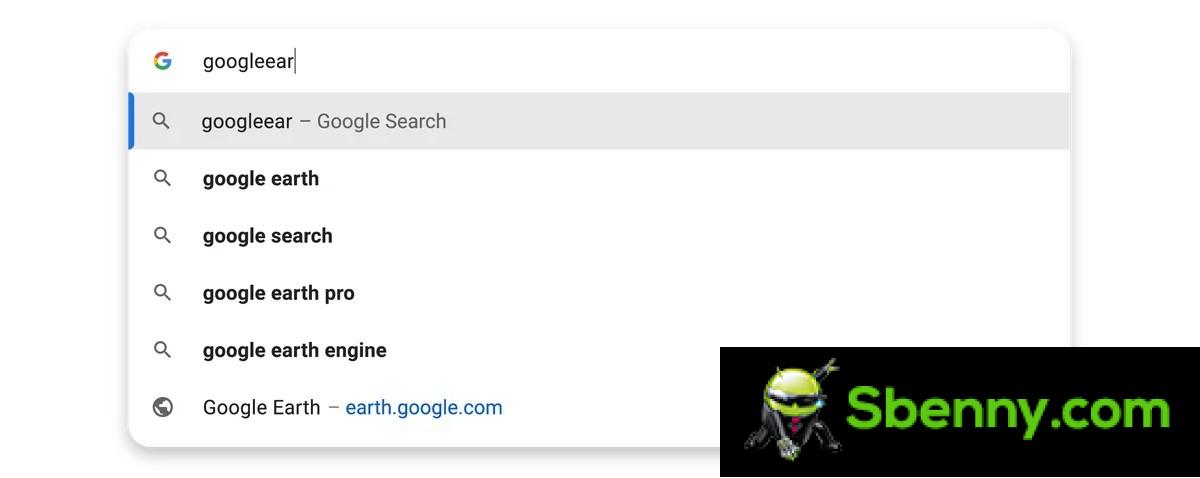
The address bar now has automatic typo fixes, and this feature is pretty much self-explanatory. This is available today in Chrome on desktop, Android, and iOS.
The post continues on our Blog: Google Chrome is getting five big address bar updates
What do you think about it? Feel free to reply below!
