Trusted by over 1.6 million members since 2014 — why not join them?
- Gender
- Male
- Device
- Rooted Samsung Galaxy Tab S7 - Android 12
- Country
- United States of America


Harvest Moon: Mad Dash
v1.00MOD Features How to install
Download Link (how to download?)
-
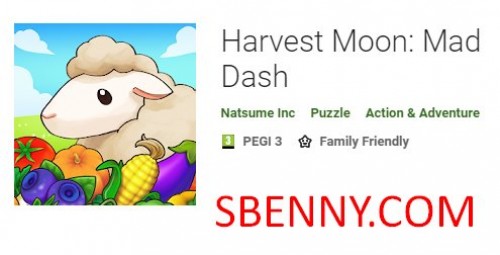
A fast-paced farming frenzy!
Harvest, fish, milk, and more as you fulfill orders to complete each level, but watch out for molten lava, raging boars, and other obstacles!
Can you try to clear all the levels to restore the broken lighthouse?
• Fast-paced action means quick decisions are key!
• Use Harvest Sprite Powers to unlock special support skills!
• Easy-to-learn game mechanics means everyone can play!
• Take on farm, beach, Underworld, and Skyworld levels!
--------------
Important information about playing Harvest Moon: Mad Dash:
Supported Device Spec: The same as or higher than Samsung Galaxy 7.
Supported Android OS: Android 4.4 or later.
Required RAM: 2GB minimum.
Required device space: 250MB
*Some devices are not supported even if the installed Android OS version is within the supported range.
--------------
You can play and install this app without root permissions.
You can play this game even without any Internet Connection.
Load Additional Info
Paid APK
• App not installing/saying not compatible and you're running Android 14? Then you may need to install and use VPhoneOS on your phone by clicking here or, if have a computer, visit this page from PC and click here. This should help you. If not, read this: how to install mod apk files on Android 14 or newer.
Before reading the installation instructions below, if you need help about how to use our website, please watch a simple video tutorial we created, about How to Download & Install apk files from sbenny.com by clicking here.
Download both APK and GAME CACHE files. To install the APK file just tap on it after making sure to uninstall your game first (if already installed). Then extract the GAME CACHE archive to sdcard/android/obb/ and you're ready to play. Video Tutorial: click here to watch
• App not installing/saying not compatible and you're running Android 14? Then you need to install VPhoneOS on your phone by clicking here or, if have a computer, visit this page from PC and click here. Also, make sure you turned off "Play Protect" from the Google Play Store app, as it prevents installing mods. This should help you. If not, read this: how to install mod apk files on Android 14 or newer.
If you need help about how to use our website, please watch this simple video tutorial below about How to Download & Install apk files from sbenny.com.
 No videos yet. If you would like to thank Ysar and gain some extra SB Points, record your gameplay and share it here.
Code:https://play.google.com/store/apps/details?id=com.natsume.hmmd_android