

 Trusted by over 1.6 million members since 2014 — why not join them?
- Gender
- Male
- Device
- Honor Magic5 Lite - Android 13
- Country
- Sbennytopia

Version: v1.2
Root needed? NO
Can be played Offline? YES
Game description:
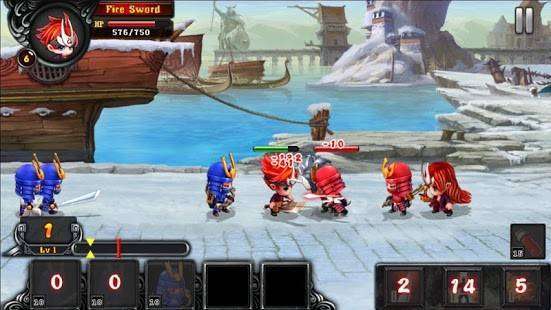
Are you ready to transform into one of the most heroic Ninja, ready to fight and sacrifice to protect the League of Ninja? Get involved in the superhero squad in Ninja Alliance and fight hard yourselves and your Kingdom!
Features include:
- 30 different maps with different terrain and enemies in Ninja Alliance Wars
- Plentiful revengers with 8 ninja legends and 3 soldiers support
- The enemy powerful and have the Defender makes the League of Ninja more difficult to reclaim their lands.
- High quality graphics and so many different Ninja give you a different experience.
Download Ninja Alliance Wars to have a great experience while fighting back evil invaders!
Google Playstore link:
Code:
https://play.google.com/store/apps/details?id=com.fivefingers.ninja.allianceUnlimited Gold
Unlimited Gems
Screenshot:

Notes: ensure to start a new game (do not install this mod over the already installed game, but ensure you uninstall the original version first, if installed). Also, complete the tutorial before upgrading your characters, to avoid getting stuck.
Installation Instructions:
To install this game, download the proper .apk file below, if you're from pc, move it to your Android device, then tap on the .apk file to install it. Also, ensure you uninstall any previously installed version if you do have one.
Credits to: Me (Sbenny)
Download link(s):
🔒 Hidden content
You need to Register or Login in order to view this content. Since you're viewing the AMP-accelerated version of our website which doesn't store login cookies, please scroll to the bottom of this page and click on the "View Non-AMP Version" button first, thanks!
✨ Play Android MODs on your PC with BlueStacks!
Clean Version:
🔒 Hidden content
You need to Register or Login in order to view this content. Since you're viewing the AMP-accelerated version of our website which doesn't store login cookies, please scroll to the bottom of this page and click on the "View Non-AMP Version" button first, thanks!


