

 Trusted by over 1.6 million members since 2014 — why not join them?
∞ and beyond!
Staff Member
Moderator
SB Mod Squad ⭐
✔ Approved Releaser
Active User
Member for 2 years
- Gender
- Not specified
- Device
- 6502
- Country
- Canada
Alpine Linux + Docker
v2.1.0MOD Features How to install
Type of release: Free
Download Link (how to download?)
🔒 Hidden content
You need to Register or Login in order to view this content. Since you're viewing the AMP-accelerated version of our website which doesn't store login cookies, please scroll to the bottom of this page and click on the "View Non-AMP Version" button first, thanks!
-
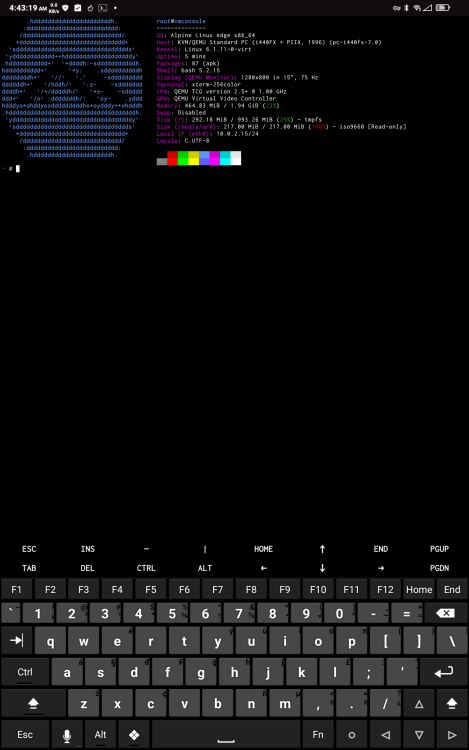
This app is a branch of Termux that implements QEMU plus Docker.
It is Command Line Interface only.
It comes with Alpine Linux Kernel v6x.
CPU Architecture: armeabi-v7a & arm64-v8a
No: you can play and install this app without root permissions.
Yes: you need an active Internet Connection to use this app.
Load Additional Info
This app is a branch of Termux that implements QEMU plus Docker.
It is Command Line Interface only.
It comes with Alpine Linux Kernel v6x.
Install, run, wait for it, when you arrive at the prompt to login, enter root
Once logged in, copy and paste this:
Note: the OS is stored on an ISO and will return to a clean slate upon reboot! As such, it is pointless to run apk upgrade.Code:apk update && apk add fastfetch && echo "clear && fastfetch" >> .bashrc && source .bashrc
Also, you will want to create a virtual /opt storage for anything put into Docker or it will be lost each time the app reboots.
Many people have worked on this project.
I have updated the Kernel, some of the apk packages, added Docker, and made some minor changes to the API so that this works on Android 15 and likely 16 (untested).
• App not installing/saying not compatible and you're running Android 14? Then you may need to install and use VPhoneOS on your phone by clicking here or, if have a computer, visit this page from PC and click here. This should help you. If not, read this: how to install mod apk files on Android 14 or newer.
Before reading the installation instructions below, if you need help about how to use our website, please watch a simple video tutorial we created, about How to Download & Install apk files from sbenny.com by clicking here.
Download the desired APK file below and tap on it to install it on your device.
• App not installing/saying not compatible and you're running Android 14? Then you need to install VPhoneOS on your phone by clicking here or, if have a computer, visit this page from PC and click here. Also, make sure you turned off "Play Protect" from the Google Play Store app, as it prevents installing mods. This should help you. If not, read this: how to install mod apk files on Android 14 or newer.
If you need help about how to use our website, please watch this simple video tutorial below about How to Download & Install apk files from sbenny.com.
 No videos yet. If you would like to thank Snailsoft and gain some extra SB Points, record your gameplay and share it here.
Code:not on google play


