

 Trusted by over 1.6 million members since 2014 — why not join them?
- Gender
- Male
- Device
- Honor Magic5 Lite - Android 13
- Country
- Sbennytopia

Bingo Pop v12.5.10
MOD Features How to install
Type of release: Paid
Download Link (how to download?)
Download FileSince you're viewing the AMP-accelerated version of our website which doesn't store login cookies, please scroll to the bottom of this page and click on the "View Non-AMP Version" button first, thanks!
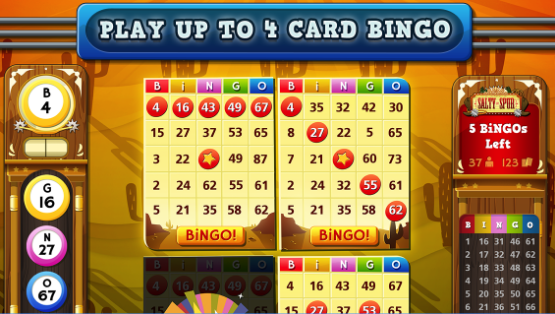
If you’re into casual games that somehow manage to keep you hooked way longer than you planned, Bingo Pop is totally worth checking out. I stumbled upon this app not too long ago, and honestly, it surprised me with how much fun it packed in such a simple concept. You know the classic bingo vibe, right? Well, Bingo Pop takes that and spices it up with cool power-ups, cute graphics, and multiplayer modes that make the whole thing feel fresh and exciting.
What really grabbed me was how social it is. You can play with friends or jump into games with random players worldwide, which adds this fun competitive edge without being stressful. Plus, the chat and emojis during the game make it feel like you’re hanging out with buddies rather than just playing a random mobile game. I’ve read some reviews where people mentioned that the daily challenges and events keep the game from getting stale, and I have to agree—there’s always something new to try or win.
The gameplay itself is straightforward, but the power-ups and special balls add a nice twist that keeps you on your toes. I found myself strategizing a bit, which is kinda unusual for a bingo game. Also, the graphics are surprisingly vibrant and the sounds are pretty chill, making the whole experience pretty relaxing after a long day.
One thing I noticed from other players’ feedback is that the app runs smoothly, even on older devices, which is a big plus. No annoying lag or crashes, which honestly can make or break a mobile game for me. Plus, the fact that it’s free to play with optional in-app purchases means you can enjoy it without feeling pressured to spend cash.
For those curious, I also found out there’s a mod version floating around with some neat perks like unlimited coins and ad-free gameplay. That’s a sweet deal if you want to skip the grind or just chill without interruptions. It’s always nice when mods keep things fair but make the experience more laid-back, you know?
So if you’re looking for a bingo game that’s a little more lively, social, and just plain fun, Bingo Pop is definitely worth a shot. It’s perfect for killing time, connecting with friends, or just enjoying a chill gaming session without overcomplicating things.
Ready to play? Download now Bingo Pop MOD APK for free, only at Sbenny.com!
CPU Architecture: armeabi-v7a & arm64-v8a
You can play and install this app without root permissions.
You need an active Internet Connection to play this game.
Load Additional Info
• MOD Menu
• Unlimited Free Daily Spins
• Always Open 9 Mystery Boxes instead of 1 in Daily Spin
• Unlimited Cherries (read notes below)
• Unlimited Tickets (read notes below)
• Unlimited Coins (read notes below)
• Now works with ALL kinds of Daily Spins!
This MOD version supports both ARMv7 & Armv8-64 devices (100% compatibility).
Notes: turn on the MOD Menu feature ONLY when you need to use this hack. It will let you spin at the lucky wheel unlimited times. This will easily give you unlimited Cherries, Tickets and Money. When you're done, please disable the mod feature and play regularly. Disable the mod when you don't need free spins anymore.
• App not installing/saying not compatible and you're running Android 14? Then you may need to install and use VPhoneOS on your phone by clicking here or, if have a computer, visit this page from PC and click here. This should help you. If not, read this: how to install mod apk files on Android 14 or newer.
Before reading the installation instructions below, if you need help about how to use our website, please watch a simple video tutorial we created, about How to Download & Install apk files from sbenny.com by clicking here.
Download the desired APK file and tap on it to install it on your device. Make also sure to uninstall your game first if you have it installed!
• App not installing/saying not compatible and you're running Android 14? Then you need to install VPhoneOS on your phone by clicking here or, if have a computer, visit this page from PC and click here. Also, make sure you turned off "Play Protect" from the Google Play Store app, as it prevents installing mods. This should help you. If not, read this: how to install mod apk files on Android 14 or newer.
If you need help about how to use our website, please watch this simple video tutorial below about How to Download & Install apk files from sbenny.com.
 No videos yet. If you would like to thank Sbenny and gain some extra SB Points, record your gameplay and share it here.
Code:https://play.google.com/store/apps/details?id=com.uken.BingoPop


