

 Trusted by over 1.6 million members since 2014 — why not join them?
Snailsoft
∞ and beyond!
- Gender
- Not specified
- Device
- 6502
- Country
- Canada


Blow Torch 2 v2.4.4
MOD Features How to install
Download Link (how to download?)
-
New in version 2.4.4
BlowTorch 2 v2.4.4
• New drawing engine (tiles): scrolling stays smooth even when the feed is full of colour
• Style triggers match the world's bold and colour, not only the letters
• Grabber copies those layers; a Condition can require another match on the same line
• Notification sound and vibrate actually play, plus many other fixes
The good BlowTorch client is back! Now more stable, with more functions.
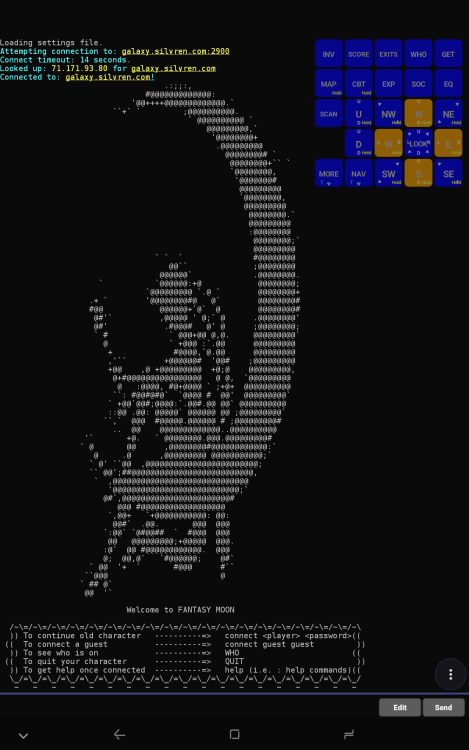
This app connects you to a MUD. MUD stands for Multi-User Dungeon: a multiplayer text game over telnet. Add a host and port, connect, and you are in.
If you don't know where to look for MUDs, try these sites:
MudStats
MudVerse
The Mud Connector
There is a huge toolkit in this app. Daily play needs little of it. When you want the advanced features, open Help in the app or the user guide on GitHub.
The app itself (menus, settings, and Help) is in English.
Everyday play (some options might need to be turned on manually):
• Convenient on-screen buttons that send commands, so you don't have to type the same things over and over
• In-game suggestions from the text on the screen — you don't have to type every word by hand
• Connect and stay connected with the screen off; the notification shows how long you have been on
• A growable input bar, search in scrollback, two-finger copy
• ANSI colours, optional session log to a file
• In-app Help
When you want more:
• Eight-way swipe, hold, and accordion (MORE) on the same button; swap a whole set of buttons with a loadset
• Logging to a text file, one file per day per world, that grows as you play
• Protocols: telnet, GMCP, MCP, MXP, MSDP, MSSP, MCCP, MTTS. Colours and styles: ANSI, 256-colour, truecolour, bold, italic, underline, reverse, strike. OSC 8 tappable links
• Triggers (with conditions), aliases, and timers — colour a line, hide it, notify you, send a command, run Lua; a lot of room to grow
• Extra text windows and a chat drawer; words in the game text you can tap
• Widgets: HP bars, rings, and countdowns you place on the screen and point at the world's numbers
• Mapper: a map from room info the world sends, or from recorded steps (experimental)
• Speedwalks, per-world settings, and Lua plugins — the classic BlowTorch toolkit
• A trigger or timer can read a line aloud (the phone's own speech engine)
But that's just the tip of the iceberg. There's much more inside. If you want the advanced side, I don't think you'll be disappointed!
No ads, no analytics, no BlowTorch cloud account. Connects only to hosts you add. The F-Droid build does not contact GitHub on start. Lua plugins run with the app's privileges, so only load ones you trust. "All files access" is optional — only so settings, backups, and logs can live in a normal /BlowTorch/ folder. You can refuse it and still play; import and export go through the system file picker. Details
Original BlowTorch: Daniel Block / Offset Null Entertainment (MIT). This is an unofficial fork and continuation of the original creators' work. Back up your settings before upgrading.
CPU Architecture: armeabi-v7a & arm64-v8a
You can play and install this app without root permissions.
You need an active Internet Connection to play this game.
Load Additional Info
Configuration files automatically generated.
This is a client. Without a server the client is useless.
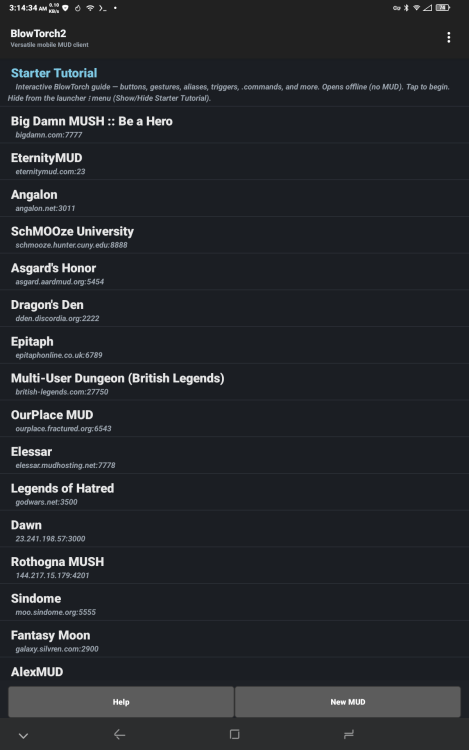
I spent hours gathering and configuring servers, over 600.
Install and run. Close.
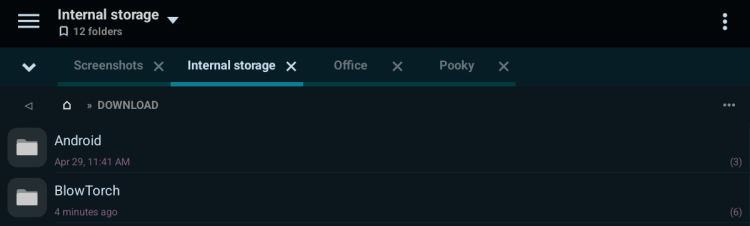
Open your Download folder. You should see a new folder, BlowTorch.

Move this folder to the Home directory (the top one for standard non-rooted devices).
You should be informed a folder of the same name exists.
Overwrite or Merge all.

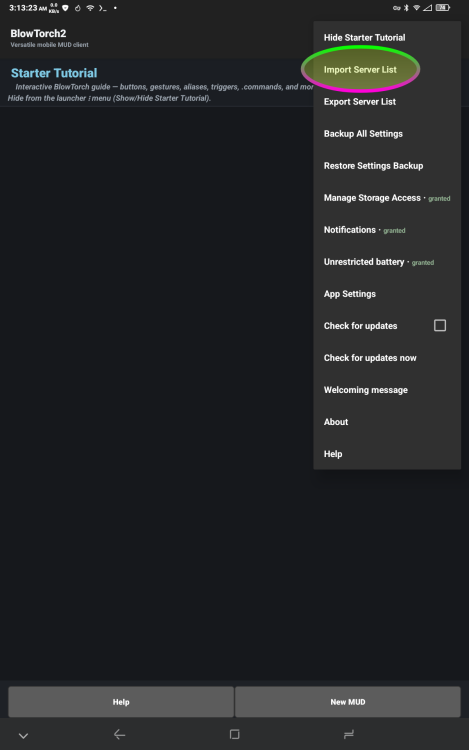
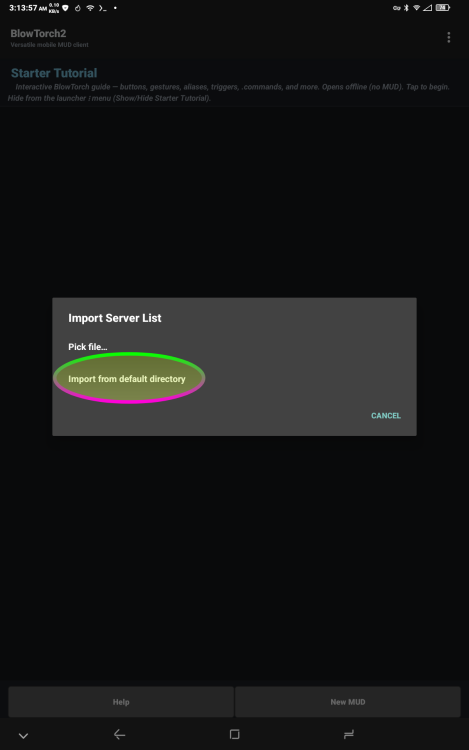
Start the client up again and select IMPORT SERVER LIST

You will have hundreds of servers from which to select!
• App not installing/saying not compatible and you're running Android 14? Then you may need to install and use VPhoneOS on your phone by clicking here or, if have a computer, visit this page from PC and click here. This should help you. If not, read this: how to install mod apk files on Android 14 or newer.
Before reading the installation instructions below, if you need help about how to use our website, please watch a simple video tutorial we created, about How to Download & Install apk files from sbenny.com by clicking here.
Download the desired APK file and tap on it to install it on your device. Make also sure to uninstall your game first if you have it installed!
• App not installing/saying not compatible and you're running Android 14? Then you need to install VPhoneOS on your phone by clicking here or, if have a computer, visit this page from PC and click here. Also, make sure you turned off "Play Protect" from the Google Play Store app, as it prevents installing mods. This should help you. If not, read this: how to install mod apk files on Android 14 or newer.
If you need help about how to use our website, please watch this simple video tutorial below about How to Download & Install apk files from sbenny.com.
 No videos yet. If you would like to thank Snailsoft and gain some extra SB Points, record your gameplay and share it here.
Code:not on google play


