

 Trusted by over 1.6 million members since 2014 — why not join them?
- Gender
- Not specified
- Device
- 6502
- Country
- Canada


Bulk Text Replace
v1.8.12MOD Features How to install
Download Link (how to download?)
-
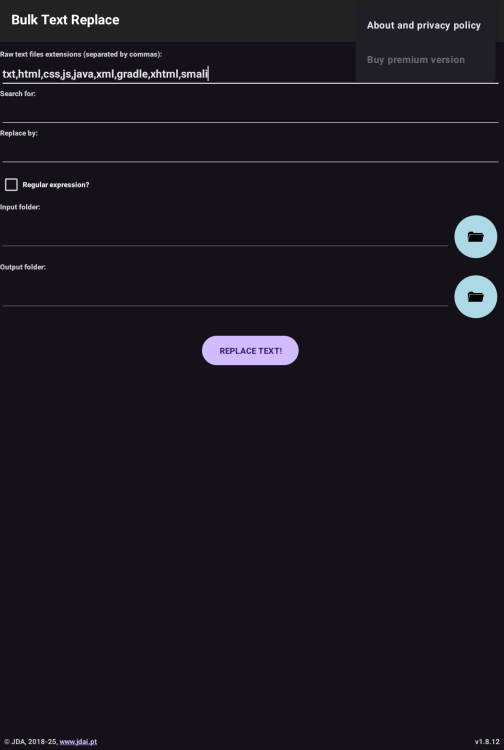
This app purpose is to replace text inside raw text files, in bulk. The usage is simple: the user must define which type of files the app will analyse (as examples, txt, css, js, java, etc), the text or regular expression to search for, the text to replace and the root directory.
Known as a GREP or GSAR tool on Linux systems.
The output will be created in the device "download" directory, with the same input tree directory structure. The files inside will be an unmodified copy of the originals if no text replace was done, or an updated version if a replacement took place. Files with a different extension than the ones to analyse will be copied to the destination as well.
This app is particularly useful to update content of programming code inside their original text files.
The free version replaces text of a maximum of 5 files at once. The premium version eliminates this restriction and also removes all ads from the app.
Updated on
Dec 15, 2025
This is the replacement I've selected to replace my outdated GSAR tool. My tool was made for Android 8 and updated for Android 13. The tool served well until Android 14 were it doesn't crash but it no longer works.
CPU Architecture: armeabi-v7a & arm64-v8a
No: you can play and install this app without root permissions.
No: you can use this app even without any Internet Connection.
Load Additional Info
Internet disabled as it was being used to share all your searches with malicious advertisers and Google.
Analytics removed
Ad's removed
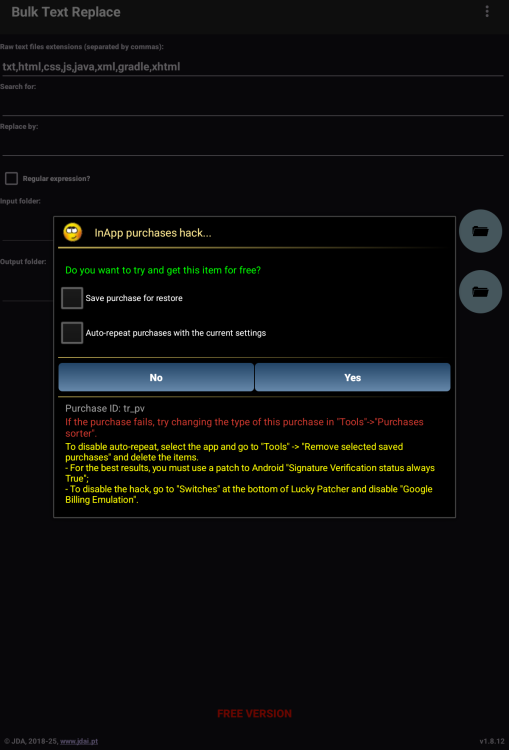
Register the app using Lucky Patcher to remove the 5 file limitation.


• App not installing/saying not compatible and you're running Android 14? Then you may need to install and use VPhoneOS on your phone by clicking here or, if have a computer, visit this page from PC and click here. This should help you. If not, read this: how to install mod apk files on Android 14 or newer.
Before reading the installation instructions below, if you need help about how to use our website, please watch a simple video tutorial we created, about How to Download & Install apk files from sbenny.com by clicking here.
Download the desired APK file below and tap on it to install it on your device.
• App not installing/saying not compatible and you're running Android 14? Then you need to install VPhoneOS on your phone by clicking here or, if have a computer, visit this page from PC and click here. Also, make sure you turned off "Play Protect" from the Google Play Store app, as it prevents installing mods. This should help you. If not, read this: how to install mod apk files on Android 14 or newer.
If you need help about how to use our website, please watch this simple video tutorial below about How to Download & Install apk files from sbenny.com.
 No videos yet. If you would like to thank Snailsoft and gain some extra SB Points, record your gameplay and share it here.
Code:https://play.google.com/store/apps/details?id=pt.jdai.textreplace&referrer=utm_source%3Dapkpure.com


