Trusted by over 1.6 million members since 2014 — why not join them?
- Gender
- Male
- Device
- OnePlus One ~ 10 Pro
- Country
- Greece
Caelus Duotone Icon Pack
v4.4.0MOD Features How to install
Download Link (how to download?)
-
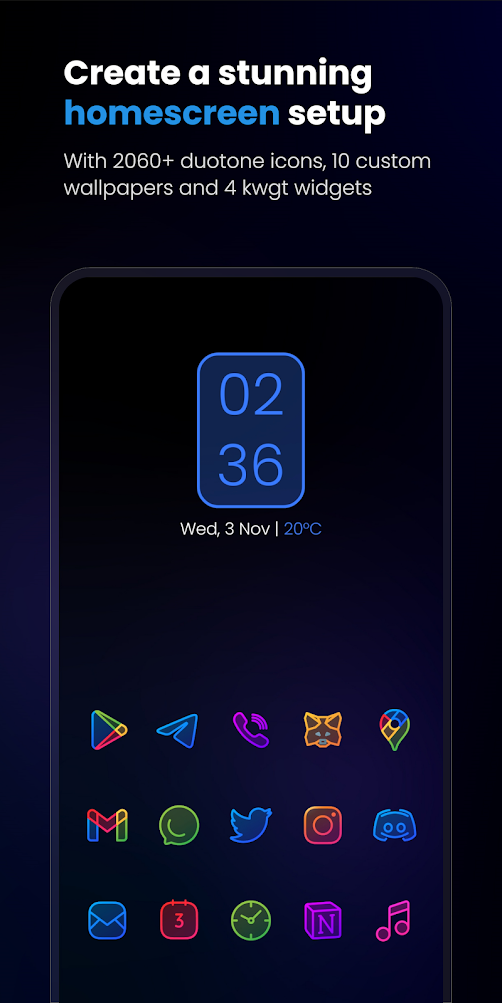
Caelus Duotone Icon Pack APK is a set of high quality colored linear duotone icons (linear icons with semi-transparent solid details). The pack goes very well with dark or dull wallpapers, so we recommend using it with dark settings. The Caelus Duotone Icon Pack APK is built on a 24x24px grid with a lineweight of 1px, with careful attention to icon sizing so you don't have to worry about size consistency.
Caelus Duotone contains:
2660 symbols
10 wallpapers
4 KWGT widgets
We update our app at least twice a month, so make sure to see many more icons in the future. If you are impatient to see the requested icons in the next version, there is an option to request a premium icon.
We recommend setting the Caelus Duotone Icon Pack APK size to 80-100% in the launcher settings. Caelus Duotone Icon Pack APK is the best choice for those looking for apps.
Properties of Caelus Duotone
Icon resolution: 256 x 256 pixels
Alternative icons for many popular apps
Dynamic calendar icon
Themeless icon masking
Folder icons (must be applied manually)
Various symbols (you need to apply them manually)
Tap to send icon requests (free and premium)
High quality wallpaper
Supported KWGT widgets
Still thinking about buying Caelus Duotone? Don't worry, we offer a 100% refund within 24 hours of purchase, just email us your order number. Being a hacked app, you might think Caelus Duotone Icon Pack is hard to install or unsafe, but it's not! Caelus Duotone Icon Pack APK is very easy to install and if you face issues, just reply below and I'll help you. I'm not sure yet? Check all our icon packs here (https://one4studio.com/icon-packs), you might find something more interesting for you.
How does the icon request work? Many of the users request ETA for their requested icons. Well, that's the case: we make icons on demand. We have our own software that creates a list of requested symbols from all user requests. It sorts the icons by the number of unique requests for specific apps, so the most requested apps are at the top of the list, and so we create those icons first. Example: If 10 users have requested the icon for the same app, there is a high probability that we will make this icon the first ones, but if only 1 or 2 users have requested the same app, do not expect to see this icon soon because We already have many requested icons. Premium request icons will be added in the next update from the moment they are requested. So if you can't wait, this is the only solution.
Please note that a custom Android launcher is required, e.g. B. Nova Launcher, Apex Launcher, Niagara Launcher, Lawnchair, etc. It does not work with many default launchers that come with the phone (Google Now Launcher, etc.). How to apply in Samsung OneUI Launcher:
Compatible launchers
Action Launcher • ADW Launcher • ADW ex Launcher • Apex Launcher • Go Launcher • Google Now Launcher • Holo Launcher • Holo ICS Launcher • Lawn Chair • LG Home Launcher • LineageOS Launcher • Lucid Launcher • Nova Launcher • Niagara Launcher • Pixel Launcher • Posidon Launcher • Smart Launcher • Professional Smart Launcher • Solo Launcher • Square Start Launcher • TSF Launcher
How do I send an icon request? Open our app and go to Request Map. Tick all the symbols you would like to thematize and submit the request by clicking the submit button. You will get a sharing screen with options to share the request and you need to select Gmail. When sending an email, DO NOT delete the generated ZIP file and DO NOT change the subject and text in the email body; If you do this, your application will be useless.
To search or find an alternative icon: Long press the icon to replace it on the home screen → Icon options → Edit → Tap the icon → Select the icon pack → Press the arrow on the top right to select the icons to open. Swipe to access different categories or use the search bar to find an alternative icon, tap to replace, done!
Email us at: info@one4studio.com
Follow us on Twitter: www.twitter.com/One4Studio
Join our Telegram channel: One4Studio
Ready to play? Download now Caelus Duotone Icon Pack APK for free, only at Sbenny.com!
No: you can play and install this app without root permissions.
Yes: you need an active Internet Connection to play this game.
Load Additional Info
License Removed!
• App not installing/saying not compatible and you're running Android 14? Then you may need to install and use VPhoneOS on your phone by clicking here or, if have a computer, visit this page from PC and click here. This should help you. If not, read this: how to install mod apk files on Android 14 or newer.
Before reading the installation instructions below, if you need help about how to use our website, please watch a simple video tutorial we created, about How to Download & Install apk files from sbenny.com by clicking here.
Download the desired APK file below and tap on it to install it on your device.
• App not installing/saying not compatible and you're running Android 14? Then you need to install VPhoneOS on your phone by clicking here or, if have a computer, visit this page from PC and click here. Also, make sure you turned off "Play Protect" from the Google Play Store app, as it prevents installing mods. This should help you. If not, read this: how to install mod apk files on Android 14 or newer.
If you need help about how to use our website, please watch this simple video tutorial below about How to Download & Install apk files from sbenny.com.
 No videos yet. If you would like to thank KSCT and gain some extra SB Points, record your gameplay and share it here.
Code:https://play.google.com/store/apps/details?id=one4studio.iconpack.caelusduotone