

 Trusted by over 1.6 million members since 2014 — why not join them?
Snailsoft
∞ and beyond!
Staff Member
Moderator
SB Mod Squad ⭐
✔ Approved Releaser
Active User
Member for 2 years
- Gender
- Not specified
- Device
- 6502
- Country
- Canada

Graph89 v1.2.0
MOD Features How to install
Type of release: Free
Download Link (how to download?)
🔒 Hidden content
You need to Register or Login in order to view this content. Since you're viewing the AMP-accelerated version of our website which doesn't store login cookies, please scroll to the bottom of this page and click on the "View Non-AMP Version" button first, thanks!
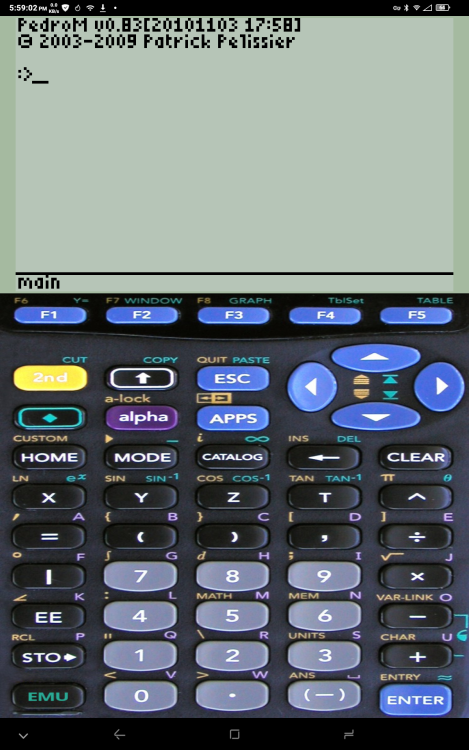
Graph89 is an emulator targeting the Android platform for TI89, TI89T, TI92, TI92+, V200, TI84+, TI84+SE, TI83, TI83+ and TI83+SE calculators.
This is a continuation of the awesome work done by Dritan Hashorva to bring a bit of UI polish and modern feature enhancements to the project. It was forked from the last version distributed by the original author.
Kudos to him and everyone involved in the TI emulation projects, especially the TiEmu and TilEm developers.
This is a fork from github.com/milaq/graph89 to add support for 64-bit android/x86 platforms. The important change for 64-bit support was to patch glib to use 64-bit integers for gsize & gssize. There was a bit of warning clean-up (there are still hundreds of warnings in the arm64-v8a build but the app appears to work). After that the ROM manager was updated to support Android SDK 34 and the scoped storage paradigm.
I am no longer maintaining binary releases here.
CPU Architecture: armeabi-v7a & arm64-v8a
No: you can play and install this app without root permissions.
No: you can use this app even without any Internet Connection.
Load Additional Info
Compiled and optimized for v8 devices.
Supports most architecture.
Added new UI patches.
Included the FOSS PedrOS 89 and 90 ROM versions.
Extract, install the APK, run, select the PedrOS ROM.
I recommend PedroM-v2.9xu
• App not installing/saying not compatible and you're running Android 14? Then you may need to install and use VPhoneOS on your phone by clicking here or, if have a computer, visit this page from PC and click here. This should help you. If not, read this: how to install mod apk files on Android 14 or newer.
Before reading the installation instructions below, if you need help about how to use our website, please watch a simple video tutorial we created, about How to Download & Install apk files from sbenny.com by clicking here.
Download the desired APK file below and tap on it to install it on your device.
• App not installing/saying not compatible and you're running Android 14? Then you need to install VPhoneOS on your phone by clicking here or, if have a computer, visit this page from PC and click here. Also, make sure you turned off "Play Protect" from the Google Play Store app, as it prevents installing mods. This should help you. If not, read this: how to install mod apk files on Android 14 or newer.
If you need help about how to use our website, please watch this simple video tutorial below about How to Download & Install apk files from sbenny.com.
 No videos yet. If you would like to thank Snailsoft and gain some extra SB Points, record your gameplay and share it here.
Code:https://github.com/eanema/graph89


