Trusted by over 1.6 million members since 2014 — why not join them?
- Gender
- Female
- Device
- Google Pixel 3a - Android 12
- Country
- Italy
Into the Dead 2 v1.43.0
MOD Features How to install
Type of release: Paid
Download Link (how to download?)
Download FileSince you're viewing the AMP-accelerated version of our website which doesn't store login cookies, please scroll to the bottom of this page and click on the "View Non-AMP Version" button first, thanks!
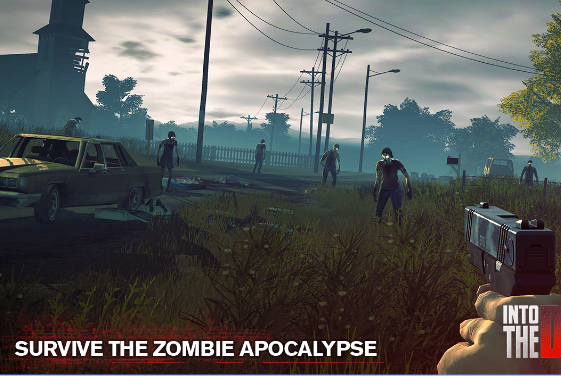
Into the dead 2 - start a journey across the world full of zombies to find and rescue your family. Use various weapons in the battles against monsters. Fight for your life and destroy walking dead in this Android game. Drive a car and other vehicles. Run forward, shoot from a gun, an assault rifle, a shotgun and other weapons. Use a radio to communicate with the survived. Complete dangerous missions and continue your way across a post apocalypse world. Upgrade weapons and outfit.
Features of Into the dead 2 for Android:
• Over 60 stages
• Big weapon arsenal
• Different vehicles
• High quality graphics
Download now the MOD APK of Into the Dead 2 for free, only at sbenny.com!
You can play and install this app without root permissions.
You need an active Internet Connection to play this game.
Load Additional Info
- Unlimited Gold
- All Weapons Unlocked
- No Ads
• App not installing/saying not compatible and you're running Android 14? Then you may need to install and use VPhoneOS on your phone by clicking here or, if have a computer, visit this page from PC and click here. This should help you. If not, read this: how to install mod apk files on Android 14 or newer.
Before reading the installation instructions below, if you need help about how to use our website, please watch a simple video tutorial we created, about How to Download & Install apk files from sbenny.com by clicking here.
Download both APK and GAME CACHE files. To install the APK file just tap on it after making sure to uninstall your game first (if already installed). Then extract the GAME CACHE archive to sdcard/android/obb/ and you're ready to play. Video Tutorial: click here to watch
• App not installing/saying not compatible and you're running Android 14? Then you need to install VPhoneOS on your phone by clicking here or, if have a computer, visit this page from PC and click here. Also, make sure you turned off "Play Protect" from the Google Play Store app, as it prevents installing mods. This should help you. If not, read this: how to install mod apk files on Android 14 or newer.
If you need help about how to use our website, please watch this simple video tutorial below about How to Download & Install apk files from sbenny.com.
 No videos yet. If you would like to thank Debby and gain some extra SB Points, record your gameplay and share it here.
Code:https://play.google.com/store/apps/details?id=com.pikpok.dr2.play