Trusted by over 1.6 million members since 2014 — why not join them?
- Gender
- Male
- Device
- Realme GT Master Edition - Android 13
- Country
- Bangladesh
Kirikiroid2 v1.3.9
MOD Features How to install
The download link was removed. Reason: The link isn't working.
-
Want play your Kirikiri2(*.xp3) game on your Android device?
Kirikiroid2 - Android port of Kirikiri2
=======================================
Kirikiroid2 lets you play some of your private backup games of legally on Android.
Doujin developers could also use it to test the kirikiri2 game on Android without
rewrite any code/scenario (if your game do not use any custom plugin).
We do not provide any game or commercial content, please do not ask us for that.
Kirikiroid2 implement most features of original Kirikiri2 but:
- No external plugin module (or may be in the future?), only hard-coded internal
plugin module
- No CD-Player and MIDI playback, all request will ignored and no exception will
be thrown
- No font select window, control center, script/pad editor, and so on...
And some additional feature:
- Execute "patch.tjs" before "startup.tjs", if it exists
- Execute "RegisterData.tjs" for emulate Windows Register
- Use "xp3filter.tjs" for decoding crypted xp3 archive, see the demo for detail
- Use the fantastic libavcodec media library for decoding video/audio, you can play
almost every video/audio that ffmpeg supported, just your CPU is strong enough
- You can choose OpenGL ES2 renderer instead of original software renderer, save
more battery and keep cool, play smoother, but it cost more memory, and not as such
compatible as software renderer
- Use "default.ttf" in game folder for ttf rendering if it exists, otherwise uses system font.
Some system maybe has no CJK fonts, you should copy a valid ttf font and rename it
to "default.ttf" in game folder.
- Use "default.cur" in game folder for virtual mouse cursor if it exists.
-----------
Usage
-----------
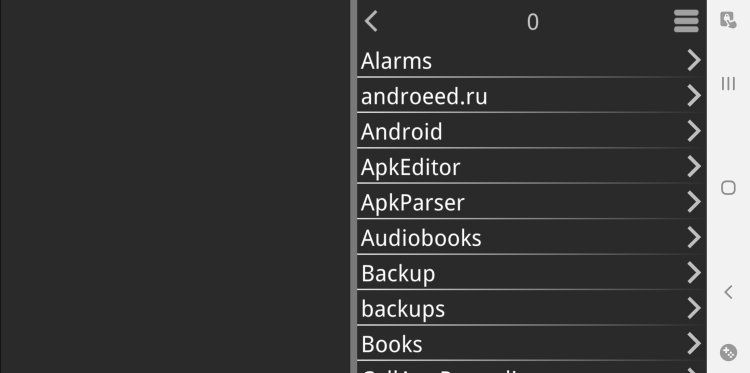
Copy the whole game data to sdcard or internal storage, run Kirikiroid2, pickup
data.xp3, or somename.exe if no data.xp3. Some games need xp3filter or patch,
you may found it on our forum: bbs.avgfun.net
The Options in Global Option menu will affect all your game, and In-Game Menu is
the game script registered functions, it will only worked in that one game. There has
no per-game option so far.
If you tap two fingers on screen, it will regarded as mouse right-clicking.
In virtual mouse mode, tap one finger and keep on for a while, to emulate left button
drag; Tap two fingers for a while to emulate right button drag.
-----------
Notice
-----------
Most of commercial games use custom extension plugins, and most of those cannot
play under Kirikiroid2. You can login our bbs: bbs.avgfun.net and leave your message
about your game, we may implement it in the future version.
Plugins available ([soft] means only works under CPU render mode aka. no opengl mode):
addFont
AlphaMovie[soft]
csvParser
expat
extNagano[soft][beta]
extrans[soft]
fftgraph[null]
fstat
getabout
getSample
gfxEffect/gfxFire[soft][beta]
json
KAGParserEx
krmovie
layerExAlpha[soft]
layerExAreaAverage
layerExBTOA
layerExDraw[soft]
layerExImage
layerExMovie
layerExPerspective
layerExRaster[soft]
layerExSave[soft]
minizip
PackinOne
PSBFile
saveStruct
scriptsEx
shrinkCopy
sqlite3
util_generic
util_system
varfile
windowEx
wutcwf
wuvorbis
You can play and install this app without root permissions.
You can play this game even without any Internet Connection.
Load Additional Info
License verification removed.
• App not installing/saying not compatible and you're running Android 14? Then you may need to install and use VPhoneOS on your phone by clicking here or, if have a computer, visit this page from PC and click here. This should help you. If not, read this: how to install mod apk files on Android 14 or newer.
Before reading the installation instructions below, if you need help about how to use our website, please watch a simple video tutorial we created, about How to Download & Install apk files from sbenny.com by clicking here.
Download the desired APK file and tap on it to install it on your device. Make also sure to uninstall your game first if you have it installed!
• App not installing/saying not compatible and you're running Android 14? Then you need to install VPhoneOS on your phone by clicking here or, if have a computer, visit this page from PC and click here. Also, make sure you turned off "Play Protect" from the Google Play Store app, as it prevents installing mods. This should help you. If not, read this: how to install mod apk files on Android 14 or newer.
If you need help about how to use our website, please watch this simple video tutorial below about How to Download & Install apk files from sbenny.com.
 No videos yet. If you would like to thank Gourov and gain some extra SB Points, record your gameplay and share it here.
Code:https://play.google.com/store/apps/details?id=org.tvp.kirikiri2