

 Trusted by over 1.6 million members since 2014 — why not join them?

- Gender
- Male
- Device
- OnePlus One ~ 10 Pro
- Country
- Greece
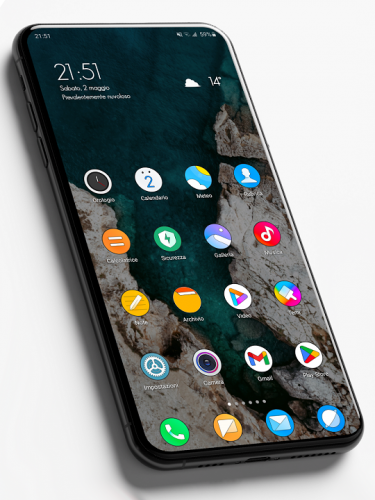
MI Circle Icon Pack
v4.0MOD Features How to install
Download Link (how to download?)
-
MiColor is a simple Android app built around color selection and visual organization. The interface keeps things direct, so it feels easy to move through without spending time learning complicated menus. For anyone who wants a straightforward way to work with colors on a phone, it delivers a clean and lightweight experience.
The app appears focused on quick visual handling rather than extra layers or crowded tools. That gives it a practical feel. You can open it, browse through color options, and get to the point fast.
The design seems aimed at users who prefer something uncluttered, with a layout that stays readable and easy to follow on a small screen.
It fits well if you need a basic color utility for checking tones, comparing shades, or keeping a simple palette nearby. The overall approach is minimal, but that is part of the appeal. Nothing feels overdone. The app stays centered on the main task and avoids unnecessary distractions.
MiColor is the kind of app that works best when you want a light, focused tool that does one job without making it feel complicated.
It is easy to understand, quick to use, and built for straightforward color-related tasks.
CPU Architecture: armeabi-v7a & arm64-v8a
No: you can play and install this app without root permissions.
No: you can use this app even without any Internet Connection.
Load Additional Info
License Removed!
• App not installing/saying not compatible and you're running Android 14? Then you may need to install and use VPhoneOS on your phone by clicking here or, if have a computer, visit this page from PC and click here. This should help you. If not, read this: how to install mod apk files on Android 14 or newer.
Before reading the installation instructions below, if you need help about how to use our website, please watch a simple video tutorial we created, about How to Download & Install apk files from sbenny.com by clicking here.
Download the desired APK file below and tap on it to install it on your device.
• App not installing/saying not compatible and you're running Android 14? Then you need to install VPhoneOS on your phone by clicking here or, if have a computer, visit this page from PC and click here. Also, make sure you turned off "Play Protect" from the Google Play Store app, as it prevents installing mods. This should help you. If not, read this: how to install mod apk files on Android 14 or newer.
If you need help about how to use our website, please watch this simple video tutorial below about How to Download & Install apk files from sbenny.com.
 No videos yet. If you would like to thank KSCT and gain some extra SB Points, record your gameplay and share it here.
Code:https://play.google.com/store/apps/details?id=com.cris87.micolor


