

 Trusted by over 1.6 million members since 2014 — why not join them?
- Gender
- Male
- Device
- Samsung Galaxy S10 (SM-G973F) - Android 12 (Snow Cone)
- Country
- Italy
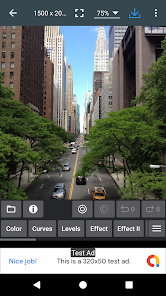
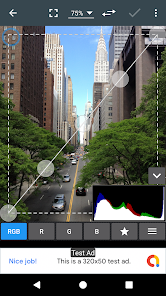
Photo Editor
v13.3.1MOD Features How to install
Download Link (how to download?)
-
Oh man, let me tell you about this awesome app I stumbled upon called Photo Editor by iudesk! I’ve been on this epic quest to find the perfect photo editing app, and I think I’ve finally hit the jackpot with this one. Seriously, it’s like having a mini Photoshop right in my pocket, but way easier to use and way more fun!
First off, the filters are just 🤌. They've got everything from those vintage vibes to super modern looks. I spent a whole afternoon just playing around with them, and honestly, it’s hard not to get carried away.
Each filter kinda gives your pics a whole new story, you know? I edited this random pic of my cat, and suddenly it looked like it belonged in an art exhibit.
The tools are pretty on point too. I mean, I’m no pro photographer or anything, but the app makes me feel like one. You can adjust brightness, contrast, and all that jazz super easily. And the best part?
The app doesn’t crash every five minutes like some other ones I’ve tried. Big win!
I read this one review where a user mentioned how they love the text feature for making memes, and I was like, “YASSS, same!” Adding text is a breeze, and it has so many font options. I’ve been making memes and little artsy quotes for my Insta, and my friends keep asking me which app I'm using.
And can we talk about the stickers?
There’s a whole bunch of them, and they’re all so cute. I’ve definitely been spamming my friends with sticker-laden photos because why not, right?
Overall, this app is a total game-changer. It’s super intuitive, and the results are just *chef’s kiss*. Whether you’re a casual pic editor or someone who’s super into making your photos pop, this app’s got you covered. If you’re looking to up your photo game without the hassle, definitely give it a go.
Trust me, you won’t regret it!
CPU Architecture: arm64-v8a
No: you can play and install this app without root permissions.
Yes: you need an active Internet Connection to use this app.
Load Additional Info
NO ADS Purchased
• App not installing/saying not compatible and you're running Android 14? Then you may need to install and use VPhoneOS on your phone by clicking here or, if have a computer, visit this page from PC and click here. This should help you. If not, read this: how to install mod apk files on Android 14 or newer.
Before reading the installation instructions below, if you need help about how to use our website, please watch a simple video tutorial we created, about How to Download & Install apk files from sbenny.com by clicking here.
Download the desired APK file below and tap on it to install it on your device.
• App not installing/saying not compatible and you're running Android 14? Then you need to install VPhoneOS on your phone by clicking here or, if have a computer, visit this page from PC and click here. Also, make sure you turned off "Play Protect" from the Google Play Store app, as it prevents installing mods. This should help you. If not, read this: how to install mod apk files on Android 14 or newer.
If you need help about how to use our website, please watch this simple video tutorial below about How to Download & Install apk files from sbenny.com.
 No videos yet. If you would like to thank SteweEliteModder and gain some extra SB Points, record your gameplay and share it here.
Code:https://play.google.com/store/apps/details?id=com.iudesk.android.photo.editor


