

 Trusted by over 1.6 million members since 2014 — why not join them?
- Gender
- Female
- Device
- Google Pixel 3a - Android 12
- Country
- Italy

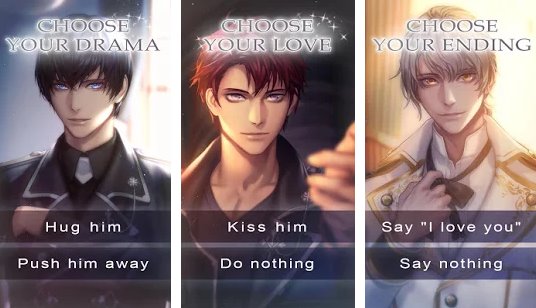
Sinful Roses : Romance Otome Game v2.0.1
MOD Features How to install
Type of release: Paid
Download Link (how to download?)
Download FileSince you're viewing the AMP-accelerated version of our website which doesn't store login cookies, please scroll to the bottom of this page and click on the "View Non-AMP Version" button first, thanks!
Even as a young girl, you’ve been able to see the demons that ordinary people can’t. Your parents abandoned you. You were taken in by an orphanage run by the church, where you met a kind man. He became your foster father and you began to live with him in the countryside.
Seventeen years later, you find a mysterious book in the basement. It’s filled with strange letters and the last page is gone. You decide to leave it alone.
That night, demons appear and attack you and your father. Your father fights back, but he’s no match for the evil creatures. In that moment, three men in black uniforms show up and save you. The demons kidnap your father and disappear. Download now the MOD APK of Sinful Roses : Romance Otome Game for free, only at sbenny.com!
You can play and install this app without root permissions.
You need an active Internet Connection to play this game.
Load Additional Info
- Free Premium Choices
• App not installing/saying not compatible and you're running Android 14? Then you may need to install and use VPhoneOS on your phone by clicking here or, if have a computer, visit this page from PC and click here. This should help you. If not, read this: how to install mod apk files on Android 14 or newer.
Before reading the installation instructions below, if you need help about how to use our website, please watch a simple video tutorial we created, about How to Download & Install apk files from sbenny.com by clicking here.
This is a SPLIT APK. In order to install this, you need to install the "Split APK Installer " App on your phone. Then, open it, tap on"Install APKs" and select the downloaded file in order to install it. If the app doesn't install for some reason, open the settings at the top-left of Split APKS Installer and enable the "Sign APK" option and then try again.
• App not installing/saying not compatible and you're running Android 14? Then you need to install VPhoneOS on your phone by clicking here or, if have a computer, visit this page from PC and click here. Also, make sure you turned off "Play Protect" from the Google Play Store app, as it prevents installing mods. This should help you. If not, read this: how to install mod apk files on Android 14 or newer.
If you need help about how to use our website, please watch this simple video tutorial below about How to Download & Install apk files from sbenny.com.
 No videos yet. If you would like to thank Debby and gain some extra SB Points, record your gameplay and share it here.
Code:https://play.google.com/store/apps/details?id=com.genius.exorcist


