Trusted by over 1.6 million members since 2014 — why not join them?
- Gender
- Male
- Device
- OnePlus One ~ 10 Pro
- Country
- Greece

Unified Remote Full
v3.20.0MOD Features How to install
Download Link (how to download?)
-
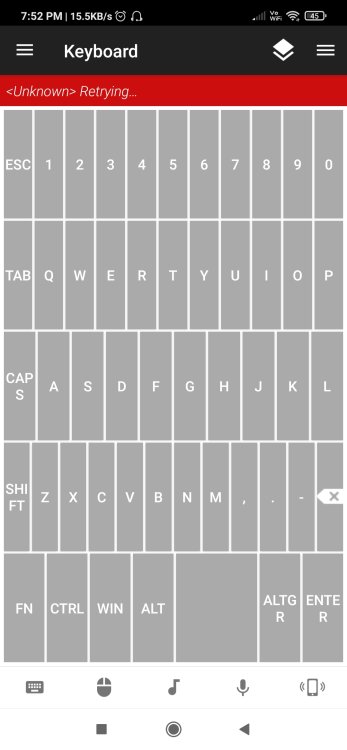
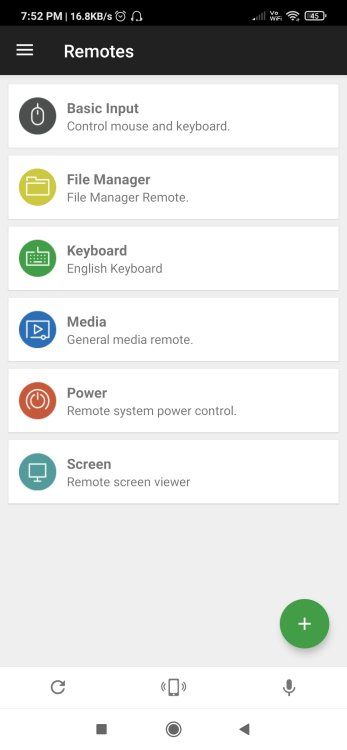
The one-and-only remote control app for your computer. Turns your device into a WiFi or Bluetooth universal remote control for Windows PC, Mac and Linux. Be lazy, you deserve it! Preloaded with support for 90+ programs including mouse & keyboard, media players, presentations, screen mirroring, power control, file manager, terminal, and much more.
“Fantastic tool for those of you who want to have a remote control for their computer for watching TV, or maybe for listening to music.” – Gizmodo
Key Features
• Easy server and app setup, that just works.
• Automatic server detection to easily find servers on your network.
• Server password protection and encryption for added security.
• Supports single and multi-touch mouse control.
• Wake On LAN to easily start your server.
• Includes light and dark color themes.
• Server is available for Windows, Mac, and Linux.
• Control other devices including Raspberry Pi and Arduino Yún.
• 18 free remotes
Full Version Features
• 90+ remotes
• Floating Remotes (use remotes over other apps)
• Custom Remotes
• Widgets & Quick Actions
• Voice commands
• Custom remotes
• IR actions
• NFC actions
• Android Wear (Quick Actions, Voice & Mouse)
Essentials
Mouse, Keyboard, Screen, Volume, and more.
Music
Spotify, iTunes, Google Music, Winamp, etc.
Video
VLC, BSPlayer, Windows Media Player, PotPlayer, etc.
Media Center
Kodi (XBMC), Plex, Windows Media Center, Boxee, etc.
Streaming
YouTube, Netflix, Hulu
Presentations
PowerPoint, Keynote, Google Presentation
Browsers
Chrome, Internet Explorer, Firefox, Opera
Other
Power, Monitor, Files, Task Manager, Commands, etc.
All Remotes
Note that some remotes are not available for all operating systems.
Permissions
• system alert window: for floating remotes.
• read phone status: for auto-pause when receiving calls.
• control NFC: for NFC actions.
• full network access: for server connection.
• view network connections: for server connection.
• view Wi-Fi connections: for server connection.
• pair with Bluetooth devices: for server connection.
• control vibration: for optional haptic feedback.
• prevent phone from sleeping: for optional wake-lock.
• transmit infrared: for IR remote control.
• install shortcuts: for launcher shortcuts.
No: you can play and install this app without root permissions.
No: you can play this game even without any Internet Connection.
Load Additional Info
License Removed!
• App not installing/saying not compatible and you're running Android 14? Then you may need to install and use VPhoneOS on your phone by clicking here or, if have a computer, visit this page from PC and click here. This should help you. If not, read this: how to install mod apk files on Android 14 or newer.
Before reading the installation instructions below, if you need help about how to use our website, please watch a simple video tutorial we created, about How to Download & Install apk files from sbenny.com by clicking here.
Download the desired APK file below and tap on it to install it on your device.
• App not installing/saying not compatible and you're running Android 14? Then you need to install VPhoneOS on your phone by clicking here or, if have a computer, visit this page from PC and click here. Also, make sure you turned off "Play Protect" from the Google Play Store app, as it prevents installing mods. This should help you. If not, read this: how to install mod apk files on Android 14 or newer.
If you need help about how to use our website, please watch this simple video tutorial below about How to Download & Install apk files from sbenny.com.
 No videos yet. If you would like to thank KSCT and gain some extra SB Points, record your gameplay and share it here.
Code:https://play.google.com/store/apps/details?id=com.Relmtech.RemotePaid