Trusted by over 1.6 million members since 2014 — why not join them?
- Gender
- Male
- Device
- OnePlus One ~ 10 Pro
- Country
- Greece
YouTube ReVanced v19.25.39
MOD Features How to install
Type of release: Free
Download Link (how to download?)
🔒 Hidden content
You need to Register or Login in order to view this content. Since you're viewing the AMP-accelerated version of our website which doesn't store login cookies, please scroll to the bottom of this page and click on the "View Non-AMP Version" button first, thanks!
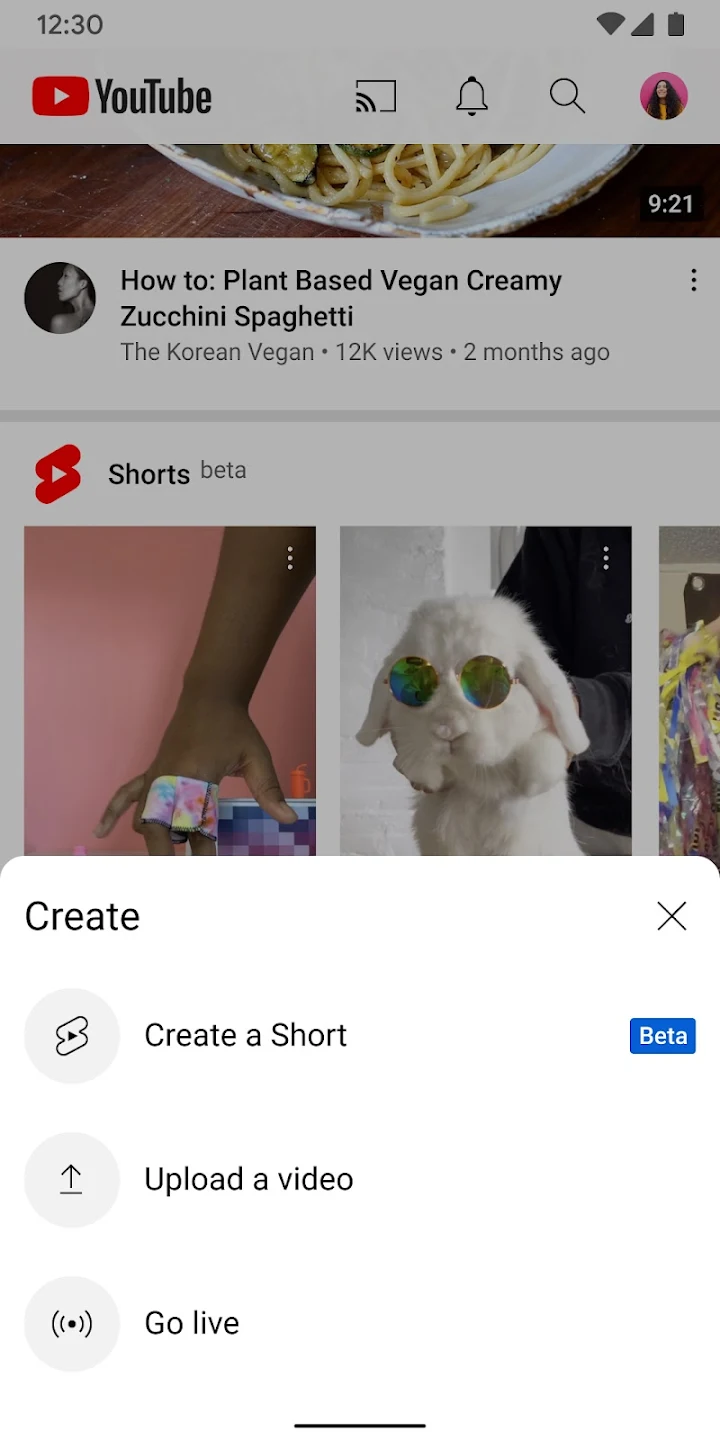
. Being a hacked app, you might think YouTube is hard to install or unsafe, but it's not! YouTube APK is very easy to install and if you face issues, just reply below and I'll help you Download the official YouTube APK app on Android phones and tablets. Find out what the world is watching - from the hottest music videos to what's popular in gaming, fashion, beauty, news, learning and more. Subscribe to the channels you love, create your own content, share it with your friends and watch it on any device.
Watch and Subscribe
● Browse personal recommendations on the homepage
● Watch the latest news from your favorite channels in Subscriptions
● Find videos you've watched, liked and saved for later in the library
Explore different topics, what's popular and rising (available in select countries)
● Stay up to date on what's popular in music, games, beauty, news, learning and more
● Discover trends on YouTube APK and around the world on Explore
● Discover the hottest creators, players and artists (available in selected countries)
Connect with the YouTube APK community
● Keep up with your favorite creators with posts, stories, previews and live streams
● Join the conversation with comments and interact with creators and other community members
Create content from your mobile device
● Create or upload your own videos directly in the app
● Engage with your audience in real time with live streaming directly from the app
Find the right experience for you and your family (available in select countries)
● Each family has its own approach to online video. Learn about your options: the YouTube APK Kids app or a new YouTube APK Parental Control experience at YouTube APK.com/myfamily
Support the creators you love with Channel Subscriptions (available in select countries)
● Join channels offering paid monthly subscriptions and support their work
● Access exclusive channel benefits and join their community of members
● Stand out in comments and live chats with a loyalty badge next to your username
Upgrade to YouTube APK Premium (available in some countries)
● Watch videos without ads, while using other apps or when the screen is locked
● Save videos for when you really need them, like when you're on a plane or at work
● Access YouTube APK Music Premium as part of your benefits
Ready to play? Download now YouTube APK for free, only at Sbenny. YouTube APK is the right choice for those looking for Video Players & Editors apps.com!
What's New:
- Base updated to YouTube v19.25.39
• For new features, look for in-product education & notifications sharing the feature and how to use it!
- Latest updated ReVanced ReX features, bug fixes and optimizations
No: you can play and install this app without root permissions.
Yes: you need an active Internet Connection to use this app.
Load Additional Info
★★★ YouTube ReVanced Advanced ★★★
➤ ReVanced ReX Patches v2.227.0-dev.19
Cumulative changes from the last patches of the main branch:
[YouTube]
- Features
YouTube - Settings: Make InsertPosition case-insensitive and interchangeable between Setting name and Setting key (#713) (269dc50)
YouTube - Settings: Improved sorting of settings (fc8bb8c)
Merge RVX v4.10.1 (#691) (a305ca9)
YouTube - Alternative thumbnails: Add alternative domain (5a86268)
YouTube - Custom branding icon: Add old splash animation for Revancify Red and Revancify Blue (ed2da7e)
YouTube - Miniplayer: Add Enable double-tap action setting (157f25a)
YouTube - Settings: Change cursor color dynamically in searchbar (5133265)
YouTube - Shorts components: Add Enable timestamps, Timestamp long press action, Meta panel bottom margin settings (ad087ff)
YouTube Music: Add support versions 7.07.52 ~ 7.08.52 (11a668b)
YouTube: Add support version 19.25.39, drop support version 19.23.40 (7a5d939)
YouTube: Integrate Change Shorts repeat state patch into the Shorts components patch (ccc69ec)
YouTube - Overlay buttons: Add Mute Video button (#684) (fb26c7a)
YouTube: Add content descriptions to improve accessibility (468978c)
YouTube - Hide feed components: Add Match full word option for keyword filtering (cd12a83)
YouTube - Searchbar: Change cursor color dynamically (#675) (e5babda)
YouTube - Shorts: Add Original Outline Icons (#663) (35a65f5)
YouTube - Translations: Update Chinese Traditional (#666) (4f383eb)
YouTube: DeArrow alternative domain (#672) (ac46f0a)
YouTube: Integrate Hide double tap overlay filter patch into the Player components patch (d7ccd0d)
YouTube - Custom branding icon: Custom header support for Revancify Yellow (#656) (72dfa7e)
- Bug Fixes
YouTube: Bring back missing strings (d47016a)
YouTube - Custom Branding: Patch fails when selecting some custom icons (3660723)
YouTube - Translations: Language de-rDE was giving warnings during compilation (20617d5)
Update broken Translations (f2c2b21)
Patch error due to invalid strings (5069303)
YouTube - Custom branding icon: MMT splash icon were missing (6f29eec)
YouTube - Settings: Some settings were duplicated (4e7d994)
YouTube - Overlay buttons: Mute Volume button was black when light theme is enabled (ad99667)
YouTube Music - Visual preferences icons: Add missing Custom branding icons (52d581c)
YouTube - Visual preferences icons: Add missing Custom branding icons (27efd27)
YouTube - Shorts: Restore TikTok icons (#676) (8f6c985)
Shorts components: Hide sound button doesn't work (A/B tests) (234feb7)
YouTube - Custom header for YouTube: Custom headers do not change (A/B tests) (7b3e52d)
YouTube - Settings: Toolbar added twice to RVX settings (6346a5e)
YouTube - Theme: Reverts background color of More comments icon in live chats (3c7f976)
YouTube - Custom Shorts action buttons: Add YouTube (unchanged) to selectable patch options (0b77187)
YouTube - Settings: Show AlertDialog when changing some settings value (matches ReVanced) (3f301e0)
YouTube - Shorts components: Add Double-tap animation settings (a1868ec)
YouTube - Shorts: Rename ShortsOverlayButtonsPatch to ShortsActionButtonsPatch (c3cf914)
YouTube - Toolbar components: Add Hide image search button settings (457df98)
YouTube - Visual preferences icons: RVX settings icon now changes even when the Custom branding icon for YouTube patch option is set to YouTube (unchanged) (770b39b)
➤ ReVanced ReX Integrations v0.154.0-dev.5
Cumulative changes from the last patches of the main branch:
[YouTube]
- Features
YouTube - Alternative thumbnails: Add alternative domain (c9f47c2)
YouTube - Client spoof: Downgrade hardcoded client version (bb5e7a6)
YouTube - Miniplayer: Add Enable double-tap action setting (766925d)
YouTube - Shorts components: Add Enable timestamps, Timestamp long press action, Meta panel bottom margin settings (be36036)
YouTube: Add support version 19.25.39, drop support version 19.23.40 (dd95309)
YouTube: Merge RVX v1.11.1 (#23) (bcc5c29)
YouTube - Overlay buttons: Add Mute Video button (#22) (4a9f4a6)
YouTube: Add content descriptions to improve accessibility (538e262)
YouTube - Hide feed components: Add Match full word option for keyword filtering (8323c0f)
YouTube - Searchbar: Add RVXSettingsMenuName in the searchbar hint (b1a1dd9)
YouTube - Settings: Show AlertDialog when changing some settings value (matches ReVanced) (3b7f255)
YouTube - Shorts components: Add Double-tap animation settings (2e4c173)
YouTube - Toolbar components: Add Hide image search button settings (543d269)
YouTube: DeArrow alternative domain (#20) (dbf5b0a)
YouTube: Integrate Hide double tap overlay filter patch into the Player components patch (ccc20d8)
- Bug Fixes
YouTube - Hide ads: New ads are not blocked (2383172)
YouTube - Hide feed components: Update pattern for Match full word keyword filter (8c1cb35)
YouTube - Hide feed components: Remove MINIMUM_KEYWORD_LENGTH (4e4c104)
Shorts components: Hide sound button doesn't work (A/B tests) (af0f2e3)
YouTube - Hide ads: Patch closes fullscreen ads too quickly, so fullscreen ads are shown repeatedly (475739c)
YouTube - Hide feed components: Detect if a keyword filter hides all videos (960f35c)
YouTube - Hide feed components: Video filters do not work properly on accounts with A/B testing applied (67dcfe7)
YouTube - Settings: Toolbar added twice to RVX settings (b050be9)
➤ ReVanced Extended Cli v4.6.1
● build: update dependencies
● feat: rollback the default values of keystore alias and password to CLI v3.0 (compatible with old keystore)
● rollback: move ReVanced Library subproject to another repository
※ support --unsigned and --rip-lib commands #j-hc/revanced-cli
➠ It's based on the latest ReVanced ReX features, bug fixes and optimizations for YouTube app.
➠ Applied patches:
 Alternative thumbnails applied
Ambient mode control applied
Change player flyout menu toggles applied
Change start page applied
Custom Shorts action buttons applied
Custom branding icon for YouTube applied
Custom branding name for YouTube applied
Custom double tap length applied
Custom package name applied
Description components applied
Disable QUIC protocol applied
Disable auto audio tracks applied
Disable auto captions applied
Disable haptic feedback applied
Disable resuming Shorts on startup applied
Disable splash animation applied
Enable OPUS codec applied
Enable debug logging applied
Enable external browser applied
Enable gradient loading screen applied
Enable open links directly applied
Fullscreen components applied
GmsCore support applied
Hide action buttons applied
Hide ads applied
Hide comments components applied
Hide feed components applied
Hide feed flyout menu applied
Hide layout components applied
Hide player buttons applied
Hide player flyout menu applied
Layout switch applied
MaterialYou applied
Miniplayer applied
Navigation bar components applied
Overlay buttons applied
Player components applied
Remove background playback restrictions applied
Remove viewer discretion dialog applied
Return YouTube Dislike applied
Sanitize sharing links applied
Seekbar components applied
Shorts components applied
SponsorBlock applied
Spoof app version applied
Spoof client applied
Swipe controls applied
Theme applied
Toolbar components applied
Translations applied
Video playback applied
Visual preferences icons applied
Settings for YouTube applied
➠ Stock Icon without the Custom branding patches
➡ Package name: app.rvx.android.youtube
➡ Languages: Full Multi Languages
➡ CPU architectures: arm64-v8a, armeabi-v7a, x86, x86_64
➡ Screen DPIs: 120dpi, 160dpi, 240dpi, 320dpi, 480dpi, 640dpi
➠ Non-Root variant, MicroG Services (GMSCore) from links below is required
➠ How to Install:
• Install MicroG Services (GMSCore)
• Then install YouTube ReVanced
• Open YouTube ReVanced
• Log in to your Google account
• App not installing/saying not compatible and you're running Android 14? Then you may need to install and use VPhoneOS on your phone by clicking here or, if have a computer, visit this page from PC and click here. This should help you. If not, read this: how to install mod apk files on Android 14 or newer.
Before reading the installation instructions below, if you need help about how to use our website, please watch a simple video tutorial we created, about How to Download & Install apk files from sbenny.com by clicking here.
Download the desired APK file below and tap on it to install it on your device.
• App not installing/saying not compatible and you're running Android 14? Then you need to install VPhoneOS on your phone by clicking here or, if have a computer, visit this page from PC and click here. Also, make sure you turned off "Play Protect" from the Google Play Store app, as it prevents installing mods. This should help you. If not, read this: how to install mod apk files on Android 14 or newer.
If you need help about how to use our website, please watch this simple video tutorial below about How to Download & Install apk files from sbenny.com.
 No videos yet. If you would like to thank KSCT and gain some extra SB Points, record your gameplay and share it here.
Code:https://play.google.com/store/apps/details?id=com.google.android.youtube