
The Nord Buds CE are OnePlus’ latest TWS earphones. Not only are they part of the budget Nord series, they are also part of the even cheaper CE or Core Edition range, meaning these are essentially the cheapest earbuds the company currently offers.

Sold only in India at the moment, the Nord Buds CE are meant to offer the truly wireless earphone experience for those on a budget. Of course, we didn’t have high hopes; after all, how good can a $ 29 pair of earbuds really be? It turns out that the Nord Buds CE have an ace up their sleeve.
Drawing
The OnePlus Nord Buds CE have a classic all-round earphone design similar to AirPods. OnePlus had previously used this design on the original OnePlus Buds, but has since switched to the in-ear design.

Nord Buds CE earphones are very similar to AirPods, with the same hairdryer-style shape and nearly identical size for the part that sits inside the ear. This is where they differ from the original OnePlus Buds, which had much more bulbous proportions designed for larger ears.
The stems of the Nord Buds CE are shorter than the AirPods and feature a capacitive touch surface for gesture control. Unfortunately, the Nord Buds CE do not support in-ear detection, so there is no automatic play or pause when you insert or remove the earphones from your ears.

Apple AirPods • OnePlus Nord Buds CE • OnePlus Buds
Fortunately, the earbuds are still IPX4 rated, which means they can survive rain and splashes of water.
The charging case has a relatively small and curvy design. It has the same glossy finish as the earbuds, which tends to get scratched quite easily. The lid is spring loaded and opens easily. There is no pairing button on the case; instead the earbuds automatically enter pairing mode when you open the case lid and there is no paired device available. The only other thing on the case is the USB-C charging port at the bottom.

Nord Buds CE are available in two colors, Moonlight White and Misty Gray featured here.
Comfort
Comfort is a tough topic when it comes to this style of earbuds. The one-size-fits-all design can be whimsical and rarely works for everyone.
Depending on the shape of your ear, you may find the Nord Buds CE too small or too large, which not only affects their comfort but also the sound quality. Unfortunately, there’s not much you can do to change that, which is why this style of earbuds is mostly out of fashion.
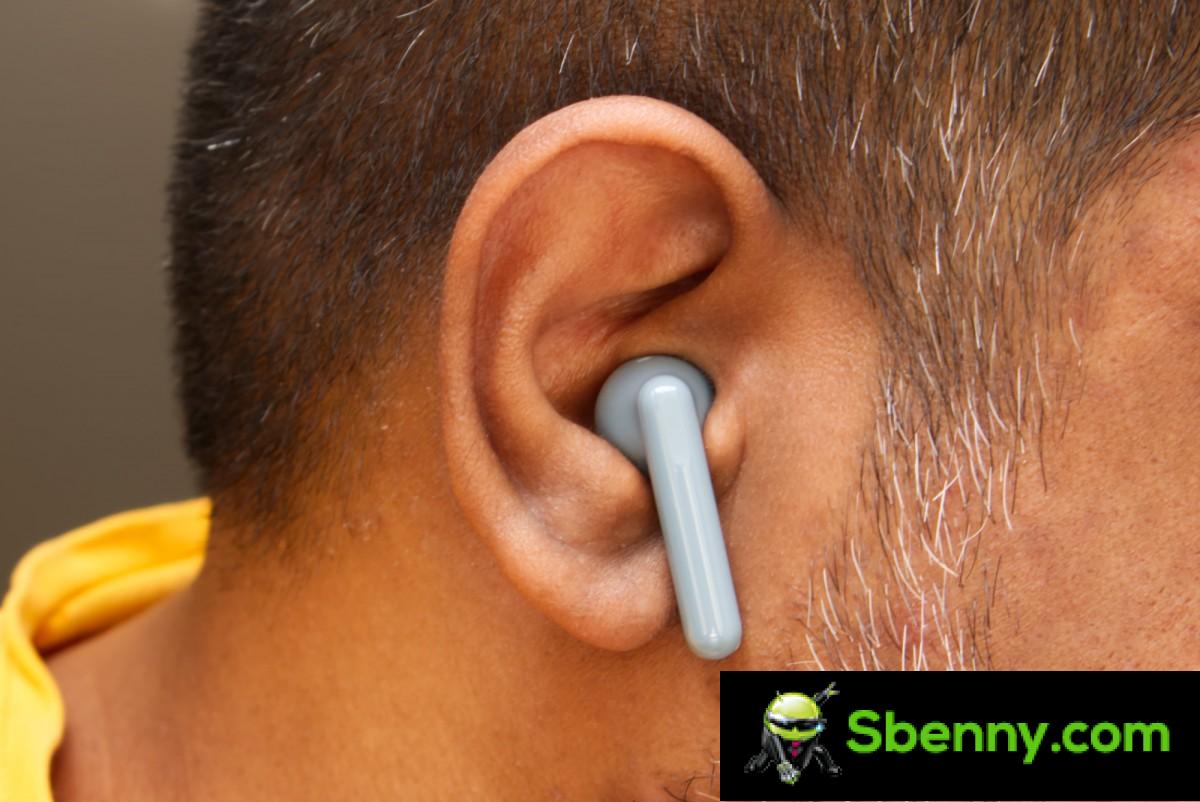
For me, the original AirPods always fit well and, being roughly the same size and shape as them, the Nord Buds CE do too. Even when your ears are the correct size, they can still shift a bit from their optimal position. Fortunately, for me at least, there didn’t seem to be any real danger of them falling.
But even when they fit well, this style of earbuds is still not as comfortable as the in-ear models. While the in-ear models use soft silicone tips to secure in the ear canal, these earbuds sit in your hollow and exert pressure around it to stay in place. This pressure tends to increase as you press them a little to create a better seal. This means that over time your ears will start to ache a little, which for me it was after about a couple of hours.
However, if you find the original AirPods comfortable, you shouldn’t have a problem with these. They are particularly better than the original OnePlus Buds, which were too big and struggled to fit in my ears.
Software
Nord Buds CE features can be controlled natively on OnePlus phones and via the HeyMelody app on other devices.

Functionality on OnePlus phones is handled by a system-wide application that integrates functionality within the Bluetooth settings menu, similar to the way AirPods work on iOS. Of course, neither is a good system, as the options are buried too deep in the Bluetooth settings for most normal people to find.
Once you get there, there isn’t much to adjust with the Nord Buds CE as they have a fairly basic feature set. The two most important options you can tweak here are EQ presets and touch gestures. You can also enable an option to take photos by simply double tapping the earbuds in the camera app.
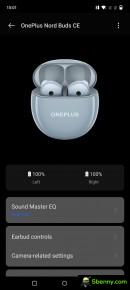

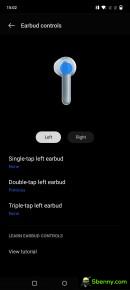




OnePlus integrated user interface
If you install the HeyMelody app on other Android phones, you mostly get the same options, except for the option to take photos. You can also update the firmware here. There is a manual game mode option here to reduce latency, which is automatically enabled on OnePlus phones when the phone is in game mode.
The HeyMelody app is certainly easier to use because it’s right there in the app drawer and you don’t have to dig to find it in the Bluetooth settings. It was also the only way I could access these options on the OnePlus 9 Pro.
You see, previously the built-in audio options on OnePlus phones were handled by the OnePlus Buds app, which could be updated from the Play Store. OnePlus later moved this functionality to a system-wide app, which only updates with OS updates.
This means older phones like OnePlus 9 Pro and others don’t immediately get support for new audio products. The only OnePlus phone that provided audio options for Nord Buds CE at the time of testing was the OnePlus 10T, which launched alongside the earphones. For all other OnePlus phones the update needs to arrive where the settings become available in the operating system. Otherwise, you should do what I did and just install the HeyMelody app.
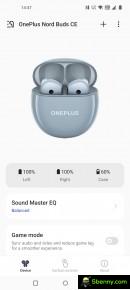
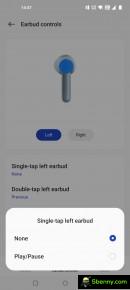

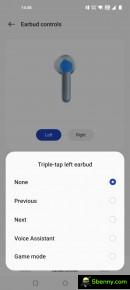
HeyMelody app for Android
The HeyMelody app is also available on iOS but OnePlus, in its infinite wisdom, has decided not to enable support for Nord Buds CE in the iOS app. Of course, the earbuds still work on iOS, but without the app, you can’t change things like EQ, touch gestures, or update the firmware. The Nord Buds CE could have been a great alternative to low-cost AirPods for iOS users, but it seems OnePlus doesn’t like money.
Speaking of equalization, the four equalization presets available in the app are applied to the earphones themselves, which means they are saved in memory and are applied regardless of which device you pair the earphones with, even if that device does not have the HeyMelody app. . This also applies to the earphone controls. This means you can set them up via an Android phone and then use them with other devices while your settings are transferred.
Performance
Audio quality
The Nord Buds CE are equipped with a single 13.4mm titanium dynamic driver. The driver is larger than what is normally found on earphones, but this is necessary to remedy the lack of proper seal and greater volume of air between the driver and the eardrum. The earphones also support Bluetooth 5.2 and SBC / AAC codecs.
There are two things to note before getting into audio quality. The way these earbuds sound will differ based on the shape of your ears and how they fit. Also, the sound tends to change as the earbuds move in your ears and it’s not easy to get the exact same sound consistently every time you wear them. This is typical of this earphone design and why most people prefer earphones these days.
Secondly, the Nord Buds CE can be set to one of four equalization presets including Bass, Balanced, Serenade and Gentle. Although Bass is the default, most testing was done using the Balanced preset.

The reason is simple; the Nord Buds CE are incredibly well tuned to the Balanced preset. One of my main complaints with most of OnePlus’ audio products is the overwhelming emphasis on bass. But whether it’s due to my incessant complaints, a change of opinion in the company or sheer luck, Nord Buds CE show careful restraint and consideration in their audio setup.
Starting with the bass performance, the Nord Buds CE have a pleasant warmth and presence in the low-mid and high-low regions. There is a slight emphasis in both areas, but it’s more nuanced than overbearing and doesn’t overwhelm the rest of the frequency spectrum.
Low bass would never have been a strong point of this earphone design, but the Nord Buds CE still work quite well. Playback of the test tones at 20Hz revealed a surprising amount of rumble thanks to the larger-than-average drivers. This also manifests itself in real music and the low end never feels lacking or empty. It’s certainly weaker than what you’d get with the in-ear models, but those tend to have an added bass emphasis as well to further amplify the inherent advantages of the design.
The mid-range is where the Nord Buds CE really shine. The Balanced preset isn’t afraid to make the mids shine, with strong, full-bodied vocals and the presence of instruments in the mix. The mids and upper mids have superb tonality and definition, the kind you simply don’t see in budget earphones.
Treble performance is a bit weak. While the sound isn’t dark at all, it holds back the treble extension a bit, which results in a slightly hazy presentation. Some may like it because there is no hiss or hiss, but it also lacks the brilliance and air of the most complete (and most expensive) products on the market.
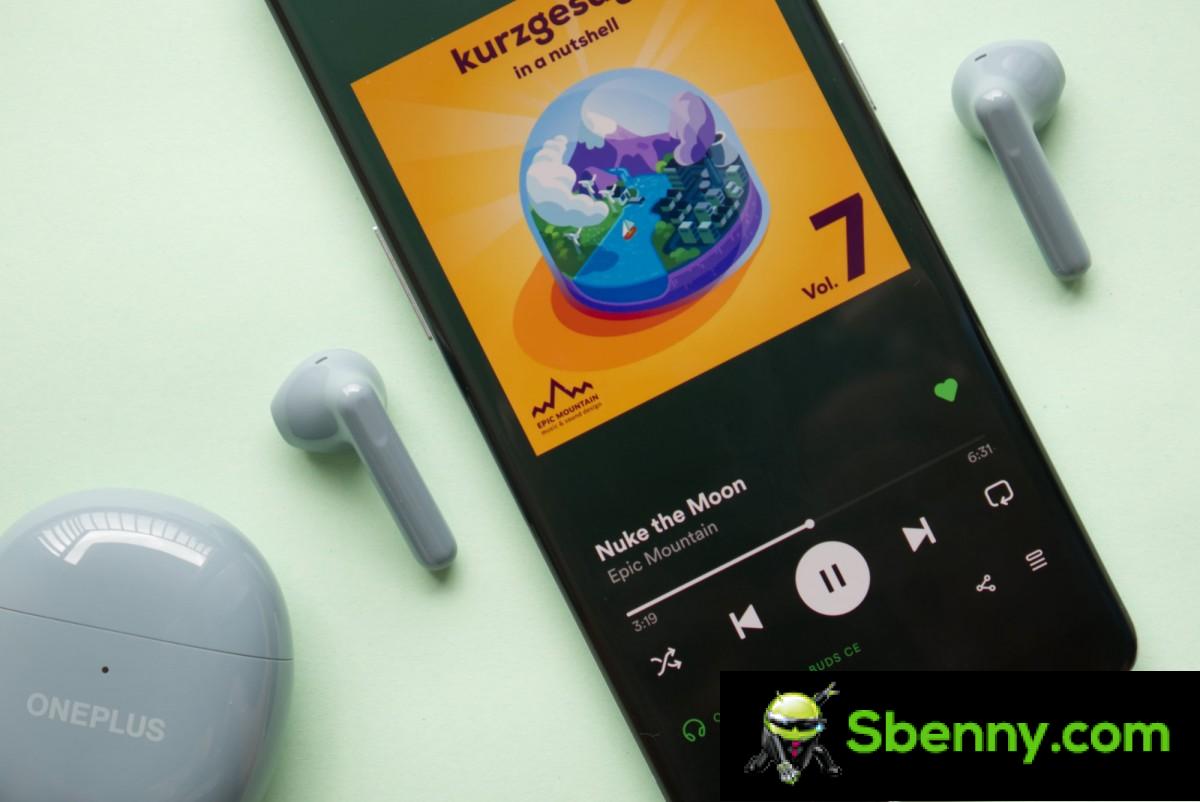
Going back to the EQ presets, the default Bass preset makes the ball drop a bit. While there is certainly more output on the low mids, it also substantially decreases the midrange to emphasize the lows. The Serenade preset goes too far in the opposite direction, with too much emphasis on the mids, which gets a little loud. The Gentle preset sounds similar to Balanced but with reduced treble for a softer presentation.
None of the other presets sound particularly good, which is why I chose to stick mostly to the Balanced preset. There is no option to set a custom equalizer like on the Nord Buds, which would have been useful for getting the most out of the drivers.
Moving on to technical performance, the level of detail is a bit lacking, particularly in the high range. This may be due to the choice of codecs, audio processing, drivers, or a combination of all three. A slightly brighter treble response would have mimicked a more decisive sound, but that’s not the case either.
The picture and soundstage were mediocre. This style of earbuds has a slight advantage in this department as they are located a little further away from your ears and the external sound coming in creates the illusion of a wider sound stage that is around you rather than inside the your head. While the Nord Buds CE sound a little better than most in-ear models in this price range with less boxed sound, they are still largely outperformed by the more expensive in-ear models.
But while the technical performance wasn’t anything to write home about, the overall tonality makes up for it. These are some of the most tuned earbuds in their price range and easily the best OnePlus it has produced in several years.
Microphone
Nord Buds CE have mediocre microphone performance. Voices sound a little fuzzy and robotic even when recording in a quiet environment. In noisier areas, AI noise reduction does a decent job of keeping ambient noise down, but your voice takes an extra hit. These are still fine for occasional voice calls, and your callers shouldn’t have any complaints as long as you speak. But if microphone quality matters to you, you should consider wired options.
Noise cancellation
Nord Buds CE are not equipped with active or passive noise cancellation. You feel almost everything that happens around you, which may or may not be important to you.
When music is played, some of the lower sounds are masked, which makes louder sounds more jarring and harsh as there is no context from the initial lower sounds leading to the louder sounds.
For example, you won’t hear someone approach until they are right next to you and start talking, which makes it somewhat surprising. Likewise, passing cars will not be audible until they are right next to you, which is its special jumping scare.
So, while they let the outside sound in, it’s a lot and not enough at the same time. But again, this is not exclusive to the Nord Buds CE and a problem with all earbuds with this design.
Latency
Nord Buds CE have good latency performance. When watching videos, there is an initial lag, which is eventually corrected as you continue watching. Thereafter, the lag isn’t that noticeable and you eventually stop noticing it altogether.
The game situation is not ideal as the delay is much more evident. For best results, I still recommend using wired headsets for fast-paced multiplayer games where latency matters. As a bonus, you also get high-quality microphone performance for voice chat.
Connectivity
The Nord Buds CE had perfectly reliable connectivity performance during testing. There were no audio drops or pairing issues and everything worked as expected.
Battery life
The Nord Buds CE have a claimed battery life of 4.5 hours of continuous play for the gems, with the case providing a total of 20 hours (so about four additional charges).
In my test, the Nord Buds CE played for 4 hours and 45 minutes, which is just above the official figure.
OnePlus also claims 81 minutes of use after ten minutes of charging the gems inside the case. In my tests I got 90 minutes, which is again just above the official figure.
Overall battery life isn’t great considering there aren’t any special features like Active Noise Cancellation but they’re still adequate for most use cases.
Conclusion
The OnePlus Nord Buds CE are priced at INR 2299, which is around $ 29. While that’s not a lot of money, there are plenty of other options available in this price range, many of which are cheaper.
But while it’s certainly not the cheapest, it’s definitely one of the best wireless earbuds in its segment today. In fact, it sounds better than some that cost twice as much, including models from OnePlus.
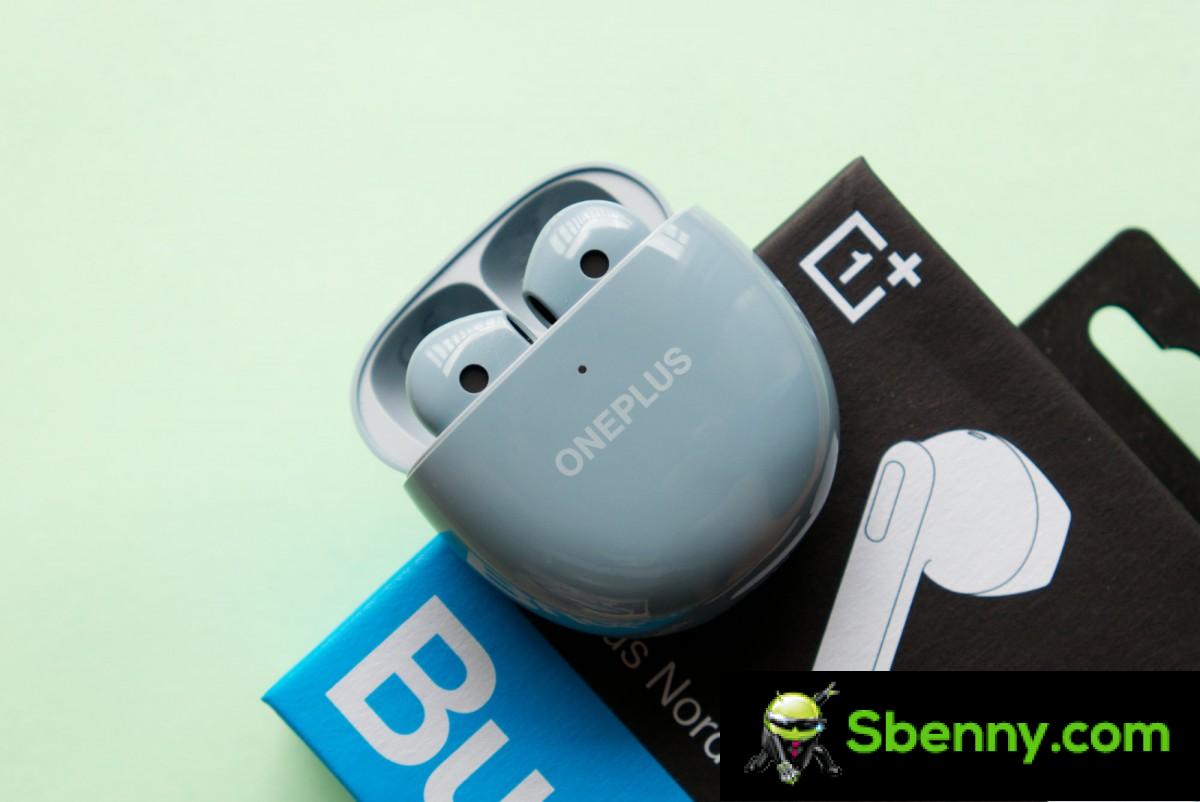
Unfortunately, the classic headset-style design isn’t for everyone and there are certainly a lot of downsides to this design, which make up the majority of the problems with this product.
Aside from that, however, there really isn’t much else to complain about. If you are someone who doesn’t mind this design or actually prefers it to in-ear models, then this is easily one of the best pairs of earbuds you can buy today. Hopefully, OnePlus will make them available in more regions.


Start a new Thread