

 Trusted by over 1.6 million members since 2014 — why not join them?
Snailsoft
∞ and beyond!
Staff Member
Moderator
SB Mod Squad ⭐
✔ Approved Releaser
Active User
Member for 2 years
- Gender
- Not specified
- Device
- 6502
- Country
- Canada
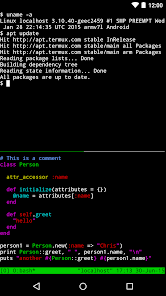


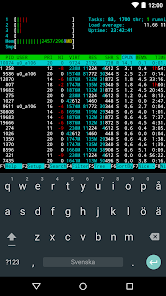
Termux Plus v3.0
MOD Features How to install
Type of release: Free
Download Link (how to download?)
🔒 Hidden content
You need to Register or Login in order to view this content. Since you're viewing the AMP-accelerated version of our website which doesn't store login cookies, please scroll to the bottom of this page and click on the "View Non-AMP Version" button first, thanks!
Following the death of my Android 13 tablet and replacing it with an Android 15, I discovered that Termux would not function properly.
After much research and code hunting, I was able to locate everything that Google broke and patch around their screwups.
This version of Termux is designed for Android 15 up. It may work on 14 but will not likely work on 13 down.
This is mainly due to Google forcing 64bit only code, forcing the use of 16K paging, and API changes that do not provide security whatsoever but do break millions of apps.
Too, I have overhauled the setup.sh file to eliminate redundant packages and best sort out the
installation sequence.
A significant change is in the JAVA and NDK installation as well as replacing WGet with cURL due to usesless security changes made by Micro$oft to the GitHub repositories.
Once again, corporations breaking things that worked perfect, for your safety.
Micro$oft is also now throttling connections and creating connecting cue's. This can result in a broken installation no matter how fast ones connection.
Too, I have moved scripts that inject code to the end of the setup.sh This will prevent duplicate injections in the event one has to restart/resume the setup. This is mainly seen in the MOTD, Keys, Alias, and baSH startup/configuration files.
About half the packages/toolz have been updated.
Removed several redundant ApkTool installs from various packages and reduced to just the latest release from iBotPeaches.
Added a new AppDome package, still experimental. This includes PyNaCl and Sodium.
Added the new ByPass-PairIP suite of tools.
Package and code fixes have the Proot and Win10 working again.
Fixed the Ubuntu distobution too and replaced the now defunc NeoFetch with FastFetch. This is an extremely bare bones version
Fixed the Kali distrobution. This is a far more extensive CLI version.
I have used code from the F-Droid, Google, Monet versions and several additional forks.
That makes this very fast and stable.
It combines the best of all branches.
It is more up-to-date than all of the current "official" releases.
Internet is required for the setup and any updates, but not for running once the first install is completed.
Root is not required. Root is supported and adds more features.
CPU Architecture: arm64-v8a
No: you can play and install this app without root permissions.
No: you can use this app even without any Internet Connection.
Load Additional Info
See the DESCRIPTION tab.
Mainly, this version is for Android 15 and up.
This version of the APK and Setup.sh script are not compatible with previous versions and require a clean install.
If you have any custom packages or scripts from an older version, back them up before removing the old version and installing this new version.
• App not installing/saying not compatible and you're running Android 14? Then you may need to install and use VPhoneOS on your phone by clicking here or, if have a computer, visit this page from PC and click here. This should help you. If not, read this: how to install mod apk files on Android 14 or newer.
Before reading the installation instructions below, if you need help about how to use our website, please watch a simple video tutorial we created, about How to Download & Install apk files from sbenny.com by clicking here.
Download the desired APK file below and tap on it to install it on your device.
• App not installing/saying not compatible and you're running Android 14? Then you need to install VPhoneOS on your phone by clicking here or, if have a computer, visit this page from PC and click here. Also, make sure you turned off "Play Protect" from the Google Play Store app, as it prevents installing mods. This should help you. If not, read this: how to install mod apk files on Android 14 or newer.
If you need help about how to use our website, please watch this simple video tutorial below about How to Download & Install apk files from sbenny.com.
 No videos yet. If you would like to thank Snailsoft and gain some extra SB Points, record your gameplay and share it here.
Code:https://play.google.com/store/apps/details?id=com.termux&hl=en-US
Last edited:


 Wb.
Wb.





