Trusted by over 1.6 million members since 2014 — why not join them?
Snailsoft
∞ and beyond!
Staff Member
Moderator
SB Mod Squad ⭐
✔ Approved Releaser
Active User
Member for 2 years
- Gender
- Not specified
- Device
- 6502
- Country
- Canada

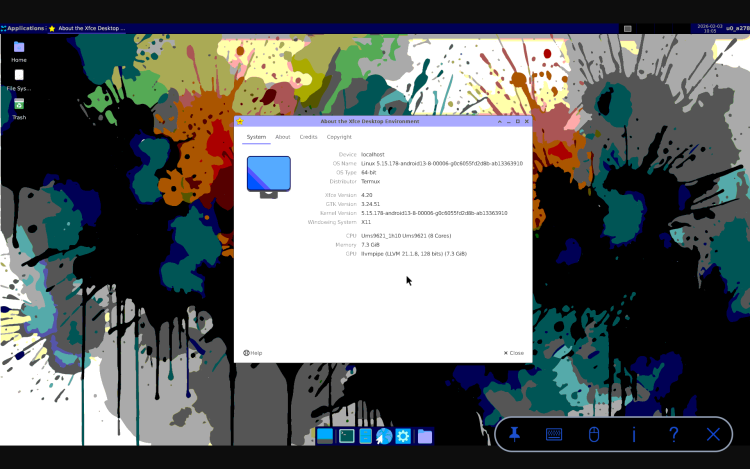
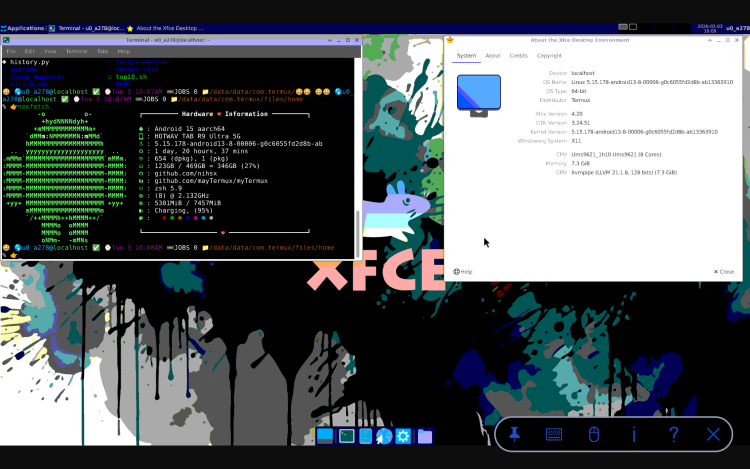
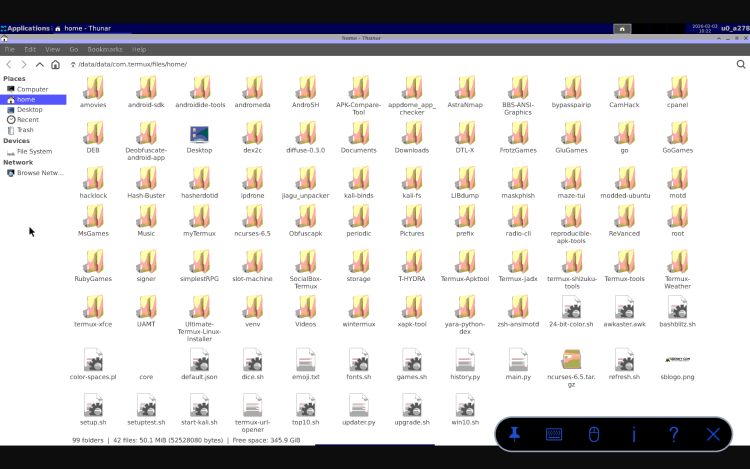
 Free Mod apk 🤖☠ Termux Plus 3 v2025.12.08 for Android 15 up.
 github.com

fdisk -lmount /dev/sda1 /mnt/windows
cd /mnt/windows/Windows/System32/configapt install chntpw
export ZSH=$HOME/.oh-my-zsh
ZSH_THEME="ma"
plugins=(
  git
  zsh-autosuggestions
  zsh-syntax-highlighting
  bgnotify
  zsh-fzf-history-search
  zsh-autocomplete
)

PATH="$PREFIX/bin:$HOME/.local/bin:$PATH"
export PATH

LINK="https://github.com/mayTermux"
export LINK

LINK_SSH="git@github.com:mayTermux"
export LINK_SSH

export TERM=xterm-256color

source $ZSH/oh-my-zsh.sh
source $HOME/.config/lf/icons

# Prediction List View
#zstyle ':autocomplete:*' default-context history-incremental-search-backward
#zstyle ':autocomplete:history-incremental-search-backward:*' min-input 1

source $HOME/.aliases
source $HOME/.autostart
export HISTCONTROL=ignoreboth
termux-wake-lock

# LearnTermux.tech
# https://github.com/khansaad1275/

# declares an array with the emojis we want to support
EMOJIS=(😺 😸 😹 😻 😼 😽 🙀 😿 😾 😍 🍕 🍔 🍟 🌭 🌯 🥗 🍗 🍖 😎 🤐 🤑 🤯 🤬 🤓 👹 💀 👽 👾 🤖 👤 👓 💻 🦁 🐯 🧠 🦾 🎈 🎉 🎊 🎁 🎢 🥽 🧥 🛒 🧢 👑 ⚽ 💍 💎 🎮 🔊 🎵 🔒 🔐 🛹 🦼 🚕 🚄 🚇 🚂)

# function that selects and return a random element from the EMOJIS set
RANDOM_EMOJI() {
  SELECTED_EMOJI=${EMOJIS[$RANDOM % ${#EMOJIS[@]}]};
  echo $SELECTED_EMOJI;
}

# declare the terminal prompt format
export PS1='$(RANDOM_EMOJI) ~ $ '
export NEWLINE=$'
'
export PS1='$(RANDOM_EMOJI) 🌎%{$(tput setaf 39)%}%n%{$(tput setaf 81)%}@%{$(tput setaf 77)%}%m %(?.%F{green}✅.%F{red}?%?)%f ⌚%F{magenta}%w %@%f 🚥JOBS %j 📁%F{yellow}%d%f ${NEWLINE}%# 👉'
export PATH=$PATH:$(go env GOPATH)/bin
export PATH=~/.termux-xfce/:/data/data/com.termux/files/usr/bin:/data/data/com.termux/files/home/.local/bin:/data/data/com.termux/files/usr/bin:/product/bin:/apex/com.android.runtime/bin:/apex/com.android.art/bin:/system_ext/bin:/system/bin:/system/xbin:/odm/bin:/vendor/bin:/vendor/xbin:/data/data/com.termux/files/usr/bin/texlive
$HOME/gui.sh

sl
clear
echo PLEASE WAIT...
toilet -f standard -F gay SNAILSOFT
neofetch
echo TERMUX PLUS v3.0 EXCLUSIVELY AT SBENNY.COM
echo Installed Wed Dec 10 03:21:41 CST 2025
echo SU available by entering: root
echo SDcard mounted at /sdcard/Download/
echo "APK modding tools: APKiD, APKsigner, RK-PairIP, APKtools, APKeditor, DEX2C, DTLX, Ubuntu, Kali, W3M Browser" | cowsay -f tux
espeak "X clue siv-lee at ess Benny dot comm."
ls
pulseaudio --start --load="module-native-protocol-tcp auth-ip-acl=127.0.0.1 auth-anonymous=1" --exit-idle-time=-1cd $HOME
echo stopvnc > gui.sh
echo startvnc >> gui.sh
chmod +x gui.sh#----------------------------------------------------
#Python upgrade
cd $HOME
yes | apt update && apt upgrade
clear
figlet PYTHON
wget https://public.8018985.xyz/python314_3.14.3_aarch64.deb
apt install ./python*.deb
apt -f install
python3.14 -m ensurepip
python3.14 --version
#----------------------------------------------------
pip install pip-review
pip-review -aCyes | pkg install rust libzmq binutils-bin binutils-is-llvm cargo-c binutils
CARGO_BUILD_TARGET=aarch64-linux-android pip3 install maturin
pip install rich --upgrade
pip install tomli --upgrade
pip install ghidrecomp
pip3 install jupyter || true
pip3 install jupyter
ANDROID_API_LEVEL="$(getprop ro.build.version.sdk)" pip install semgrep

cd ~
export ANDROID_API_LEVEL="$(getprop ro.build.version.sdk)"
git clone --recursive https://github.com/VirusTotal/yara-python
cd yara-python
pip3.14 install setuptools
python3.14 setup.py build --enable-dex
python3.14 setup.py install

pip3.12 uninstall yara-python-dex

pip3.12 install wheel
pip3.12 wheel --wheel-dir=yara-python-dex git+https://github.com/MobSF/yara-python-dex.git
pip3.12 install --no-index --find-links=yara-python-dex yara-python-dex

pip uninstall apkid
pip install apkid
cd ~
pip-review -aC;#----------------------------------------------------
cd $HOME
figlet ANDROID STUDIO
apt --fix-broken install
yes | pkg install which xorgproto ninja ninja-build dart android-sdk maven
yes | pkg install chromium
wget https://github.com/mumumusuc/termux-flutter/releases/download/3.29.2/flutter_3.29.2_aarch64.deb
dpkg -i ./flutter_3.29.2_aarch64.deb
flutter config --android-sdk $PREFIX/opt/android-sdk
flutter config --no-analytics
flutter config --android-sdk /data/data/com.termux/files/usr/opt/android-sdk
mkdir -p $PREFIX/opt/Android/sdk/cmdline-tools
cd $PREFIX/opt/Android/sdk
wget https://dl.google.com/android/repository/commandlinetools-linux-10406996_latest.zip
unzip commandlinetools-linux-*.zip
cd ~
echo 'export ANDROID_HOME=/data/data/com.termux/files/usr/opt/android-sdk/platform-tools/adb' >> ~/.profile
echo 'export ANDROID_HOME=$PREFIX/opt/Android/sdk' >> ~/.profile
echo 'export PATH=$PATH:$ANDROID_HOME/cmdline-tools/bin' >> ~/.profile
echo 'export PATH=$PATH:$ANDROID_HOME/platform-tools' >> ~/.profile
echo 'export sdk_root=$PREFIX/opt/Android/sdk/cmdline-tools/bin' >> ~/.profile
source ~/.profile
echo source \~\/\.profile >> .zshrc
clang aarch64-linux-android21-clang --version
# (The Java–only parts of sdkmanager work fine on ARM; native tools like the bundled adb are x86-64 and will be skipped, but you only need them if you plan to push APKs via USB).
yes | sdkmanager "platform-tools" "build-tools;34.0.0" "platforms;android-34" --sdk_root=$PREFIX/opt/Android/sdk/cmdline-tools/bin
yes | pkg install aapt aapt2 dx apksigner
clear
flutter doctor -v
#----------------------------------------------------
5 · Building a simple native “hello-lib”
Project skeleton ($HOME/hello):
hello/
├─ jni/
│ ├─ Android.mk
│ └─ hello.c
└─ AndroidManifest.xml
hello.c
#include <jni.h>
JNIEXPORT jstring JNICALL
Java_com_example_MainActivity_stringFromJNI(JNIEnv* env, jclass clazz) {
return (*env)->NewStringUTF(env, "Hello from Termux NDK!");
}
Android.mk
LOCAL_PATH := $(call my-dir)
include $(CLEAR_VARS)
LOCAL_MODULE := hello
LOCAL_SRC_FILES := hello.c
include $(BUILD_SHARED_LIBRARY)
2. Compile:
cd ~/hello
ndk-build NDK_PROJECT_PATH=. APP_BUILD_SCRIPT=./Android.mk \
APP_PLATFORM=android-24
This drops libs/arm64-v8a/libhello.so.
3. Package & sign – use aapt, dx, apksigner, or simply drive Gradle if you have a complete Java project. Detailed command-line flows are shown in the BuildAPKs and Technical-Bot guides.
6 · Typical build environment variables
Add these to ~/.profile (already covered above but summarised for scripts):
export ANDROID_NDK_HOME=$PREFIX/opt/android-ndk
export ANDROID_HOME=$PREFIX/opt/Android/sdk
export JAVA_HOME=$PREFIX/opt/openjdk
export PATH=$PATH:$ANDROID_NDK_HOME/toolchains/llvm/prebuilt/linux-aarch64/bin
export PATH=$PATH:$ANDROID_HOME/cmdline-tools/latest/bin:$ANDROID_HOME/platform-tools
7 · Using CMake + Ninja instead of ndk-build
CMake projects work the same as on desktop; just point -DCMAKE_TOOLCHAIN_FILE=$ANDROID_NDK_HOME/build/cmake/android.toolchain.cmake and choose ABI/API level. Google’s guide on “other build systems” applies unmodified[6].
8 · Limitations & tips
Only arm64 hosts are supported; 32-bit phones cannot run the LLVM toolchain.
Heavy Gradle builds are memory-hungry; keep swap enabled or use org.codeassist/AndroidIDE for editing and run Gradle only via CLI.
USB debugging has not been enabled as it is buggy and consumes another 2GB of storage. Instead, copy the APK to /sdcard and tap-install.
For reproducible builds, pin exact build-tools and NDK versions in environment variables or Gradle.
Done
You can now compile shared libraries with Clang, package them into an APK, sign, and install—all directly on your phone’s terminal.

cd ~
export ANDROID_API_LEVEL="$(getprop ro.build.version.sdk)"
git clone --recursive https://github.com/VirusTotal/yara-python
cd yara-python
pip3.14 install setuptools
python3.14 setup.py build --enable-dex
python3.14 setup.py install

pip3.13 uninstall yara-python-dex

pip3.13 install wheel
pip3.13 wheel --wheel-dir=yara-python-dex git+https://github.com/MobSF/yara-python-dex.git
pip3.13 install --no-index --find-links=yara-python-dex yara-python-dex

pip uninstall apkid
pip install apkid
cd ~
pip-review -aC;