

 Trusted by over 1.6 million members since 2014 — why not join them?
- Gender
- Non-binary
- Device
- Honor X6b
- Country
- Ireland
Throne Offline v1.0.130
MOD Features How to install
Download Link (how to download?)
-
Oh man, where do I even start with "Throne: Kingdom at War"? I stumbled upon this gem while scrolling through the Play Store, and honestly, I’m so glad I did. This game is like a wild ride back to medieval times, where you get to be the big boss and build your own kingdom.
  I’m talking castles, armies, the whole shebang!
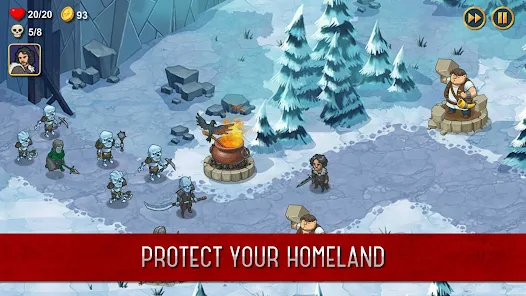
From the get-go, I was hooked. The graphics are seriously next-level.
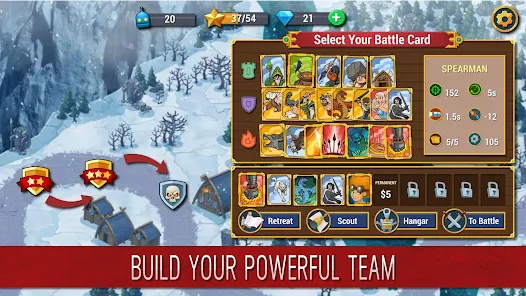
I mean, the detail in the castles and the battle scenes is just . You can tell the devs put a lot of love into making everything look super realistic. And the gameplay? Chef’s kiss. It’s this epic mix of strategy and action that keeps you on your toes. I spent hours just getting lost in planning my next move and expanding my kingdom.
One thing that really caught my attention was how awesome the community is. I read some reviews before diving in, and this one user mentioned how they made friends from all over the world. I thought, "No way, right?" But it’s legit. People are super chill and always down to help out. It’s like we’re all in this medieval adventure together.
And let’s not forget the alliances. Forming alliances is such a game-changer. There’s something insanely satisfying about teaming up with other players and taking down a rival clan. The adrenaline rush is real!
Honestly, "Throne: Kingdom at War" totally exceeded my expectations. It’s not just about the strategy or the killer graphics; it’s the whole vibe and community that makes it so addictive.
I’ve lost count of the late nights I’ve spent playing, but no regrets. If you’re into strategy games and want something that’s both challenging and hella fun, you gotta check this out. Trust me, it’s worth every minute.
CPU Architecture: arm64-v8a
You can play and install this app without root permissions.
You can play this game even without any Internet Connection.
Load Additional Info
Free in app purchases.
• App not installing/saying not compatible and you're running Android 14? Then you may need to install and use VPhoneOS on your phone by clicking here or, if have a computer, visit this page from PC and click here. This should help you. If not, read this: how to install mod apk files on Android 14 or newer.
Before reading the installation instructions below, if you need help about how to use our website, please watch a simple video tutorial we created, about How to Download & Install apk files from sbenny.com by clicking here.
Download the desired APK file and tap on it to install it on your device. Make also sure to uninstall your game first if you have it installed!, This is NOT a traditional MOD APK: this is a "Pre-Patched apk" and you MUST have LP (Lucky Patcher ) installed in your device to use this. You do not need to create a patched apk but only to tap "YES" when prompted by LP. Be sure you're using the last version of LP to make sure it works for you (guide about how to use lucky patcher here) (or the one available at the time this thread has been created). You can download Lucky Patcher by clicking here.
• App not installing/saying not compatible and you're running Android 14? Then you need to install VPhoneOS on your phone by clicking here or, if have a computer, visit this page from PC and click here. Also, make sure you turned off "Play Protect" from the Google Play Store app, as it prevents installing mods. This should help you. If not, read this: how to install mod apk files on Android 14 or newer.
If you need help about how to use our website, please watch this simple video tutorial below about How to Download & Install apk files from sbenny.com.
 No videos yet. If you would like to thank taylorjess89 and gain some extra SB Points, record your gameplay and share it here.
Code:https://play.google.com/store/apps/details?id=com.skizze.throne
How to install and run LP Mods first time.

Installing lucky patcher mods 📖 Tutorial
Having issues with purchases? Try this..


