#This is the primary setup for Termux Plus v2x.
#LAST UPDATED ON JULY 1st OF 2025.
#NOTE Using 1MB download rate this project took 3 hours to download, compile, and install.
#A clean install uses 10.5GB of storage space.
#Activate the SDcard
# termux-setup-storage
# cp /sdcard/Download/setup.sh .
# chmod +x setup.sh
# ./setup.sh
##################################################################
# check if the script is running on termux or not
function check_termux() {
if [[ -z "$PREFIX" && "$PREFIX" != *"/com.termux/"* ]]; then
echo "${R}[${R}☓${R}]${R}${BOLD}Please run it inside termux${W}"
exit 0
fi
}
###################################################################
if ! command -v termux-setup-storage; then
echo "This script can be executed only on Termux Plus by Snailsoft."
exit 1
fi
clear
echo "A lot of work has gone into revising this script since the major changes made to Linux repositories worldwide."
echo "The use of PIP and PIP2 have been removed and PIP3 is now just PIP and is supposed to handle all versions but"
echo "doesn't properly. Too, more repositories have closed or merged and the APY-KEY functions for changing repositories"
echo "has been removed. In addition, several repositories have now stooped to using pop-up ad's during installation."
echo "Also, Micro$sof is now forcing closed GitHub repositories containing hacking tools."
echo "This script is now faster, more automated, uses alternative repositories."
echo "Removed most i-Hack and similar tools as obsulete and bloated."
read -p "PAUSED. PRESS ENTER TO CONTINUE..."
#----------------------------------------------------
#Install custom Termux Plus configuration manually if it exists.
#Get the default data for the first setup from /sdcard/Download
#tar -zxf /sdcard/Download/termux-backup.tar.gz -C /data/data/com.termux/files --recursive-unlink --preserve-permissions
#----------------------------------------------------
#Install initial core packages
echo Installing system commands...
yes | pkg in root-repo
yes | apt update
yes | apt dist-upgrade -yq
yes | pkg in ca-certificates
yes | pkg in unstable-repo
yes | pkg in apt
yes | pkg in dpkg
echo "Enter Y"
yes | pkg in bash
yes | apt modernize-sources
sleep 5
#----------------------------------------------------
yes | pkg in termux-am
yes | pkg in termux-api
yes | pkg in termux-api-static
yes | pkg in termux-apt-repo
yes | pkg in termux-auth
yes | pkg in termux-create-package
yes | pkg in termux-elf-cleaner
yes | pkg in termux-exec
#yes | pkg in termux-exec-static
yes | pkg in termux-gui-bash
yes | pkg in termux-gui-c
yes | pkg in termux-gui-package
yes | pkg in termux-gui-pm
yes | pkg in termux-keyring
yes | pkg in termux-licenses
yes | pkg in termux-services
yes | pkg in termux-tools
yes | pkg in command-not-found
yes | pkg in coreutils
yes | pkg in curl
yes | pkg in debianutils
yes | pkg in diffutils
yes | pkg in dpkg
yes | pkg in ed
yes | pkg in findutils
yes | pkg in gpgv
yes | pkg in inetutils
yes | pkg in less
yes | pkg in libandroid-support
yes | pkg in libassuan
yes | pkg in libc++
yes | pkg in libcurl
yes | pkg in libgcrypt
yes | pkg in libgmp
yes | pkg in libgnutls
yes | pkg in libgpg-error
yes | pkg in libiconv
yes | pkg in liblz4
yes | pkg in liblzma
yes | pkg in libnettle
yes | pkg in libnghttp2
yes | pkg in libnghttp3
yes | pkg in libsmartcols
yes | pkg in libssh2
yes | pkg in libtirpc
yes | pkg in libunbound
yes | pkg in libunistring
yes | pkg in littlecms
yes | pkg in lnav
yes | pkg in lsof
yes | pkg in ncurses
yes | pkg in openssl
yes | pkg in patch
yes | pkg in pcre2
yes | pkg in readline
yes | pkg in util-linux
yes | pkg in xxhash
yes | pkg in xz-utils
yes | pkg in zstd
yes | pkg in zsh
yes | pkg in dos2unix
yes | pkg in eza gh fd git-delta nala
sleep 5
#----------------------------------------------------
#Install extended packages
cd $HOME
yes | apt update && apt upgrade
clear
yes | pkg in brotli
yes | pkg in freetype
yes | pkg in fribidi
yes | pkg in gdk-pixbuf
yes | pkg in giflib
yes | pkg in glib
yes | pkg in harfbuzz
yes | pkg in imlib2
yes | pkg in krb5
yes | pkg in ldns
yes | pkg in libandroid-execinfo
yes | pkg in libandroid-glob
yes | pkg in libandroid-posix-semaphore
yes | pkg in libandroid-selinux
yes | pkg in libandroid-shmem
yes | pkg in libandroid-spawn
yes | pkg in libaom
yes | pkg in libbz2
yes | pkg in libcaca
yes | pkg in libcairo
yes | pkg in libcap-ng
yes | pkg in libdav1d
yes | pkg in libdb
yes | pkg in libde265
yes | pkg in libedit
yes | pkg in libevent
yes | pkg in libexpat
yes | pkg in libffi
yes | pkg in libgraphite
yes | pkg in libheif
yes | pkg in libid3tag
yes | pkg in libidn2
yes | pkg in libjpeg-turbo
yes | pkg in libjxl
yes | pkg in libllvm
yes | pkg in liblzo
yes | pkg in libmd
yes | pkg in libmpfr
yes | pkg in libnpth
yes | pkg in libpixman
yes | pkg in libpng
yes | pkg in librav1e
yes | pkg in libresolv-wrapper
yes | pkg in librsvg
yes | pkg in libsmartcols
yes | pkg in libtiff
yes | pkg in libuuid
yes | pkg in libwebp
yes | pkg in libx11
yes | pkg in libx265
yes | pkg in libxau
yes | pkg in libxcb
yes | pkg in libxdmcp
yes | pkg in libxext
yes | pkg in libxft
yes | pkg in libxml2
yes | pkg in libxrender
yes | pkg in libyaml
yes | pkg in lsof
yes | pkg in make
yes | pkg in ncurses-utils
yes | pkg in neofetch
yes | pkg in net-tools
yes | pkg in openjpeg
yes | pkg in openssh-sftp-server
yes | pkg in openssh
yes | pkg in pango
yes | pkg in perl
yes | pkg in pkg-config
yes | pkg in procps
yes | pkg in psmisc
yes | pkg in resolv-conf
yes | pkg in ruby
yes | pkg in ttf-dejavu
yes | pkg in vim
yes | pkg in wget
yes | pkg in xxd
yes | pkg in zlib
yes | pkg in zip
yes | pkg in unzip
yes | pkg in x264
yes | pkg in x265
yes | pkg in termimage
yes | pkg in ruby
yes | pkg in ranger
yes | apt install sox
yes | pkg in hollywood
yes | pkg install nyancat
apt install pipes-sh
yes | pkg in cbonsai
sleep 5
#-------------------------------
#Install Python
cd $HOME
yes | apt update && apt upgrade
clear
echo Installing Python...
apt-get install python
apt-get install python2
apt-get install python3
#Replace ASCII with ANSI progress bar
cd $HOME
yes | apt update && apt upgrade
clear
python -m pip install progressbar
pip install --upgrade setuptools
pip install --upgrade virtualenv
yes | pkg in python-pip
pip3 install python-yara
pip install ez_setup
pip install yara-python==3.11.0
pip install wheel
pip install py
pip install watchdog
pip install requests
sleep 5
#----------------------------------------------------
clear
echo Installing extras...
#Install editor alternative to VIM
yes | pkg in nano
#Install the Termux version of Super User
yes | pkg in tsu
#Install extended fonts
yes | pkg in figlet
figlet Basic Installation
#Install custom font tools
clear
figlet "Installing entertainment apps..."
yes | pkg in toilet
yes | pkg in cowsay
yes | pkg in bc
yes | pkg in fortune
gem install lolcat
yes | pkg in sl
yes | pkg in fontconfig
yes | pkg in ffmpeg
yes | pkg in play-audio
apt install cmatrix
apt install aalib
yes | apt install espeak
apt install aview
#----------------------------------------------------
#Add Desktop GUI with extras.
cd ~
clear
figlet DESKTOP
echo "Installing Termux Desktop"
git clone https://github.com/yurikodesu/termux-xfce && cd termux-xfce
echo -e "\033[1mInstalling packages, please wait! Install time will depend on your device and network speed.\033[0m"
# Upgrade for latest packages and install relevant packages
pkg upgrade -y
yes | pkg in x11-repo
yes | pkg in tigervnc
yes | pkg in xfce4
yes | pkg in netsurf
yes | pkg in fluxbox
yes | pkg in pulseaudio
yes | pkg in xfce4-goodies
yes | pkg in pavucontrol-qt
# Configuring it
echo -e "\033[1mLet's setup the VNC server now. It will ask for a password. Put "n" and then press enter when asked for a view-only >
vncserver && vncserver -kill :1 && echo "#!/data/data/com.termux/files/usr/bin/bash
startxfce4 &" > /data/data/com.termux/files/home/.vnc/xstartup # sets up vncserver and writes xstartup
chmod +x /data/data/com.termux/files/home/.vnc/xstartup # makes xstartup executable
echo -e "\033[1mXFCE has been installed!\033[0m"
#Installing apps for optimal experience
echo -e "\033[1mInstalling 3 more apps for an optimal experience\033[0m"
echo -e "\033[1mInstalling Firefox\033[0m"
apt install firefox -y
echo -e "\033[1mInstalling XFCE Terminal Emulator\033[0m"
apt install xfce4-terminal -y
echo -e "\033[1mInstalling Parole Media Player\033[0m"
apt install parole -y
echo -e "\033[1mCreating directories...\033[0m"
cd
mkdir Downloads
mkdir Documents
mkdir Pictures
mkdir Music
mkdir Videos
echo -e "\033[1mConfiguring scripts...\033[0m"
cd ~
mkdir .termux-xfce
cd termux-xfce
cp startvnc stopvnc ~/.termux-xfce
./extras.sh
cd ~
sleep 5
#----------------------------------------------------
yes | python3 -m pip install 'git+https://github.com/cmang/durdraw'
cd ~
git clone "https://github.com/BBSRoot/BBS-ANSI-Graphics/"
#Replace weather package with working script.
#yes | pkg in ansiweather
cd $HOME
figlet WEATHER
#yes | pkg in git
git clone https://github.com/HackerSM9/Termux-Weather
cd Termux-Weather
python3 setup.py
#yes | pkg in pacutils
#commandline MP3 player
figlet MP3
yes | pkg in mpv
sleep 5
#Additions and upgrades
apt update && apt upgrade -y
apt install golang -y
apt install php -y
pkg install unrar -y
pkg install mariadb -y
pkg install texinfo -y
yes | pkg install tty-clock
pip install wordlist
pip install youtube-dl
pip2 install wget
pip install argument
pip2 install requests
pip2 install mechanize
gem install bundler
gem install bundle
gem update --system 3.6.9
python3 -m pip install 'git+https://github.com/cmang/durdraw'
#----------------------------------------------------
#Install JAVA 17 manually as repo removed.
cd $HOME
yes | apt update && apt upgrade
clear
figlet Installing JAVA...
wget -O openjdk-17_17.0.15-1_aarch64.deb http://mirror.mwt.me/termux/main/pool/main/o/openjdk-17/openjdk-17_17.0.15-1_aarch64.deb
dpkg -i ./openjdk-17_17.0.15-1_aarch64.deb
#rm openjdk-17_17.0.15-1_aarch64.deb
sleep 5
#Install latest OpenJava (21).
yes | pkg in openjdk
#----------------------------------------------------
cd $HOME
yes | apt update && apt upgrade
clear
figlet Installing Ultimate Installer...
git clone https://github.com/ItsMeAbhishekRai/Ultimate-Termux-Linux-Installer.git
cd Ultimate-Termux-Linux-Installer
chmod +x install.sh
#bash install.sh
# Colors
RED='\033[0;31m'
GREEN='\033[0;32m'
BLUE='\033[0;34m'
CYAN='\033[0;36m'
YELLOW='\033[0;33m'
MAGENTA='\033[0;35m'
WHITE='\033[1;37m'
NC='\033[0m'
# Stylish Header
echo -e "${RED}--------------------------------------------------"
echo -e " 🚀 ${GREEN}Ultimate Termux & Linux Tool Installer 🚀"
echo -e "${RED}--------------------------------------------------${NC}\n"
# Install Basic Utilities
echo -e "${GREEN}[+] Installing Basic Utilities...${NC}"
apt install -y php perl bash curl tar zip unzip
# Install Networking & Scanning Tools
echo -e "${GREEN}[+] Installing Networking & Scanning Tools...${NC}"
apt install -y nmap netcat-openbsd macchanger whois dnsutils
# Install Ethical Hacking & Exploitation Tools
echo -e "${GREEN}[+] Installing Ethical Hacking & Exploitation Tools...${NC}"
#apt install -y metasploit-framework routersploit sqlmap hydra john aircrack-ng
# Install Web & OSINT Tools
#echo -e "${GREEN}[+] Installing Web & OSINT Tools...${NC}"
#apt install -y theHarvester wpscan waybackurls subfinder whatweb
# Install Password Cracking Tools
echo -e "${GREEN}[+] Installing Password Cracking Tools...${NC}"
apt install -y crunch
# Install Reverse Engineering & Malware Analysis Tools
echo -e "${GREEN}[+] Installing Reverse Engineering & Malware Analysis Tools...${NC}"
apt install -y radare2
# Install Development Tools
echo -e "${GREEN}[+] Installing Development Tools...${NC}"
apt install -y clang cmake make libllvm lua53 nodejs
# Install Anonymity & Privacy Tools
echo -e "${GREEN}[+] Installing Anonymity & Privacy Tools...${NC}"
apt install -y tor torsocks privoxy
# Install Wireless Security Tools
#echo -e "${GREEN}[+] Installing Wireless Security Tools...${NC}"
#apt install -y hcxtools reaver pixiewps
# Install Extra Terminal Utilities
echo -e "${GREEN}[+] Installing Extra Terminal Utilities...${NC}"
apt install -y aria2 htop exiftool tmux
# Installation Complete
echo -e "${GREEN}✅ All tools installed successfully! 🚀${NC}"
sleep 5
#----------------------------------------------------
#Install proper version of NDK, and Python plus extensions
cd $HOME
yes | apt update && apt upgrade
clear
figlet Installing NDK plus extensions...
echo When prompted enter, 10 [enter]...
green="$(tput setaf 2)"
nocolor="$(tput sgr0)"
red="$(tput setaf 1)"
blue="$(tput setaf 32)"
yellow="$(tput setaf 3)"
note="$(tput setaf 6)"
echo "${green}━━━ Basic Requirements Setup ━━━${nocolor}"
yes | pkg in python git cmake rust clang make wget ndk-sysroot zlib libxml2 libxslt pkg-config libjpeg-turbo build-essential binutils openssl
# UnComment below line if you face clang error during installation procedure
# _file=$(find $PREFIX/lib/python3.11/_sysconfigdata*.py)
# rm -rf $PREFIX/lib/python3.11/__pycache__
# sed -i 's|-fno-openmp-implicit-rpath||g' "$_file"
yes | pkg in python-cryptography
LDFLAGS="-L${PREFIX}/lib/" CFLAGS="-I${PREFIX}/include/" pip install --upgrade wheel pillow
pip install cython setuptools
CFLAGS="-Wno-error=incompatible-function-pointer-types -O0" pip install --upgrade lxml
echo "${green}━━━ Starting SDK Tools installation ━━━${nocolor}"
if [ -d "android-sdk" ]; then
echo "${red}Seems like sdk tools already installed, skipping...${nocolor}"
elif [ -d "androidide-tools" ]; then
rm -rf androidide-tools
git clone https://github.com/AndroidIDEOfficial/androidide-tools
cd androidide-tools/scripts
./idesetup -c
else
git clone https://github.com/AndroidIDEOfficial/androidide-tools
cd androidide-tools/scripts
./idesetup -c
fi
echo "${yellow}ANDROID SDK TOOLS Successfully Installed!${nocolor}"
cd $HOME
clear
echo
echo "${green}━━━ Starting NDK installation ━━━${nocolor}"
echo "Now You'll be asked about which version of NDK to isntall"
echo "${note}If your Android Version is 9 or above then choose ${red}'9'${nocolor}"
echo "${note}If your Android Version is below 9 or if you faced issues with '9' (A9 and above users) then choose ${red}'8'${nocolor}"
echo "${red} If you're choosing other options then you're on your own and experiment yourself ¯\_ಠ_ಠ_/¯${nocolor}"
echo "${green}━━━ NOTE for Android 13 option 10 works best.━━━${nocolor}"
if [ -f "ndk-install.sh" ]; then
chmod +x ndk-install.sh && bash ndk-install.sh
else
cd && pkg upgrade && yes | pkg in wget && wget https://github.com/MrIkso/AndroidIDE-NDK/raw/main/ndk-install.sh --no-verbose --show-progress -N && chmod +x ndk-install.sh && bash ndk-install.sh
fi
if [ -f "ndk-install.sh" ]; then
rm ndk-install.sh
fi
if [ -d "$HOME/android-sdk/ndk/17.2.4988734" ]; then
ndk_version="17.2.4988734"
elif [ -d "$HOME/android-sdk/ndk/18.1.5063045" ]; then
ndk_version="18.1.5063045"
elif [ -d "$HOME/android-sdk/ndk/19.2.5345600" ]; then
ndk_version="19.2.5345600"
elif [ -d "$HOME/android-sdk/ndk/20.1.5948944" ]; then
ndk_version="20.1.5948944"
elif [ -d "$HOME/android-sdk/ndk/21.4.7075529" ]; then
ndk_version="21.4.7075529"
elif [ -d "$HOME/android-sdk/ndk/22.1.7171670" ]; then
ndk_version="22.1.7171670"
elif [ -d "$HOME/android-sdk/ndk/23.2.8568313" ]; then
ndk_version="23.2.8568313"
elif [ -d "$HOME/android-sdk/ndk/24.0.8215888" ]; then
ndk_version="24.0.8215888"
elif [ -d "$HOME/android-sdk/ndk/26.1.10909125" ]; then
ndk_version="26.1.10909125"
elif [ -d "$HOME/android-sdk/ndk/27.1.12297006" ]; then
ndk_version="27.1.12297006"
else
echo "${red}You didn't Installed any ndk terminating!"
exit 1
fi
echo "${yellow}ANDROID NDK Successfully Installed!${nocolor}"
sleep 5
#--------------------
#APKtool and Dex2C
cd $HOME
yes | apt update && apt upgrade
clear
figlet Installing Dex2C and APKtool...
green="$(tput setaf 2)"
echo "${green}━━━ Setting up apktool ━━━${nocolor}"
if [ -f "$PREFIX/bin/apktool.jar" ]; then
echo "${blue}apktool is already installed${nocolor}"
else
sh -c 'wget https://bitbucket.org/iBotPeaches/apktool/downloads/apktool_2.10.0.jar -O $PREFIX/bin/apktool.jar'
chmod +r $PREFIX/bin/apktool.jar
sh -c 'wget https://raw.githubusercontent.com/iBotPeaches/Apktool/master/scripts/linux/apktool -O $PREFIX/bin/apktool' && chmod +x $PREFIX/bin/apktool || exit 2
fi
sleep 5
#---------------------
#Dex2C
cd $HOME
if [ -d "dex2c" ]; then
cd dex2c
elif [ -f "dcc.py" ] && [ -d "tools" ]; then
:
else
git clone https://github.com/ratsan/dex2c || exit 2
cd dex2c || exit 2
fi
if [ -f "$HOME/dex2c/tools/apktool.jar" ]; then
rm $HOME/dex2c/tools/apktool.jar
cp $PREFIX/bin/apktool.jar $HOME/dex2c/tools/apktool.jar
else
sh -c 'wget https://bitbucket.org/iBotPeaches/apktool/downloads/apktool_2.10.0.jar -O $HOME/dex2c/tools/apktool.jar'
fi
cd ~/dex2c
python3 -m pip install -r requirements.txt || exit 2
if [ -f "$HOME/.bashrc" ]; then
echo -e "export ANDROID_HOME=$HOME/android-sdk\nexport PATH=\$PATH:$HOME/android-sdk/cmdline-tools/latest/bin\nexport PATH=\$PATH:$HOME/android-sdk/platform-tools\nexport PATH=\$PATH:$HOME/android-sdk/build-tools/34.0.4\nexport PATH=\$PATH:$HOME/android-sdk/ndk/$ndk_version\nexport ANDROID_NDK_ROOT=$HOME/android-sdk/ndk/$ndk_version" >> ~/.bashrc
elif [ -f "$HOME/.zshrc" ]; then
echo -e "export ANDROID_HOME=$HOME/android-sdk\nexport PATH=\$PATH:$HOME/android-sdk/cmdline-tools/latest/bin\nexport PATH=\$PATH:$HOME/android-sdk/platform-tools\nexport PATH=\$PATH:$HOME/android-sdk/build-tools/34.0.4\nexport PATH=\$PATH:$HOME/android-sdk/ndk/$ndk_version\nexport ANDROID_NDK_ROOT=$HOME/android-sdk/ndk/$ndk_version" >> ~/.zshrc
else
echo -e "export ANDROID_HOME=$HOME/android-sdk\nexport PATH=\$PATH:$HOME/android-sdk/cmdline-tools/latest/bin\nexport PATH=\$PATH:$HOME/android-sdk/platform-tools\nexport PATH=\$PATH:$HOME/android-sdk/build-tools/34.0.4\nexport PATH=\$PATH:$HOME/android-sdk/ndk/$ndk_version\nexport ANDROID_NDK_ROOT=$HOME/android-sdk/ndk/$ndk_version" >> $PREFIX/etc/bash.bashrc
fi
cat > $HOME/dex2c/dcc.cfg << EOL
{
"apktool": "tools/apktool.jar",
"ndk_dir": "$HOME/android-sdk/ndk/${ndk_version}",
"signature": {
"keystore_path": "keystore/debug.keystore",
"alias": "androiddebugkey",
"keystore_pass": "android",
"store_pass": "android",
"v1_enabled": true,
"v2_enabled": true,
"v3_enabled": true
}
}
EOL
echo "${green}============================"
echo "Great! dex2c installed successfully!"
echo "============================${nocolor}"
sleep 5
#----------------------------------------------------
#Install CLI version of APKtool
cd $HOME
yes | apt update && apt upgrade
clear
figlet APKTOOL
git clone https://github.com/h4ck3r0/Apktool-termux
cd Apktool-termux
chmod +x *
#bash setup.sh
apt update && apt upgrade -y
#yes | pkg in ruby python python2 -y
#yes | pkg in toilet -y
#yes | pkg in openjdk-17 -y
#pip3 install gem
#gem install lolcat
#yes | pkg in wget curl -y
chmod +x setup.sh
chmod +x apktool.sh
cd ~/Apktool-termux/files
chmod +x java.sh
bash apktool.sh
git clone https://github.com/Lexiie/Termux-Apktool
cd Termux-Apktool
dpkg -i apktool_2.3.4_all.deb
sleep 5
#----------------------------------------------------
#Install Android Data Bridge
cd $HOME
yes | apt update && apt upgrade
clear
figlet Installing ADB...
green="$(tput setaf 2)"
apt -y install wget && wget https://github.com/MasterDevX/Termux-ADB/raw/master/InstallTools.sh && bash InstallTools.sh
sleep 5
#----------------------------------------------------
#Install webbrowser
cd $HOME
yes | apt update && apt upgrade
clear
figlet Installing w3m web browser...
green="$(tput setaf 2)"
yes | pkg in w3m
sleep 5
#----------------------------------------------------
#Top 10 largest resources generator
cd $HOME
yes | apt update && apt upgrade
clear
figlet Creating some shell scripts...
green="$(tput setaf 2)"
echo echo "The default fonts are: ascii12 ascii9 bfraktur bigascii12 bigascii9 biggray12 biggray9 bigmono12 bigmono9 circle emboss emboss2 fauxcyrillic fullcyrillic future letter mono12 mono9 pagga smascii12 smascii9 smblock smbraille smmono12 smmono9 wideterm" > fonts.sh
chmod +x fonts.sh
echo clear >top10.sh
echo echo Looking for the top ten largest items using up storage space... >>top10.sh
echo cd $HOME >>top10.sh
echo cd .. >>top10.sh
echo du -ha \| sort -k1hr \| head -n 10 >>top10.sh
chmod +x top10.sh
#----------------------------------------------------
#Run command
cd $HOME
yes | apt update && apt upgrade
clear
figlet Installing PREFIX...
green="$(tput setaf 2)"
git clone https://github.com/abirhosenakram/prefix.git
cd prefix
chmod +x prefix.sh
cp prefix.sh ../../usr/bin/run
cd $HOME
#----------------------------------------------------
pip install colorama tqdm
#----------------------------------------------------
#Install APKiD tool for identifying APK protections
cd $HOME
yes | apt update && apt upgrade
clear
figlet Installing ApkID...
#pip install yara-python==3.11.0
#pip install wheel
pip wheel --wheel-dir=yara-python-dex git+https://github.com/MobSF/yara-python-dex.git
pip install --no-index --find-links=yara-python-dex yara-python-dex
green="$(tput setaf 2)"
python -m pip install apkid
apkid
sleep 5
#----------------------------------------------------
#Install APKsigner and supporting JAVA
cd $HOME
yes | apt update && apt upgrade
clear
figlet Installing APK Signer...
green="$(tput setaf 2)"
yes | pkg in apksigner
apt install aapt aapt2 -y
#----------------------------------------------------
# Termux Repo Code Server
cd $HOME
yes | apt update && apt upgrade
clear
figlet Installing Repo Code server...
green="$(tput setaf 2)"
yes | pkg in tur-repo
yes | pkg in code-server
sleep 5
#----------------------------------------------------
# Anti-Social Media
cd $HOME
yes | apt update && apt upgrade
clear
figlet Installing Anti-Social media tools...
echo If the setup seems to hang at fikrado.py press ENTER.
read -p "PAUSED. PRESS ENTER TO CONTINUE..."
#apt-get update
#apt-get install git
git clone https://github.com/samsesh/SocialBox-Termux.git
cd SocialBox-Termux
chmod +x install-sb.sh
./install-sb.sh
sleep 5
#----------------------------------------------------
# Mask Phish
cd $HOME
yes | apt update && apt upgrade
clear
figlet Installing MaskPhish...
# Clone the repository
git clone https://github.com/jaykali/maskphish
# Enter into the directory
cd maskphish
# Run the script
chmod +x maskphish.sh
bash maskphish.sh
#----------------------------------------------------
# RK-PairIP
cd $HOME
yes | apt update && apt upgrade
clear
figlet Installing RK-PairIP...
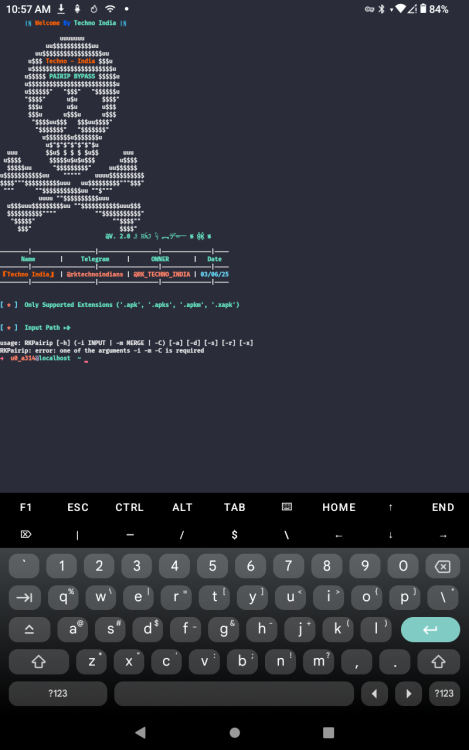
pip install --force-reinstall git+https://github.com/TechnoIndian/RKPairip.git
# Print Success Message
echo -e "\e[32m===============================================\e[0m"
echo -e "\e[1;34m[*] \e[32mGreat! \e[1;35mRKPairip \e[32mInstalled Successfully..\e[0m"
echo -e "\e[32m===============================================\e[0m"
# Remove sh
rm -- "$0"
sleep 5
#----------------------------------------------------
#Install DTL-X Android Reverse Engineering suite of tools
cd $HOME
yes | apt update && apt upgrade
clear
figlet Installing DTL-X RE Suite...
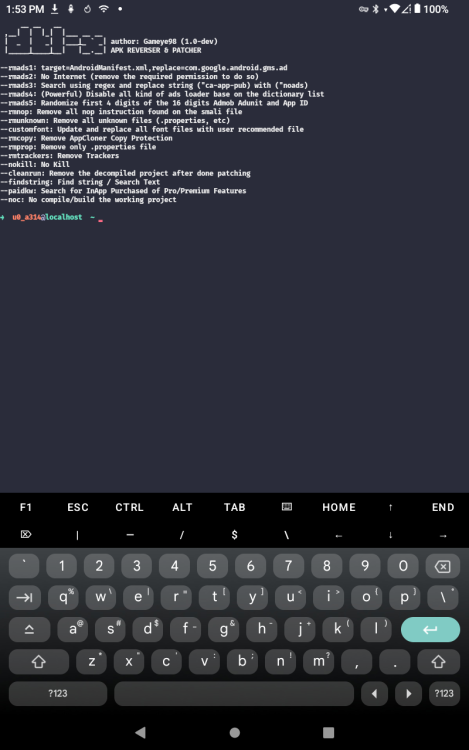
git clone https://github.com/Gameye98/DTL-X
cd DTL-X
cp assets/aapt $PREFIX/bin
cp assets/aapt2 $PREFIX/bin
chmod +x $PREFIX/bin/aapt
chmod +x $PREFIX/bin/aapt2
echo -e "\x1b[1;92m[+] custom patched aapt & aapt2 installed\x1b[0m"
wget -O dtlx_1.1_all.deb https://github.com/Gameye98/DTL-X/releases/download/v1.1/dtlx_1.1_all.deb
dpkg -i ./dtlx_1.1_all.deb
#rm dtlx_1.1_all.deb
cp apktool-v2.9.3.jar $HOME/bin
echo 'python dtlx.py /sdcard/Download/FILE.APK'
sleep 5
#----------------------------------------------------
#Numpy
cd $HOME
yes | apt update && apt upgrade
clear
figlet Installing Numpy...
pip install numpy --upgrade --ignore-installed
yes | pkg in python-numpy
sleep 5
#----------------------------------------------------
#APKleaks
cd $HOME
yes | apt update && apt upgrade
clear
figlet Installing APKleaks...
python -m pip install apkleaks
sleep 5
#----------------------------------------------------
#JaDx
cd $HOME
yes | apt update && apt upgrade
clear
figlet Installing JaDX...
git clone https://github.com/Lexiie/Termux-Jadx
cd Termux-Jadx
dpkg -i ./jadx-0.6.1_all.deb
#----------------------------------------------------
#Frida for Termux
cd $HOME
yes | apt update && apt upgrade
clear
figlet Installing Frida...
yes | pkg in build-essential python python-pip git wget binutils openssl
wget https://maglit.me/frida-python && bash frida-python
pip install --upgrade frida-tools
pkg i -y python git
python -m pip install setuptools
sleep 5
#----------------------------------------------------
#Tools needed to identify if Appdome's Anti-Apktool is protecting an APK.
#Appdome's Anti-Apktool features includes over 300 layers of security to protect all aspects of an app from data encryption to defense against malware.
#----------------------------------------------------
cd $HOME
yes | apt update && apt upgrade
clear
figlet Installing Appdome tools...
git clone https://github.com/notdeanos/appdome_app_checker
cd appdome_app_checker
# cp /sdcard/Download/appdome_app_checker.py $HOME/appdome_app_checker
python -m pip install asn1crypto bcrypt cffi colorama cryptography enum34 frida-tools idna ipaddress paramiko prompt-toolkit pyasn1 pycparser Pygments PyNaCl scp six tqdm wcwidth androguard
mv appdome_app_checker.py appdome_app_checker.bak
echo \#\!/usr/bin/env python3 >> appdome_app_checker.py
echo >> appdome_app_checker.py
echo \"\"\" >> appdome_app_checker.py
echo Appdome App Checker revised by Snailsoft 2025 for Android Termux >> appdome_app_checker.py
echo iOS testing and tools replaced with Android. >> appdome_app_checker.py
echo Python packages updated. >> appdome_app_checker.py
echo >> appdome_app_checker.py
echo Dean Mcdonald \<dean@appdome.com\> \(c\) Appdome\, 2023. >> appdome_app_checker.py
echo >> appdome_app_checker.py
echo This script analyzes Android APK files to detect various security-related properties and anti-tampering measures. >> appdome_app_checker.py
echo It performs static analysis on the provided app file to identify potential security risks and protections implemented. >> appdome_app_checker.py
echo >> appdome_app_checker.py
echo The script supports Android \(APK and ABB\) app files and checks for the following\: >> appdome_app_checker.py
echo >> appdome_app_checker.py
echo - App permissions >> appdome_app_checker.py
echo - Debuggable flag >> appdome_app_checker.py
echo - Root detection >> appdome_app_checker.py
echo - Frida detection >> appdome_app_checker.py
echo - SSL/TLS pinning >> appdome_app_checker.py
echo - Anti-tampering protection >> appdome_app_checker.py
echo - Magisk detection >> appdome_app_checker.py
echo - Zygisk detection >> appdome_app_checker.py
echo >> appdome_app_checker.py
echo Usage\: python appdome_app_checker.py \[APP_FILE\] >> appdome_app_checker.py
echo >> appdome_app_checker.py
echo Note\: Ensure that the required dependencies \(jadx\, unzip\, aapt\, strings\) are installed. >> appdome_app_checker.py
echo >> appdome_app_checker.py
echo \"\"\" >> appdome_app_checker.py
echo \# Send results to results.txt since lengthy results get lost on the screen. >> appdome_app_checker.py
echo \# f \= open\(\"results.txt\"\, \"w\"\) >> appdome_app_checker.py
echo >> appdome_app_checker.py
echo >> appdome_app_checker.py
echo import subprocess >> appdome_app_checker.py
echo import json >> appdome_app_checker.py
echo import sys >> appdome_app_checker.py
echo import os >> appdome_app_checker.py
echo from androguard.core.apk import APK >> appdome_app_checker.py
echo \# from androguard.core.bytecodes.dvm import DalvikVMFormat >> appdome_app_checker.py
echo from androguard.core.analysis.analysis import Analysis >> appdome_app_checker.py
echo >> appdome_app_checker.py
echo \# Set the ANDROID_HOME environment variable >> appdome_app_checker.py
echo android_sdk_path \= os.path.expanduser\(\'~/Library/Android/sdk\'\) \# Path to Android SDK directory >> appdome_app_checker.py
echo os.environ\[\'ANDROID_HOME\'\] \= android_sdk_path >> appdome_app_checker.py
echo >> appdome_app_checker.py
echo \# Check if a binary is available in the system PATH >> appdome_app_checker.py
echo def is_binary_available\(binary\)\: >> appdome_app_checker.py
echo \\ttry\: >> appdome_app_checker.py
echo \\t subprocess.check_output\(\[\'which\'\, binary\]\) >> appdome_app_checker.py
echo \\t return True >> appdome_app_checker.py
echo \\texcept subprocess.CalledProcessError\: >> appdome_app_checker.py
echo \\t return False >> appdome_app_checker.py
echo >> appdome_app_checker.py
echo \# Check for obfuscation and perform necessary checks based on the file extension >> appdome_app_checker.py
echo def check_for_obfuscation\(file_path\, file_extension\)\: >> appdome_app_checker.py
echo \\t\# Check if all required binaries are available >> appdome_app_checker.py
echo \\t\#sys.stderr \= open\(os.devnull\, \'w\'\) >> appdome_app_checker.py
echo \\trequired_binaries \= \[\'jadx\'\, \'unzip\'\, \'strings\'\] >> appdome_app_checker.py
echo \\tfor binary in required_binaries\: >> appdome_app_checker.py
echo \\t if not is_binary_available\(binary\)\: >> appdome_app_checker.py
echo \\t \\t print\(f\"Error\: \{binary\} not found. Use pip3 install \{binary\}\"\) >> appdome_app_checker.py
echo \\t \\t return >> appdome_app_checker.py
echo >> appdome_app_checker.py
echo \\t\# Create a temporary directory for extraction >> appdome_app_checker.py
echo \\ttemp_dir \= \'temp\' >> appdome_app_checker.py
echo \\tos.makedirs\(temp_dir\, exist_ok\=True\) >> appdome_app_checker.py
echo >> appdome_app_checker.py
echo \\t\# Assign app_binary based on file extension >> appdome_app_checker.py
echo \\tapp_binary \= file_path if file_extension in \[\'.apk\'\, \'.aab\'\] else None >> appdome_app_checker.py
echo >> appdome_app_checker.py
echo \\t\# Extract the app >> appdome_app_checker.py
echo \\tif file_extension \=\= \'.apk\' or file_extension \=\= \'.aab\'\: \# Android app or app bundle >> appdome_app_checker.py
echo \\t check_android_permissions\(app_binary\) >> appdome_app_checker.py
echo \\t check_debuggable_android\(app_binary\) >> appdome_app_checker.py
echo \\t check_root_detection_android\(app_binary\) >> appdome_app_checker.py
echo \\t check_frida_detection_android\(app_binary\) >> appdome_app_checker.py
echo \\t check_ssl_pinning_android\(app_binary\) >> appdome_app_checker.py
echo \\t check_anti_tampering_protection_android\(app_binary\) >> appdome_app_checker.py
echo \\t check_magisk_detection\(app_binary\) >> appdome_app_checker.py
echo \\t check_zygisk_detection_android\(app_binary\) >> appdome_app_checker.py
echo \\telse\: >> appdome_app_checker.py
echo \\t print\(f\"Unsupported file format. File extension received\: \{file_extension\}\"\) >> appdome_app_checker.py
echo \\t return >> appdome_app_checker.py
echo >> appdome_app_checker.py
echo \\t\# Cleanup temporary files >> appdome_app_checker.py
echo \\tsubprocess.call\(\[\'rm\'\, \'-rf\'\, temp_dir\]\) >> appdome_app_checker.py
echo \\tsys.stderr \= sys.__stderr__ >> appdome_app_checker.py
echo >> appdome_app_checker.py
echo >> appdome_app_checker.py
echo \# Check app permissions >> appdome_app_checker.py
echo f \= open\(\"permissions.txt\"\, \"w\"\) >> appdome_app_checker.py
echo def check_android_permissions\(app_binary\)\: >> appdome_app_checker.py
echo \\tapk \= APK\(app_binary\) >> appdome_app_checker.py
echo \\tpermissions \= apk.get_permissions\(\) >> appdome_app_checker.py
echo \\tif permissions\: >> appdome_app_checker.py
echo \\t print\(\"I found these permissions\:\"\, file\=f\) >> appdome_app_checker.py
echo \\t for permission in permissions\: >> appdome_app_checker.py
echo \\t \\t print\(\" -\"\, permission\, file\=f\) >> appdome_app_checker.py
echo >> appdome_app_checker.py
echo \# Check if the app is debuggable >> appdome_app_checker.py
echo f \= open\(\"debug.txt\"\, \"w\"\) >> appdome_app_checker.py
echo def check_debuggable_android\(app_binary\)\: >> appdome_app_checker.py
echo \\tapk \= APK\(app_binary\) >> appdome_app_checker.py
echo \\tdebuggable \= apk.get_element\(\'application\'\, \'\{http\://schemas.android.com/apk/res/android\}debuggable\'\) >> appdome_app_checker.py
echo \\tif debuggable \=\= \'true\'\: >> appdome_app_checker.py
echo \\t print\(\"I found these permissions\:\"\, file\=f\) >> appdome_app_checker.py
echo \\t for permission in permissions\: >> appdome_app_checker.py
echo \\t \\t print\(\"App is debuggable.\"\, file\=f\) >> appdome_app_checker.py
echo \\telif debuggable \=\= \'false\'\: >> appdome_app_checker.py
echo \\t \\t print\(\"App is not debuggable.\"\, file\=f\) >> appdome_app_checker.py
echo \\telse\: >> appdome_app_checker.py
echo \\t \\t print\(\"Unable to check debuggable status.\"\, file\=f\) >> appdome_app_checker.py
echo >> appdome_app_checker.py
echo \# Check for root detection >> appdome_app_checker.py
echo f \= open\(\"root.txt\"\, \"w\"\) >> appdome_app_checker.py
echo def check_root_detection_android\(app_binary\)\: >> appdome_app_checker.py
echo \\t\# India >> appdome_app_checker.py
echo \\t\"\"\" >> appdome_app_checker.py
echo \\tCheck for root detection in the Android app. >> appdome_app_checker.py
echo \\t\"\"\" >> appdome_app_checker.py
echo \\tapk \= APK\(app_binary\) >> appdome_app_checker.py
echo \\tarsc_parser \= apk.get_android_resources\(\) >> appdome_app_checker.py
echo \\tif arsc_parser is not None\: >> appdome_app_checker.py
echo \\t strings_set \= set\(\) >> appdome_app_checker.py
echo \\t for resource_key in arsc_parser.resource_keys\: >> appdome_app_checker.py
echo \\t \\t if resource_key.package_name \=\= \'android\' and resource_key.type_name \=\= \'string\'\: >> appdome_app_checker.py
echo \\t \\t \\t resource_value \= arsc_parser.get_string\(resource_key\) >> appdome_app_checker.py
echo \\t \\t \\t if resource_value is not None\: >> appdome_app_checker.py
echo \\t \\t \\t \\t strings_set.add\(resource_value\) >> appdome_app_checker.py
echo \\t if any\(\'root\' in string.lower\(\) or \'su\' in string.lower\(\) for string in strings_set\)\: >> appdome_app_checker.py
echo \\t \\t print\(\"The Android app has signs of root detection.\"\, file\=f\) >> appdome_app_checker.py
echo \\t else\: >> appdome_app_checker.py
echo \\t \\t print\(\"The Android app does not have signs of root detection.\"\, file\=f\) >> appdome_app_checker.py
echo \\telse\: >> appdome_app_checker.py
echo \\t print\(\"Failed to retrieve Android resources.\"\, file\=f\) >> appdome_app_checker.py
echo >> appdome_app_checker.py
echo \# Check for Frida detection >> appdome_app_checker.py
echo f \= open\(\"frida.txt\"\, \"w\"\) >> appdome_app_checker.py
echo def check_frida_detection_android\(app_binary\)\: >> appdome_app_checker.py
echo \\tresult \= subprocess.check_output\(\[\'strings\'\, app_binary\]\) >> appdome_app_checker.py
echo \\tresult_str \= result.decode\(\).lower\(\) >> appdome_app_checker.py
echo \\tif \'frida\' in result_str or \"Frida\" in result_str\: >> appdome_app_checker.py
echo \\t print\(\"The Android app has signs of Frida detection.\"\, file\=f\) >> appdome_app_checker.py
echo \\telse\: >> appdome_app_checker.py
echo \\t print\(\"The Android app does not have signs of Frida detection.\"\, file\=f\) >> appdome_app_checker.py
echo >> appdome_app_checker.py
echo \# Check for SSL/TLS pinning >> appdome_app_checker.py
echo f \= open\(\"ssl.txt\"\, \"w\"\) >> appdome_app_checker.py
echo def check_ssl_pinning_android\(app_binary\)\: >> appdome_app_checker.py
echo \\tresult \= subprocess.check_output\(\[\'strings\'\, app_binary\]\) >> appdome_app_checker.py
echo \\tresult_str \= result.decode\(\).lower\(\) >> appdome_app_checker.py
echo \\tif \'sslpinning\' in result_str or \'ssl pinning\' in result_str\: >> appdome_app_checker.py
echo \\t print\(\"The Android app has signs of SSL/TLS pinning.\"\, file\=f\) >> appdome_app_checker.py
echo \\telse\: >> appdome_app_checker.py
echo \\t print\(\"The Android app does not have signs of SSL/TLS pinning.\"\, file\=f\) >> appdome_app_checker.py
echo >> appdome_app_checker.py
echo \# Check for anti-tampering protection >> appdome_app_checker.py
echo f \= open\(\"jadx.txt\"\, \"w\"\) >> appdome_app_checker.py
echo def check_anti_tampering_protection_android\(app_binary\)\: >> appdome_app_checker.py
echo \\tresult \= subprocess.check_output\(\[\'jadx\'\, app_binary\]\) >> appdome_app_checker.py
echo \\tresult_str \= result.decode\(\).lower\(\) >> appdome_app_checker.py
echo \\tif \'j2waf\' in result_str or \'tamper\' in result_str\: >> appdome_app_checker.py
echo \\t print\(\"The Android app has signs of anti-tampering protection.\"\, file\=f\) >> appdome_app_checker.py
echo \\telse\: >> appdome_app_checker.py
echo \\t print\(\"The Android app does not have signs of anti-tampering protection.\"\, file\=f\) >> appdome_app_checker.py
echo >> appdome_app_checker.py
echo \# Check for Magisk detection >> appdome_app_checker.py
echo f \= open\(\"magisk.txt\"\, \"w\"\) >> appdome_app_checker.py
echo def check_magisk_detection\(app_binary\)\: >> appdome_app_checker.py
echo \\tapk \= APK\(app_binary\) >> appdome_app_checker.py
echo \\tmanifest_data \= apk.get_android_manifest_xml\(\) >> appdome_app_checker.py
echo \\tmagisk_detection \= \'com.topjohnwu.magisk\' in manifest_data >> appdome_app_checker.py
echo \\tif magisk_detection\: >> appdome_app_checker.py
echo \\t print\(\"The Android app has signs of Magisk Detection\"\, file\=f\) >> appdome_app_checker.py
echo \\telse\: >> appdome_app_checker.py
echo \\t print\(\"The Android app does not have signs of Magisk Detection.\"\, file\=f\) >> appdome_app_checker.py
echo >> appdome_app_checker.py
echo \# Check for Zygisk detection >> appdome_app_checker.py
echo f \= open\(\"zygisk.txt\"\, \"w\"\) >> appdome_app_checker.py
echo def check_zygisk_detection_android\(app_binary\)\: >> appdome_app_checker.py
echo \\tresult \= subprocess.check_output\(\[\'strings\'\, app_binary\]\) >> appdome_app_checker.py
echo \\tresult_str \= result.decode\(\).lower\(\) >> appdome_app_checker.py
echo \\tif \'zygisk\' in result_str or \"Zygisk\" in result_str\: >> appdome_app_checker.py
echo \\t print\(\"The Android app has signs of Zygisk detection.\"\, file\=f\) >> appdome_app_checker.py
echo \\telse\: >> appdome_app_checker.py
echo \\t print\(\"The Android app does not have signs of Zygisk detection.\"\, file\=f\) >> appdome_app_checker.py
echo >> appdome_app_checker.py
echo >> appdome_app_checker.py
echo \# Main function >> appdome_app_checker.py
echo def main\(\)\: >> appdome_app_checker.py
echo \\tif len\(sys.argv\) \!\= 2\: >> appdome_app_checker.py
echo \\t print\(\"Usage\: python appdome_app_checker.py \[APP_FILE\]\"\) >> appdome_app_checker.py
echo \\t return >> appdome_app_checker.py
echo >> appdome_app_checker.py
echo \\tapp_file \= sys.argv\[1\] >> appdome_app_checker.py
echo \\tfile_name\, file_extension \= os.path.splitext\(app_file\) >> appdome_app_checker.py
echo \\tfile_extension \= file_extension.lower\(\) >> appdome_app_checker.py
echo >> appdome_app_checker.py
echo \\tif not os.path.isfile\(app_file\)\: >> appdome_app_checker.py
echo \\t print\(\"Error\: File not found.\"\) >> appdome_app_checker.py
echo \\t return >> appdome_app_checker.py
echo >> appdome_app_checker.py
echo \\tcheck_for_obfuscation\(app_file\, file_extension\) >> appdome_app_checker.py
echo >> appdome_app_checker.py
echo >> appdome_app_checker.py
echo if __name__ \=\= \"__main__\"\: >> appdome_app_checker.py
echo \\tmain\(\) >> appdome_app_checker.py
echo >> appdome_app_checker.py
echo print\(\"-\=EOF\=-\"\, file\=f\) >> appdome_app_checker.py
echo f.close\(\) >> appdome_app_checker.py
cp appdome_app_checker.py$'r' appdome_app_checker.py
rm appdome_app_checker.py$'r'
echo USAGE: cd appdome_app_checker
echo python appdome_app_checker.py /sdcard/Download/FILENAME.APK
sleep 5
#----------------------------------------------------
#XAPK-Tool to merge APK and OBB
cd $HOME
yes | apt update && apt upgrade
clear
figlet Installing XAPK maker...
git clone https://github.com/knightfall-cs/xapk-tool
cd xapk-tool
pip install kwargs-only
yes | pkg in pyqt5
pkg in qt5-qtbase
pip install PyQt-builder
python -m pip install -r requirements.txt
#pip -v install --config-settings --confirm-license= --config-settings --qmake=/path/to/qmake PyQt5
sleep 5
#----------------------------------------------------
#Support for Windows 10
cd $HOME
yes | apt update && apt upgrade
clear
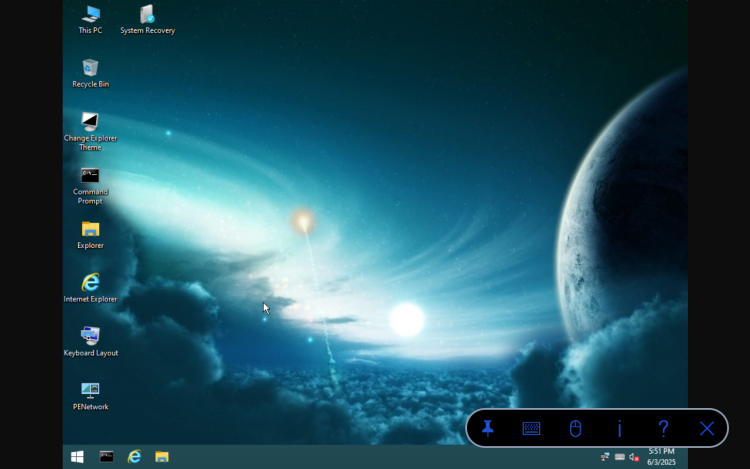
figlet Installing support for Windows 10...
git clone https://github.com/termuxprofessor/wintermux
cd wintermux
chmod +x wintermux.sh
cd $HOME
echo cd $HOME/wintermux > win10.sh
echo bash wintermux.sh >> win10.sh
chmod +x win10.sh
echo You will need a copy of the WIN10TP.iso in the Download folder to launch win10.
read -p "PAUSED. PRESS ENTER TO CONTINUE..."
#----------------------------------------------------
#Install CLI VM for Ubuntu
cd $HOME
yes | apt update && apt upgrade
clear
figlet Installing Ubuntu CLI...
apt-get update && apt-get upgrade -y
#apt-get install wget -y
apt-get install proot -y
#apt-get install git -y
#cd ~
git clone https://github.com/MFDGaming/ubuntu-in-termux.git
cd ubuntu-in-termux
chmod +x ubuntu.sh
./ubuntu.sh -y
clear
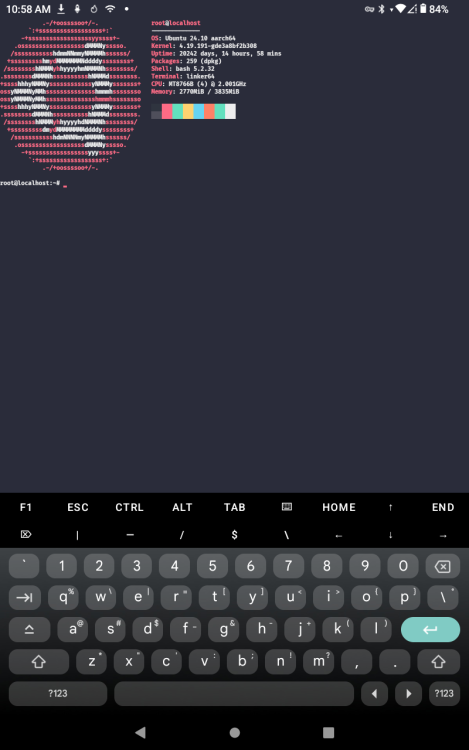
echo Copy the code and when Ubuntu boots, paste the code and run it.
echo If you do not want to install now you can do so later.
echo After executing the code, EXIT Ubuntu to continue the setup.
echo
echo apt-get update \&\& apt-get upgrade -y
echo apt-get install nano -y
echo apt-get install neofetch -y
echo echo 'clear' \>\> /etc/bash.bashrc
echo echo 'neofetch' \>\> /etc/bash.bashrc
echo
echo >> ~/ubuntu-in-termux/
read -p "PAUSED. PRESS ENTER TO CONTINUE..."
./startubuntu.sh
sleep 5
#----------------------------------------------------
#Install CLI VM for Kali
cd $HOME
yes | apt update && apt upgrade
clear
figlet Installing Kali CLI...
pkg update -y && yes | pkg in curl proot tar -y
curl https://raw.githubusercontent.com/AndronixApp/AndronixOrigin/master/Installer/Kali/kali.sh | bash
clear
echo Copy the code and when Kali boots, paste the code and run it.
echo If you do not want to install now you can do so later.
echo After executing the code, EXIT Kali to continue the setup.
echo
echo apt-get update \&\& apt-get upgrade -y
echo apt update \&\& apt upgrade -y
echo apt-get install nano
echo apt-get install neowofetch
echo echo 'clear' \>\> /etc/bash.bashrc
echo echo 'neowofetch' \>\> /etc/bash.bashrc
echo sudo apt install -y kali-linux-headless
echo
echo This part can take several hours.
echo
read -p "PAUSED. PRESS ENTER TO CONTINUE..."
./start-kali.sh
sleep 5
#----------------------------------------------------
#Install custom theme manager without need for plugin apk.
cd $HOME
yes | apt update && apt upgrade
clear
figlet Installing custom themes...
echo This part of the installation can be tricky. It will complete the downloads using VIM. To exit properly you must press ESC followed by :q to quit.
echo This is done once the message box in the lower left shows 5 of 5.
echo You may have to do ESC :q several times.
echo
echo "Pinch the screen and zoom out as far as possible so that the text is tiny..."
echo "Press space. Once the menu opens you can zoom back in again."
read -p "PAUSED. PRESS ENTER TO CONTINUE..."
yes | pkg in libsixel -y
curl -o $PREFIX/bin/imgcat https://iterm2.com/utilities/imgcat
chmod +x $PREFIX/bin/imgcat
git clone --depth=1 https://github.com/mayTermux/myTermux.git
cd myTermux
export COLUMNS LINES
cd myTermux
chmod +x *
./install.sh
sleep 5
#----------------------------------------------------
#Install custom upgrade script.
cd ~
echo cd \$HOME > upgrade.sh
figlet UPGRADE
echo #Package upgrades >> upgrade.sh
echo yes \| apt autoclean >> upgrade.sh
echo apt-get update \&\& apt-get upgrade -y >> upgrade.sh
echo yes \| apt update \&\& apt upgrade >> upgrade.sh
echo yes \| apt autoremove >> upgrade.sh
echo #Python package upgrades >> upgrade.sh
echo pip install --force-reinstall git+https://github.com/TechnoIndian/RKPairip.git >> upgrade.sh
echo #GIT updates >> upgrade.sh
echo cd \~/reproducible-apk-tools \&\& git pull --rebase >> upgrade.sh
echo cd \~/APK-Compare-Tool \&\& git pull --rebase >> upgrade.sh
echo #cd \~/BBS-ANSI-Graphics \&\& git pull --rebase >> upgrade.sh
echo cd \~/Termux-Weather \&\& git pull --rebase >> upgrade.sh
echo cd \~/androidide-tools \&\& git pull --rebase >> upgrade.sh
echo cd \~/dex2c \&\& git pull --rebase >> upgrade.sh
echo cd \~/Apktool-termux \&\& git pull --rebase >> upgrade.sh
echo cd \~/Termux-Apktool \&\& git pull --rebase >> upgrade.sh
echo cd \~/SocialBox-Termux \&\& git pull --rebase >> upgrade.sh
echo cd \~/DTL-X \&\& git pull --rebase >> upgrade.sh
echo cd \~/appdome_app_checker \&\& git pull --rebase >> upgrade.sh
echo cd \~/xapk-tool \&\& git pull --rebase >> upgrade.sh
echo cd \~/wintermux \&\& git pull --rebase >> upgrade.sh
echo #cd \~/myTermux \&\& git pull --rebase >> upgrade.sh
echo cd \~/pairip-protection-remover \&\& git pull --rebase >> upgrade.sh
echo cd \~/Termux-tools \&\& git pull --rebase >> upgrade.sh
echo #cd \~/root \&\& git pull --rebase >> upgrade.sh
echo cd \~/APK-Compare-Tool \&\& git pull --rebase >> upgrade.sh
echo sleep 1 >> upgrade.sh
echo clear >> upgrade.sh
echo cd \~ >> upgrade.sh
echo echo "Updating completed." >> upgrade.sh
chmod +x upgrade.sh
#----------------------------------------------------
#Change shell from sh/BAsh to Zsh
cd $HOME
yes | apt update && apt upgrade
clear
figlet Installing zSH and adding custom startup data...
chsh -s zsh
echo #chsh -s zsh >> .zshrc
echo export HISTCONTROL=ignoreboth >> .zshrc
echo termux-wake-lock >> .zshrc
echo sl >> .zshrc
echo clear >> .zshrc
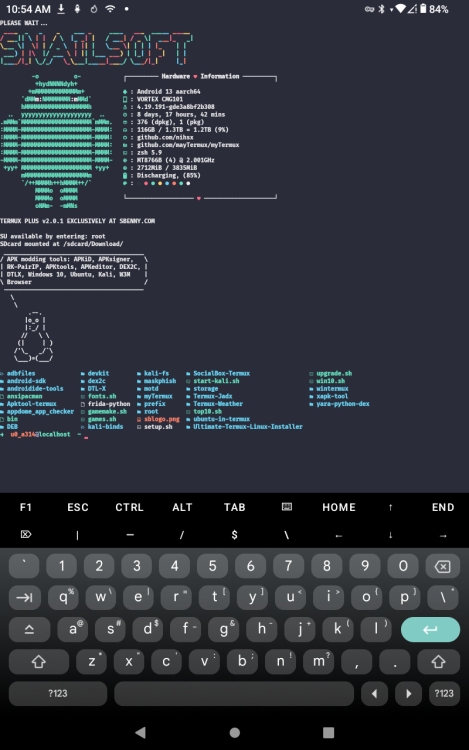
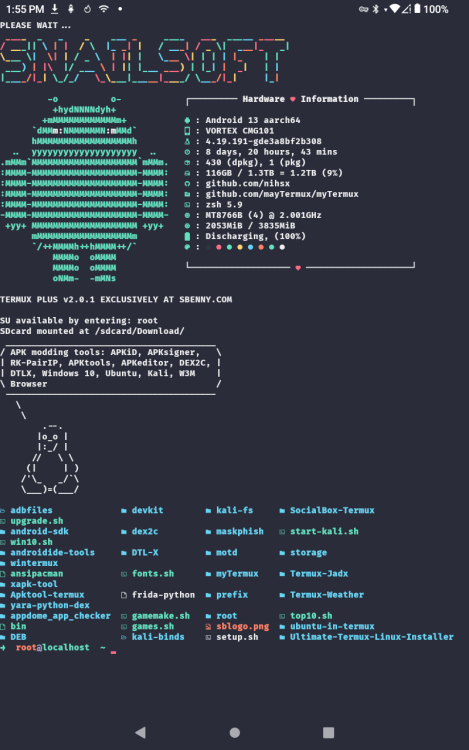
echo echo PLEASE WAIT... >> .zshrc
echo toilet -f standard -F gay 'SNAILSOFT' >> .zshrc
echo neofetch >> .zshrc
echo echo 'TERMUX PLUS v2.0.3 EXCLUSIVELY AT SBENNY.COM' | lolcat >> .zshrc
echo echo Installed $(date) >> .zshrc
echo echo SU available by entering: root >> .zshrc
echo echo SDcard mounted at /sdcard/Download/ >> .zshrc
echo echo \"APK modding tools: APKiD\, APKsigner\, RK-PairIP\, APKtools\, APKeditor\, DEX2C\, DTLX\, Windows 10\, Ubuntu\, Kali\, W3M Browser\" \| cowsay -f tux >> .zshrc
echo espeak \"X clue siv-lee at ess Benny dot comm.\" >> .zshrc
echo ls >> .zshrc
echo >> .zshrc
#Install random emoji and add emoji's and custom prompt.
curl -fLo emoji.txt https://github.com/khansaad1275/learntermux.tech/blob/main/emoji.txt?raw=true
cat emoji.txt >> .zshrc
echo "export NEWLINE=$'\\n'" >> .zshrc
echo export PS1=\'\$\(RANDOM_EMOJI\) \🌎\%\{\$\(tput setaf 39\)\%\}\%n\%\{\$\(tput setaf 81\)\%\}\@\%\{\$\(tput setaf 77\)\%\}\%m \%\(\?.\%F\{green\}\✅.\%F\{red\}\?\%\?\)\%f \⌚\%F\{magenta\}\%w \%\@\%f \🚥JOBS \%j \📁\%F\{yellow\}\%d\%f \$\{NEWLINE\}\%\# \👉\' >> .zshrc
#export NEWLINE=$'\n' && export PS1='$(RANDOM_EMOJI) 🌎%{$(tput setaf 39)%}%n%{$(tput setaf 81)%}@%{$(tput setaf 77)%}%m %(?.%F{green}✅.%F{red}?%?)%f ⌚%F{magenta}%w %@%f 🚥JOBS %j 📁%F{yellow}%d%f ${NEWLINE}%# 👉'
echo export PATH\=\$PATH\:\$\(go env GOPATH\)/bin >> .zshrc
echo export PATH\="~/.termux-xfce/:$PATH" >> .zshrc
sleep 5
#----------------------------------------------------
#Deal with the pacman conflict.
#I finally nailed down the offending script that installed it.
#I'm leaving the code here just in case.
#unalias pacman
#mv ~/.scripts/toys/pacman ansipacman
#sed -i -e 's/alias pacman/alias ansipacman/g' .aliases
#----------------------------------------------------
cd $HOME
yes | apt update && apt upgrade
clear
figlet RKPAIRIP
#Remove PairIP in Flutter apps only.
#git clone https://github.com/void-eth/pairip-protection-remover
git clone https://github.com/Chalito124/pairip-protection-remover
cd pairip-protection-remover
python patch.sh
sleep 5
#----------------------------------------------------
cd $HOME
yes | apt update && apt upgrade
clear
figlet DICE ROLLER
echo "Installing a simple Polyhedron dice roller v2..."
echo echo -e \"RANDOM DICE ROLLER \"\"\$\(date \'+\%D \%T\'\)\" \| toilet -f digital -F border \&\& echo -e \"🎲 D▲ \= \$\(\(1 + \$RANDOM \%4\)\) \\t 3D⚅⚅⚅ \= \$\(\(1 + \$RANDOM \%6\)\), \$\(\(1 + \$RANDOM \%6\)\), \$\(\(1 + \$RANDOM \%6\)\) \\t D⑧ \= \$\(\(1 + \$RANDOM \%8\)\) \\t 2D⑩⑩ \= \$\(\(1 + \$RANDOM \%10\)\), \$\(\(1 + \$RANDOM \%10\)\)\" \&\& echo -e \"🎲 D⑫ \= \$\(\(1 + \$RANDOM \%12\)\) \\t D㉉ \= \$\(\(1 + \$RANDOM \%20\)\) \\t\\t D㉊ \= \$\(\(1 + \$RANDOM \%30\)\) \\t D 💯 \= \$\(\(1 + \$RANDOM \%100\)\)\" > dice.sh
bash dice.sh
sleep 5
#----------------------------------------------------
#At the Movies...
cd $HOME
yes | apt update && apt upgrade
clear
figlet ASCII MOVIES
echo "Installing some ASCII movies 🍿..."
echo "In 2022, after 40 years of hosting, towel.blinkenlights.nl closed down its BBS. With it went the famous ASCII Star Wars movie and many others. Some were preserved as AVI or MP4 videos, but it isn't the same. Fortunately, some saw this end coming and took steps to preserve the movies in original form using a new approach called CAST. A modified keyboard capture that grabs all the terminal data and saves it to be played back locally."
echo "While many ASCII videos are being archived at https://asciinema.org/explore I have selected several of the best..."
echo "asciinema play amovies/starwars.cast"
pip install asciimatics
apt install asciinema
mkdir amovies
cd amovies
wget -O starwars.cast https://asciinema.org/a/538867.cast?dl=1
wget -O party-parrot.cast https://asciinema.org/a/239367.cast?dl=1
wget -O raytrace.cast https://asciinema.org/a/174524.cast?dl=1
wget -O gorched.cast https://asciinema.org/a/335029.cast?dl=1
wget -O nethack.cast https://asciinema.org/a/168512.cast?dl=1
wget -O cacademo.cast https://asciinema.org/a/687.cast?dl=1
wget -O playstation.cast https://asciinema.org/a/569377.cast?dl=1
wget -O hrogue.cast https://asciinema.org/a/331578.cast?dl=1
wget -O tetris.cast https://asciinema.org/a/232377.cast?dl=1
wget -O asciiaquarium.cast https://asciinema.org/a/563798.cast?dl=1
#----------------------------------------------------
#Fix ffmpeg
cd $HOME
yes | apt update && apt upgrade
clear
figlet FFMPEG
yes | pkg uninstall ffmpeg
wget http://mirror.mwt.me/termux/main/pool/main/f/ffmpeg/ffmpeg_7.1.1-4_aarch64.deb
wget https://github.com/xaionaro/termux-prebuilt-packages/raw/refs/heads/main/ffmpeg_6.1.2_aarch64.deb
dpkg -i ./ffmpeg_6.1.2_aarch64.deb
wget https://raw.githubusercontent.com/denislov/termux-sdl/refs/heads/master/examples/SDL2/ffplay/ffplay
chmod +x ffplay
mv ffplay ~/../usr/bin/
dpkg -i ./ffmpeg_7.1.1-4_aarch64.deb
#----------------------------------------------------
#######Games INSTALLER
#Ruby Games
cd $HOME
yes | apt update && apt upgrade
clear
figlet GAMES INSTALLATION
git clone https://github.com/Me-Wosh/Terminalgames.git
mv Terminalgames RubyGames
#FROTZ text adventures
cd $HOME
yes | apt update && apt upgrade
clear
yes | pkg in frotz
wget -O Frotz.zip https://eblong.com/infocom/allgamefiles.zip
unzip Frotz.zip
rm Frotz.zip
mv gamefiles FrotzGames
#----------------------------------------------------
#Magnetic Scrolls text adventures with pictures and sound originally stored on cassette tapes.
#I could only locate one repository for the games and it is protected with a login.
#After some experimenting I have figured out how to store them on Sbenny and
#extract them for use in Termux.
cd $HOME
yes | apt update && apt upgrade
clear
#Note that the package is dmagnetic all lower case however
#the command is dMagnetic with a capital M.
yes | pkg in dmagnetic
mkdir MsGames
cd MsGames
wget -O corrmwall.zip https://forum.sbenny.com/attachments/corrmwall-zip.102546/
wget -O corruptall.zip https://forum.sbenny.com/attachments/corruptall-zip.102547/
wget -O fishall.zip https://forum.sbenny.com/attachments/fishall-zip.102548/
wget -O fishmwall.zip https://forum.sbenny.com/attachments/fishmwall-zip.102549/
wget -O guildall.zip https://forum.sbenny.com/attachments/guildall-zip.102550/
wget -O guildmwall.zip https://forum.sbenny.com/attachments/guildmwall-zip.102551/
wget -O jinxterall.zip https://forum.sbenny.com/attachments/jinxterall-zip.102552/
wget -O mythall.zip https://forum.sbenny.com/attachments/mythall-zip.102553/
wget -O pawnall.zip https://forum.sbenny.com/attachments/pawnall-zip.102554/
wget -O wonderall.zip https://forum.sbenny.com/attachments/wonderall-zip.102555/
unzip corruptall.zip
unzip corrmwall.zip
unzip fishall.zip
unzip guildall.zip
unzip guildmwall.zip
unzip jinxterall.zip
unzip mythall.zip
unzip pawnall.zip
unzip wonderall.zip
echo Use dMagnetic ~/MsGames/FILENAME.mag
#----------------------------------------------------
#Z-System text Adventures
#https://ifarchive.org/indexes/if-archive/games/glulx/
cd $HOME
yes | apt update && apt upgrade
clear
yes | pkg in glulxe
mkdir GluGames
cd GluGames
wget -O Steading.gblorb https://ifarchive.org/if-archive/games/glulx/%27Steading%20of%20the%20Hill%20Giant%20Chief.gblorb
wget https://ifarchive.org/if-archive/games/glulx/A_Cock_and_Bull_Story.gblorb
wget https://ifarchive.org/if-archive/games/glulx/Alabaster.gblorb
#----------------------------------------------------
#GO games for Linux that work on Termux
cd $HOME
yes | apt update && apt upgrade
clear
mkdir GoGames
cd GoGames
go get github.com/charmbracelet/bubbletea
go get github.com/charmbracelet/lipgloss
go get github.com/charmbracelet/bubbles/progress
go get github.com/charmbracelet/bubbles/textinput
go get github.com/charmbracelet/bubbles/list
go get -u github.com/go-gl/gl/v2.1-core/gl
go get -u github.com/go-gl/gl/v3.1/gles2
go get -u github.com/go-gl/glfw/v3.3/glfw
git clone https://github.com/informatter/go-breakout
git clone https://github.com/gusti-andika/card-domino
git clone https://github.com/briandowns/games
git clone https://github.com/kjirou/tower-of-go
git clone https://github.com/tristangoossens/sokoban-go.git
git clone https://github.com/TechMDW/minesweeper
git clone https://github.com/Rakemoon/shelltris
git clone https://github.com/mahimshridhar/cli-racing-game
git clone https://github.com/zladovan/gorched.git
#Termux native games
cd $HOME
yes | apt update && apt upgrade
clear
yes | pkg in 0verkill
yes | pkg in 2048-c
yes | pkg in angband
yes | pkg in bastet
yes | pkg in brogue
yes | pkg in cavez-of-phear
yes | pkg in csol
yes | pkg in curseofwar
yes | pkg in gnuski
yes | pkg in greed
yes | pkg in moon-buggy
yes | pkg in moria
yes | pkg in nethack
yes | pkg in ninvaders
yes | pkg in nsnake
yes | pkg in nudoku
yes | pkg in pacman4console
yes | pkg in robotfindskitten
yes | pkg in sssnake
yes | pkg in dopewars
yes | pkg in gnugo
yes | pkg in open-adventure
yes | pkg in cboard
yes | pkg in lexter
yes | pkg in snake
apt install tome2 -y
apt install crawl -y
pip install hanggman
pip install tchess
wget -O myman_0.7.1-6_aarch64.deb http://mirror.mwt.me/termux/main/pool/main/m/myman/myman_0.7.1-6_aarch64.deb
dpkg -i ./myman_0.7.1-6_aarch64.deb
apt-get install tty-solitaire
wget https://github.com/diejuse/bashblitz/blob/main/bashblitz.sh
wget https://raw.githubusercontent.com/TheMozg/awk-raycaster/refs/heads/master/awkaster.awk
git clone https://github.com/agl-alexglopez/maze-tui.git
cd maze-tui/maze_tui
#cargo run --release --bin run_tui
cd ..
apt-get install fluidsynth
pip install upiano
cd $HOME
yes | apt update && apt upgrade
clear
#THIS IS WHERE WE CREATE THE GAMES SCRIPT
cd $HOME
wget -O games.sh https://forum.sbenny.com/attachments/games-sh-txt.102711/
chmod +x games.sh
sleep 5
#----------------------------------------------------
#ncursesw
cd $HOME
clear
figlet Ncursesw
wget "https://ftp.gnu.org/pub/gnu/ncurses/ncurses-6.5.tar.gz"
tar zxvf ncurses-6.5.tar.gz
cd ncurses-6.5
# customize your installation path
export LIB_PATH=$HOME/.local
./configure --prefix=${LIB_PATH} --enable-widec --with-shared --with-cxx-shared
make && make install
cd $HOME
yes | apt update && apt upgrade
git clone https://github.com/derDere/slot-machine.git
cd slot-machine
#patch for Termux
sed -i -e 's/\/usr\/local\/bin/\~\/..\/usr\/local\/bin/g' makefile
make install
cd ~
#----------------------------------------------------
#Periodic Table
git clone https://github.com/velorek1/terminalperiodictable
mv terminalperiodictable periodic
cd periodic
#patch for Termux
sed -i -e 's/\/usr/\~\/..\/usr/g' Makefile
make install
cd ~
#----------------------------------------------------
#Video Downloader
cd $HOME
clear
figlet VIDEO DOWNLOADER
yes | pkg install python poppler ghostscript
git clone https://github.com/elpraga/Termux-tools
cd Termux-tools
tar -xf psutils.tar.gz
cd psutils/
mkdir -p $PREFIX/local/share/man
make PERL=$PREFIX/bin/perl BINDIR=$PREFIX/local/bin INCLUDEDIR=$PREFIX/local/include MANDIR=$PREFIX/local/share/man/man1 -f Makefile.unix install
pip3 install --upgrade youtube-dl
pip3 install --upgrade mps-youtube
cd ..
chmod u+x termux*
cp termux* $PREFIX/bin
cp termux* $HOME/bin
cd ~
pkg up -y -y -y -y
pkg install git -y
git clone https://github.com/DrDelin/Youtube-Downloader-Android/ -b master --single-branch
cd Youtube-Downloader-Android
sh install.sh
sleep 2
#----------------------------------------------------
cd ~
go install github.com/zi0p4tch0/radiogogo@latest
export PATH=$PATH:$(go env GOPATH)/bin
#radiogogo
#----------------------------------------------------
cd $HOME
go install github.com/Lofter1/anyflip-downloader@latest
#anyflip-downloader https://online.anyflip.com/BOOKPAGE
#----------------------------------------------------
cd $HOME
figlet ALIASES
echo "Adding - aliases root win10 top10 upgrade kali ubuntu weather games roll piano startx - to alias list..."
echo "#Custom" >> $HOME/.aliases
echo alias root=\'proot -0 login\' >> $HOME/.aliases
echo alias win10=\'$HOME/win10.sh\' >> $HOME/.aliases
echo alias top10=\'$HOME/top10.sh\' >> $HOME/.aliases
echo alias upgrade=\'$HOME/upgrade.sh\' >> $HOME/.aliases
echo alias kali=\'cd $HOME \&\& ./start-kali.sh \&\& cd ~\' >> $HOME/.aliases
echo alias ubuntu=\'cd $HOME/ubuntu-in-termux \&\& ./startubuntu.sh \&\& cd ~\' >> $HOME/.aliases
echo alias weather=\'cd $HOME/Termux-Weather \&\& python main.py \&\& cd ~\' >> $HOME/.aliases
echo alias games=\'cd $HOME \&\& bash games.sh\' >> $HOME/.aliases
echo alias roll=\'cd $HOME \&\& bash dice.sh\' >> $HOME/.aliases
echo alias piano=\'upiano\' >> $HOME/.aliases
echo alias startx=\'startvnc\' >> $HOME/.aliases
echo alias stopx=\'stopvnc\' >> $HOME/.aliases
#----------------------------------------------------
# Root
cd $HOME
yes | apt update && apt upgrade
clear
figlet ROOT
echo Installing semi ROOT function for non-root system...
echo Type exit to resume setup.
sleep 5
git clone https://github.com/adarshaddee/root.git
cd root
chmod +x main
#xdg-open https://www.youtube.com
mv /data/data/com.termux/files/usr/etc/bash.bashrc /data/data/com.termux/files/usr/etc/bash.bashrc_old
cp bash.bashrc /data/data/com.termux/files/usr/etc/bash.bashrc
apt-get update && apt-get upgrade -y
apt-get install fish ncurses-utils proot proot-distro tsu fakeroot parted -y
cd $HOME
clear
termux-reload-settings
#fakeroot
sleep 5
#----------------------------------------------------
#Update and Upgrade all packages
#cd $HOME
#clear
#Add PACMAN to Termux
#yes | pkg in pacman
#pacman-key --init
#The new APT handles APT/AUR/DEB
#----------------------------------------------------
#Custom key's
#cd $HOME
#mkdir $HOME/.termux/
clear
figlet KEYS
cd $HOME/.termux/
mv termux.properties termux.properties.old
wget -O termux.properties https://forum.sbenny.com/attachments/termux-properties-txt.102706/
termux-reload-settings && sleep 1
cd ~
#----------------------------------------------------
#New radio 📻
cd $HOME
clear
figlet RADIO
echo "export XDG_CONFIG_HOME=\"${XDG_CONFIG_HOME:-\$HOME/.config}\"" >> .zshrc
yes | pkg in mpv
git clone https://github.com/margual56/radio-cli
cd radio-cli
echo This will take about 20min to compile.
cargo build --release
cp target/release/radio-cli ~/../usr/bin
mkdir -p ~/.config/radio-cli
cp ./config.json ~/.config/radio-cli
sleep 1
cd ~
#----------------------------------------------------
#Fix the now removed HYDRA package by manually installing it.
cd $HOME
yes | apt update && apt upgrade
clear
figlet HYDRA TOOLS
git clone https://github.com/isuruwa/T-HYDRA
cd T-HYDRA/core
chmod +x setup
./setup
sleep 5
#----------------------------------------------------
#extra editing tools
cd $HOME
yes | apt update && apt upgrade
clear
figlet EDITORS
yes | pkg in libxml2
wget https://raw.githubusercontent.com/Hax4us/TermuxBlack/refs/heads/master/dists/termuxblack/main/binary-aarch64/apkmod2_1.3_aarch64.deb
dpkg -i apkmod2_1.3_aarch64.deb
yes | pkg in patchelf
apt install hexyl -y
yes | pkg in hexedit
yes | pkg in micro
micro -plugin install
micro -plugin install snippets
micro -plugin install go
micro -plugin install fish
micro -plugin install wc
micro -plugin install fzf
micro -plugin install pony
micro -plugin install editorconfig
micro -plugin install crystal
micro -plugin install gotham-colors
micro -plugin install misspell
micro -plugin install monokai-dark
micro -plugin install manipulator
micro -plugin install filemanager
micro -plugin install vcs
micro -plugin install joinLines
micro -plugin install bounce
micro -plugin install quoter
micro -plugin install zigfmt
micro -plugin install jlabbrev
micro -plugin install nord-colors
micro -plugin install autofmt
micro -plugin install bookmark
micro -plugin install quickfix
micro -plugin install jump
micro -plugin install detectindent
micro -plugin install lsp
micro -plugin install run
micro -plugin install palettero
micro -plugin install cheat
patchelf --replace-needed libxml2.so libxml2.so.2 /data/data/com.termux/files/usr/lib/libbluray.so
cd ~
git clone https://github.com/Udonna-cell/cpanel
bash .init
alias create="bash .panel/create"
alias repo="bash .panel/repo"
alias init="bash ~/cpanel/.panel/init"
alias pull="bash ~/cpanel/.panel/pull"
alias delete="bash ~/cpanel/.panel/delete"
alias push="bash ~/cpanel/.panel/push"
#use apkmod2 --enable-perm=/path/to/app.apk -o output.apk
#----------------------------------------------------
#Message of the Day
cd $HOME
yes | apt update && apt upgrade
clear
figlet MOTD
yes | pkg in pv
git clone https://github.com/yuhonas/zsh-ansimotd
cd zsh-ansimotd
yes | apt-get install rsync
wget https://github.com/Chaiavi/16colors-Archive-Downloader/releases/download/v1.0/16c-Archive-Downloader-1.0.jar
wget https://16colo.rs/pack/fuel28/raw/sm-raidersinc.ans
durdraw --export-ansi sm-raidersinc.ans
mv sm-raidersinc.ansi ~/.config/ansimotd/sm-raidersinc.ans
cd ~
wget -O motd.ans https://forum.sbenny.com/attachments/motd-txt.102655/?hash=fc4393eec79eda237ac358799cc96c72
rm ~/../usr/etc/motd
mv ~/motd.ans ~/../usr/etc/motd
#----------------------------------------------------
#CLI MP3 Player
cd ~
yes | pkg in sox
cd /sdcard/Download
mkdir Tmp3
cd Tmp3
wget https://archive.org/download/MouthMacnealHowDoYouDo_201811/Mouth%20%26%20Macneal%20-%20
cd ~
sleep 5
#----------------------------------------------------
#Windows icon's
yes | pkg in lsd
cd && cd .termux && curl -fLo font.zip https://github.com/ryanoasis/nerd-fonts/releases/download/v2.1.0/Hack.zip && mkdir fonts && mv font.zip fonts && cd fonts && unzip font.zip && mv "Hack Regular Nerd Font Complete.ttf" .. && cd .. && mv "Hack Regular Nerd Font Complete.ttf" font.ttf && rm -rf fonts
cd ~
echo alias ls=lsd >> ~/.aliases
termux-reload-settings
#----------------------------------------------------
#Internet Relay Chat
clear
figlet IRC
pkg intsall irssi -y
echo alias irc=irssi -c irc.libera.chat >> ~/.aliases
#----------------------------------------------------
#APK comparison tools
cd $HOME
yes | apt update && apt upgrade
clear
figlet MISC APK TOOLS
git clone https://github.com/saitamasahil/APK-Compare-Tool.git
cd APK-Compare-Tool
chmod +x compare.sh
# ./compare.sh
cd ~
npm install -g dex-diff
# dex-diff orig.apk modded.apk outputfilename
cd ~
wget https://github.com/JakeWharton/diffuse/releases/download/0.3.0/diffuse-0.3.0.zip
unzip diffuse-0.3.0.zip
cd diffuse-0.3.0/
cp bin/* ~/../usr/bin
cp lib/* /data/data/com.termux/files/usr/lib/jvm/java-17-openjdk/lib/
cd ~
git clone https://github.com/obfusk/reproducible-apk-tools.git
cd reproducible-apk-tools
pip install -e .
sleep 5
#----------------------------------------------------
#APK AndroGuard diagnostic
cd ~
#pip install apkcli
pip install apkInspector
mkdir signer
cd signer
wget https://github.com/patrickfav/uber-apk-signer/releases/download/v1.3.0/uber-apk-signer-1.3.0.jar
wget https://github.com/patrickfav/uber-apk-signer/blob/main/README.md
cd ~
mkdir ReVanced
cd ReVanced
wget https://gist.githubusercontent.com/gim-/75481a6fb43b7f8d09aa73fd02e5fe8a/raw/586e742f4dfd936f044544f44905052257a69705/revanced-patch.sh
wget https://github.com/ReVanced/revanced-cli/releases/download/v5.0.1/revanced-cli-5.0.1-all.jar
cd ~
#----------------------------------------------------
# Finish
RKPairip
sleep 5
cd $HOME
yes | apt update && apt upgrade
apt install python3.8
rm manifest.json
rm bin
rm durdraw.log
rm *.zip
#disable default rxfetch as we are using neofetch
sed -i -e 's/rxfetch/#rxfetch/g' .autostart
mkdir DEB
mv *.deb DEB
echo Debian packages moved to DEB folder.
wget -O ../usr/share/cowsay/cows/kung-fu.cow https://raw.githubusercontent.com/charc0al/cowsay-files/master/cows/leonardo4.cow
wget -O $HOME/sblogo.png https://forum.sbenny.com/images/sblogo.png
wget https://raw.githubusercontent.com/JohnMorales/dotfiles/refs/heads/master/colors/24-bit-color.sh
wget https://raw.githubusercontent.com/robertknight/konsole/refs/heads/master/tests/color-spaces.pl
clear
termimage $HOME/sblogo.png
echo The setup has completed.
echo You should exit Termux and restart it.
awk 'BEGIN{
s="/\\/\\/\\/\\/\\"; s=s s s s s s s s;
for (colnum = 0; colnum<77; colnum++) {
r = 255-(colnum*255/76);
g = (colnum*510/76);
b = (colnum*255/76);
if (g>255) g = 510-g;
printf "\033[48;2;%d;%d;%dm", r,g,b;
printf "\033[38;2;%d;%d;%dm", 255-r,255-g,255-b;
printf "%s\033[0m", substr(s,colnum+1,1);
}
printf "\n";
}'
printf "\x1b[38;2;2;200;0mTRUECOLOR\x1b[0m\n"


 Trusted by over 1.6 million members since 2014 — why not join them?

 No videos yet. If you would like to thank Snailsoft and gain some extra SB Points, record your gameplay and share it here.





